What to Look for in a Router for Remote Work
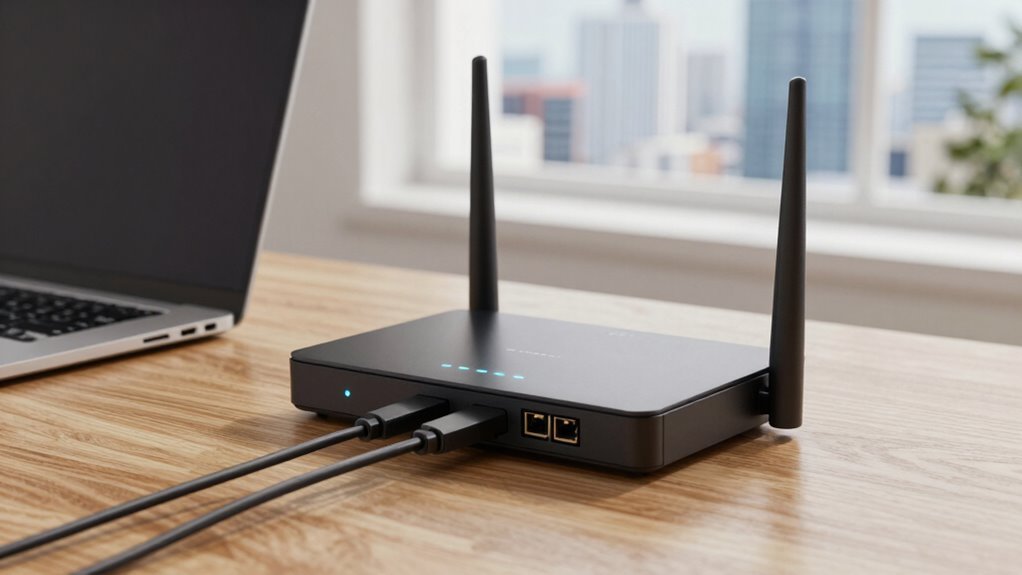
You need solid speed—think 50+ Mbps and strong upload rates—so your video calls don’t freeze mid-sneeze. Ditch dead zones with a mesh system that’s got your whole home covered, even the garage where your cat “works.” Prioritize security with WPA3, separate networks, and built-in defenses. Choose a router with smarts to prioritize Zoom, slash lag, and grow with your needs—trust me, there’s more where that came from.
Reliable Speed and Bandwidth for Seamless Video Calls

If you’ve ever frozen mid-sentence on a video call while your coworker stares at a pixelated version of your face, you know how essential speed and bandwidth really are—luckily, getting it right doesn’t take magic, just a solid plan and a router that can keep up.
You need at least 25–50 Mbps download and 5–10 Mbps upload for basic calls, but if you’re juggling HD meetings, cloud apps, or live presentations, aim higher—50–300 Mbps or more.
Upload speed is your secret weapon: it keeps your video smooth, not blurry or choppy.
Don’t let asymmetrical plans sabotage your screen shares!
Pair a fast plan with a Wi-Fi 6 router, enable QoS to prioritize calls, and boom—your face stays sharp, your voice clear, and your jokes land exactly when they should.
Latency under 50 ms? Even better.
latency under 50 ms is ideal for real-time communication, ensuring your responses sync perfectly with colleagues without distracting delays.
Now that’s what we call reliable.
Extended Coverage for Multi-Room Home Offices
You’ve nailed the speed for flawless video calls, but what good is a crystal-clear voice if you lose the connection walking from your office to the kitchen? For multi-room home offices, extended coverage isn’t a luxury—it’s your lifeline.
A single router might leave dark zones in your basement or garage, but mesh systems spread Wi-Fi love evenly using multiple nodes. Place them smartly—around 25–50 feet apart, avoid metal monsters, and go wired when possible for a rock-solid backhaul.
Whether you’re hopping on a call in the backyard or grabbing coffee mid-meeting, seamless roaming keeps you online.
- Go mesh for blanketing coverage without dead zones
- Wired backhaul = faster, stable links between nodes
- Test and tweak node spots using your router’s app to crush dead zones
Systems like the Orbi 970 Series deliver up to 27 Gbps with WiFi 7 technology, ensuring ample bandwidth for multiple 4K video conferences and cloud backups running simultaneously.
Advanced Security and Privacy Features

Your home office deserves a digital bodyguard, and that’s exactly what advanced router游戏副本 security brings to the table. You want a router that blocks hackers like a bouncer at a VIP club—using firewalls, intrusion protection, and anti-flood defenses to stop attacks before they reach your laptop.
Look for WPA3 encryption so your Wi-Fi can’t be cracked by a nos grinding neighbor’s kid.
Set up separate networks for work, guests, and smart gadgets—you’ll sleep better knowing your security cam isn’t chatting with your work laptop.
A built-in VPN means all your traffic’s encrypted without installing apps on every device, and a kill-switch keeps you safe if the tunnel drops.
Plus, automatic updates patch flaws before they become disasters. It’s like vaccines for your network—no needles required! Routers with Multi-Factor Authentication support add an extra layer of defense by requiring additional verification beyond just a password.
Low Latency and Quality of Service for Critical Tasks
Rock-solid security keeps the bad guys out, but what good is a fortress if your video calls freeze during the big pitch? You need low latency and smart traffic handling to keep critical work flowing smoothly.
A router with a fast, multi-core CPU and hardware acceleration won’t choke when you’re uploading, downloading, and conferring all at once. Look for real QoS intelligence—not just basic settings—that automatically prioritizes your Zoom call over Netflix in the background.
- Smart QoS that spots video calls and boosts them instantly
- Bufferbloat control so your connection stays snappy, even when busy
- Multi-gig ports for wired speed and stability right at your desk
Uploads matter just as much as downloads, and the right router’s got your back—keeping jitter low, calls clear, and your boss impressed.
Future-Ready Hardware and Easy Network Management

While you’re busy nailing that remote work life, your router should be keeping up—not playing catch-up.
Future-ready hardware like Wi-Fi 7 offers quad-band speeds up to 24.4Gbps, so your video calls, downloads, and backups fly with zero lag.
Routers like the Asus ROG Rapture GT-BE98 Pro pack quad-core power and 2GB RAM, effortlessly juggling heavy traffic.
Need wired speed? Multi-gig ports (even 10GbE!) guarantee your desktop or NAS isn’t left in the slow lane.
And with intuitive apps, you’re not fumbling through settings—you’re tapping your phone to prioritize Zoom, secure devices, or add mesh nodes like ZenWiFi BQ16 Pro with a grin.
Automatic updates and AiProtection keep you safe without the hassle.
It’s not just a router; it’s your smart, stress-free command center, ready for whatever comes next—because adulthood is hard enough without buffering.
Frequently Asked Questions
Can I Use a Wi-Fi 7 Router With Older Devices?
Yes, you can totally use a Wi-Fi 7 router with older devices—no need to toss out your trusty gadgets!
They’ll still connect, just at their original speeds.
Think of it like a sports car towing a bike: the bike keeps pedaling slow, but the car’s ready to zoom.
Just don’t expect your old phone to hit Wi-Fi 7’s top speeds, and you’ll be golden!
Do Mesh Routers Work Better for Remote Work?
Yeah, mesh routers totally work better for remote work—you’re not stuck near one spot, and they’ve got your back as you move around.
No more “Where’s the Wi-Fi?” panic.
They eliminate dead zones, keep calls smooth, and handle all your devices without breaking a sweat.
Think of them as your home office’s best wingman—reliable, fast, and always on.
Is a Fanless Router Design More Reliable?
Yes, a fanless router’s more reliable—you skip noisy fans that wear out, overheat, or clog with dust.
It runs quieter, too, perfect for your home office.
Just don’t overload it with heavy VPNs or tons of devices, or it might heat up and slow down.
Think of it like a cool-headed coworker: calm under light pressure, but can’t do everything at once.
It’ll last longer if you match it to your work style—simple, steady, and smart.
How Many Connected Devices Are Too Many?
You’re asking for trouble if you’ve got more than 25 devices cluttering your network—yeah, even those sneaky smart bulbs count!
While routers *can* handle 50 or more, performance tanks fast when everyone’s streaming, gaming, or joining back-to-back Zoom calls.
Think of your router like a coffee shop barista: too many orders, and someone’s latte gets cold.
Keep it under 45 for sanity, and upgrade if your smart fridge’s hogging bandwidth again!
Does Router Placement Affect Video Call Quality?
Yes, router placement totally affects your video call quality—you’re not imagining those frozen faces.
Sure, your router might hide in the basement like it’s hiding from responsibilities, but that’s a no-go.
Put it center stage, up high, away from microwaves and thick walls.
You’ll slash lag, dodge dropouts, and finally stop hearing, “You’re breaking up!”
Cha-ching: smooth calls, happy coworkers.
Conclusion
You’ve got meetings to run, files to send, and zero time for lag. Imagine Sarah, juggling Zoom calls from her basement office—her kids watching cartoons upstairs—thanks to her router’s rock-solid speed and smart traffic splitting. With strong security, broad coverage, and easy controls, she’s stress-free. Pick the right router, and hey, even your cat’s Instagram live won’t crash your call! Work smooth, stay sane, and keep laughing—not buffering.