Must-Have Gear for Gamer Offices
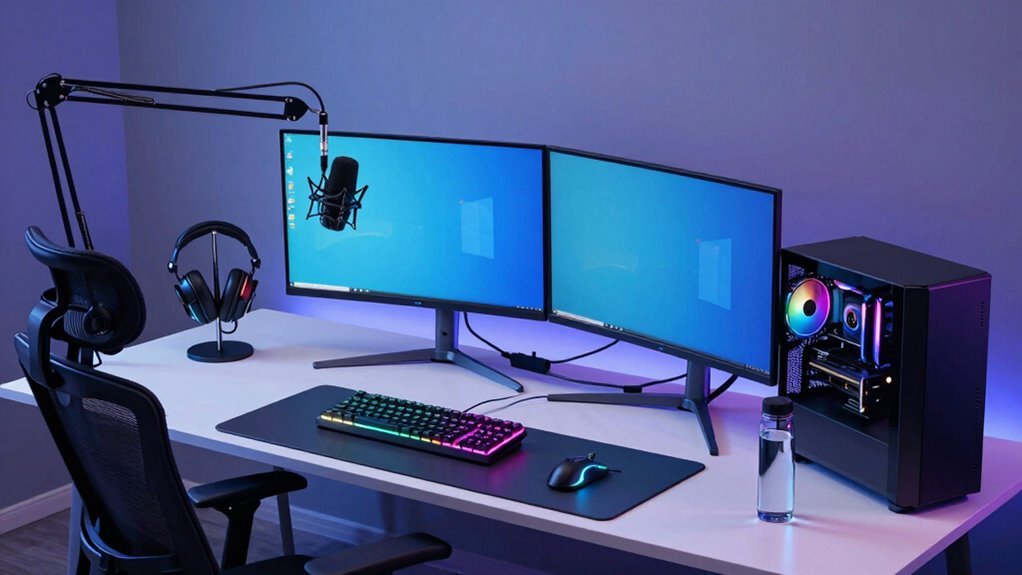
You’re building a gamer office that slays both work and play—start with a sit-stand desk that zips up and down like a futuristic command pod. Toss on a slick monitor arm, light up the scene with moody RGB glow, and grab a mechanical keyboard that clicks just right. Slide in a feather-light mouse, crank audio with crisp headphones, and throw in a stream deck to boss the whole show. Oh, and your back will thank you later.
Premium Gaming Desks for Maximum Comfort and Functionality

Ever wondered how to game for hours without turning into a stiff, groaning zombie?
You’ve got this—start with a premium gaming desk that adjusts to *your* body, not the other way around.
With motorized height control, it smoothly shifts from 28.7 to 46.8 inches, so you can sit or stand like a pro.
Set your ideal 29-inch sweet spot and let your elbows chill at 90 degrees—feet flat, back happy, no zombie moans.
Dual motors handle up to 120 kg, so your gear stays put, even during epic boss fights.
Cable chaos? Nope—smart routing keeps wires tucked and tidy.
Built with heavy-duty steel and crossbeams, it’s稳 (that’s “steady” in awesome-speak).
Bonus: RGB lighting with 512 LEDs pulses to your music, because why *shouldn’t* your desk throw a party?
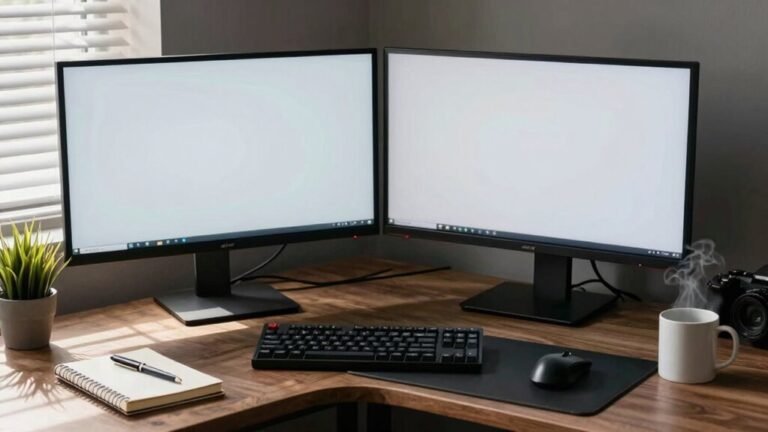
Many gaming desks also offer spacious desktop surfaces, ensuring ample room for multi-monitor setups and all your essential peripherals.
High-Performance Monitor Mounts and Adjustable Arms
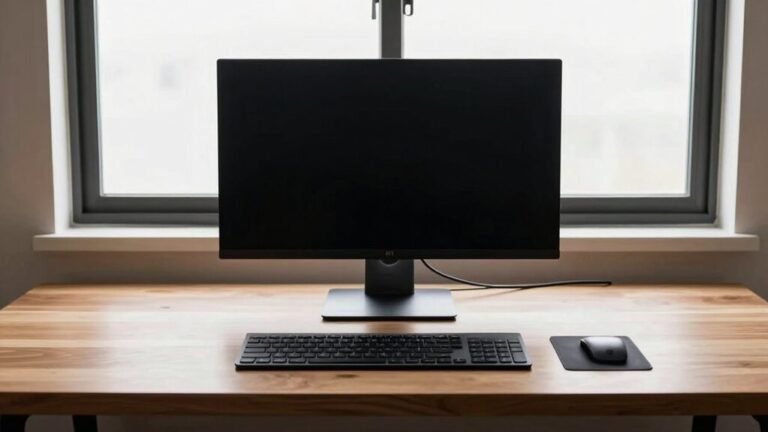
Your monitors deserve more than a wobbly perch—you need a high-performance mount that keeps them rock-solid while you dominate the leaderboards.
Say goodbye to shaky screens and hello to buttery-smooth adjustments, whether you’re pulling off headshots or going live on stream.
The right arm doesn’t just look slick—it boosts comfort, cuts neck strain, and makes your setup feel like a pro rig.
- Pick the right base: Clamp mounts are easy to install, while grommet mounts offer max stability for heavy screens.
- Know your weight: Match your monitor’s size and weight to the mount’s capacity—always leave a little safety room.
- Check VESA compatibility: Most monitors fit 100×100 mm, but bigger ones need larger patterns—don’t guess, verify!
- Adjust like a pro: Go for arms with smooth height, tilt, and swivel so you can pivot from gaming to streaming in seconds.
Make sure your desk depth supports the arm’s reach to avoid instability—desk depth: 24–30 inches is ideal for most gaming setups.
Responsive Mechanical Keyboards for Gaming and Typing Precision

Now that your monitors sit exactly where you want them—steady, sleek, and staring you down like a boss—let’s talk about what’s under your fingers. A responsive mechanical keyboard isn’t just for clacky sound effects (though yeah, that’s kinda satisfying). It’s your command center for fast gaming and comfortable typing. With hot-swappable switches, you can mix and match feels without breaking a sweat—or your wallet. Some top models even feature low-profile GL switches, blending speed and comfort in a slim, durable design.
| Feature | Why You Care |
|---|---|
| Analog switches | Let you creep silently in-game with partial presses |
| 8,000 Hz polling | Sends inputs crazy fast—lag hates you |
| Gasket mount | Feels buttery, not like typing on concrete |
| PBT keycaps | Stay shiny, don’t get greasy—unlike your pizza fingers |
Tune your board for speed, comfort, and style. Your fingers will thank you—and so will your K/D ratio.
Lightweight Gaming Mice Designed for Speed and Accuracy
A lightning-fast click and a flick of the wrist—that’s all it takes to dominate in the heat of battle, and the right lightweight gaming mouse puts that kind of speed right at your fingertips.
You’re not just clicking; you’re flying across the screen with precision that feels almost unfair.
These featherlight beasts cut hand fatigue and boost reaction time, so you’re always one step ahead.
Whether you’re sniping from afar or dodging bullets in a frantic sprint, your mouse keeps up without breaking a sweat—or making you break one.
- Razer Viper V3 Pro – 41.6g powerhouse with pro-level 8000Hz wireless speed.
- Corsair Sabre V2 Pro – Ultralight at 36g for lightning flickshots.
- Endgame Gear OP18K – Strong 8000Hz performance, great value.
- Lamzu Maya X – Near-perfect scores with ultra-responsive clicks.
Immersive Audio Solutions With Headphones and Speakers

Diving into a game with perfect sound is like having x-ray hearing—one minute you’re guessing where the footsteps are, the next you’re calling out enemy positions like a pro.
Headphones give you the best bang for your buck, packing crisp details and sharp positional audio, especially in games like CS:GO.
Models like the HD 58X Jubilee or DT 990 Pro shine when paired with a solid amp. They’re quiet, space-saving, and won’t annoy your roommate.
But yeah, wearing them all day? Your ears might throw a tantrum.
Speakers, on the other hand, fill the room with cinematic bass and let friends feel the boom—great for co-op nights.
Just don’t rely on them for competitive edge. Floorstanders need space and power, and cheap setups can buzz or blur details. Pick wisely—your ears (and teammates) will thank you.
Advanced Cable Management for a Clean and Efficient Setup
If you’ve ever tripped over a jungle of wires while rushing to grab a winning shot in-game, you know messy cables are more than an eyesore—they’re a hazard waiting to ambush your focus.
Clean cable management isn’t just pretty, it keeps your setup safe, cool, and running smooth.
Start smart and stay ahead with these easy wins:
- Map it out first – plan where every cable runs from your PC to monitor, keyboard, and gadgets before you start.
- Sort & label – unplug everything, toss the junk, group by type, and tag each cable so you never play “which-one-is-this?” again.
- Route behind the scenes – use clips, trays, or raceways to tuck cords out of sight and out of mind.
- Tame the tangles – wrap extras in sleeves or stash them in a box so your space stays sleek and snag-free.
Boom—organized, safe, and ready for battle.
Customizable Lighting to Elevate Your Gaming Atmosphere

Ever wonder how the pros make their setups look like neon-lit command centers straight out of a sci-fi epic? You’re not alone! With customizable RGB lighting, you can transform your gamer office into a glowing paradise that matches your vibe—whether you’re grinding in-game or just chilling. Use LED strips under your desk, behind your monitor, or around the room’s edges for smooth ambient glow. Add modular panels or smart light bars for dynamic color shifts and eye-popping effects. Sync them to music, gameplay, or your mood with an app or voice command. Best part? It’s all dimmable, so your eyes stay happy during marathon sessions.
| Type | Best For | Pro Tip |
|---|---|---|
| LED Strips | Desk & monitor edges | Use double-sided tape for clean setup |
| Light Panels | Wall art flair | Sync to your game for epic reactions |
| Bias Bars | TV/monitor glow | Reduces eye strain, boosts contrast |
| RGB Accents | Style + task lighting | Place under shelves for depth |
Stream Decks and Smart Controls for Real-Time Performance
Your gamer office just got a high-tech co-pilot with Stream Decks and smart control surfaces—think of them as command centers for your chaos, whether you’re live-streaming a victory lap or muting your mic mid-rant at a lag spike.
These slick gadgets put total control at your fingertips, with customizable keys, knobs, and touchbars that adapt to whatever you’re doing in real time.
- Trigger scene switches or launch apps with one tap—no more frantic alt-tabbing.
- Run multi-action macros like “start stream + play intro + dim lights” instantly.
- Swap profiles automatically when you switch from Discord to OBS or Twitch.
- Mute mics or adjust volume on the fly, so you never curse on live audio again.
Compact or stacked, they’re your backstage pass to looking pro—even when you’re winging it.
Spacious Corner and Sit-Stand Desks for Multi-Monitor Setups

You’re not just building a gamer office—you’re crafting a command center that can handle your wildest multi-monitor battlestation dreams.
Corner desks like the Sigma L-Shape give you room for two full gaming setups, plus space for sketching or sneaking in snack storage.
L-shaped and C-shaped designs maximize every inch, fitting massive 70.7-inch battlestations without crowding your room.
Need to stand and stretch during boss fights? Sit-stand desks like MITTZON and Corsair let you rise with the action using smart electric lifters.
Adjustable heights mean no more slouching, just smooth switches from sit to stand.
Big surfaces, cable channels, and optional monitor arms keep everything clean and ready.
Whether you’re streaming, grinding, or drawing, these desks keep your gear stable, your vibes high, and your posture (mostly) heroic.
Who knew productivity could look this cool?
Ergonomic Accessories to Support Long Gaming and Work Sessions
While you’re locked in for the long haul—whether grinding levels or deadlines—your body shouldn’t have to hit game over from discomfort.
Keep your setup supportive and pain-free with these ergonomic essentials:
- High-adjustability gaming chair – With lumbar support, 4D armrests, and a 135° recline, it’s like a spa day for your spine.
- Contoured wrist rests & vertical mouse – They keep your wrists happy and reduce strain, so carpal tunnel doesn’t raid your session.
- Split ergonomic keyboard – It promotes a neutral hand position, making typing and clicking feel natural, not like a punishment.
- Lightweight headset + eye-level monitor – Reduce neck strain and eye fatigue, so you stay sharp and comfy, even during marathon runs.
Your body will thank you—no respawn needed.
Frequently Asked Questions
What Is the Best Color for Gaming Desk Lighting?
You’ll love 3000K warm white lighting—it’s cozy, easy on the eyes, and cuts screen glare without killing the vibe.
Pair it with RGB lights for fun color pops that sync to your game.
Cool daylight (6500K) works behind monitors as bias lighting, but don’t overdo blue tones—they’ll zap your focus.
Warm hues relax you, while neon RGB amps up the energy.
Mix them, match your theme, and boom: instant gaming glory.
Do Gaming Chairs Come With Lifetime Warranties?
No, most gaming chairs don’t come with true lifetime warranties—think Marcus, a streamer whose chair foam flattened after 18 months, only to learn his “lifetime” coverage excluded wear-and-tear.
Companies often cover frames for years but limit upholstery to 1–2.
You’ll see fine print tying “lifetime” to the product’s life, not yours, so always check what’s actually protected—it’s rarely everything.
Are Wireless Keyboards Good for Competitive Gaming?
Yeah, wireless keyboards are totally good for competitive gaming now—don’t let anyone tell you otherwise.
You’ve got ultra-fast connections, crazy low lag, and pro-grade tech like 8000 Hz polling keeping you razor-sharp.
Just skip Bluetooth mode, keep your dongle plugged in, and charge that battery.
With top models, you’re gaming like a wired champ—minus the cord jungle.
Trust me, your fingers won’t know the difference, unless they’re busy winning.
Can Stream Decks Work Without Internet Connection?
You’re wondering, “Can my Stream Deck actually work without Wi-Fi?” Absolutely, yes!
As long as you’ve already downloaded your profiles and set up your buttons, it runs smoothly offline.
You’ll still rock those macros, switch scenes in OBS, or launch apps like a pro—no internet needed.
Just don’t expect cloud sync or web-powered widgets to dance for you.
Think of it like a trusty sidekick: prep it first, and it’s got your back, even in digital ghost towns.
Fun, right?
How Do I Clean Mechanical Keyboard Switches?
You clean mechanical keyboard switches by first unplugging your board and popping off the keycaps.
Use compressed air to blow out dust, then grab a cotton swab dipped in high-concentration alcohol to gently scrub around each switch.
A soft brush helps reach tight spots without pressing gunk down.
Let everything dry completely—no one likes a soggy circuit—then snap the keycaps back and enjoy your like-new typing feel!
Conclusion
You’ve got the gear, now it’s game on! With slick desks, killer audio, and lights that pop, your setup’s ready to steal the show. Toss in those ergonomic perks, and you’re not just winning battles—you’re surviving marathon sessions like a champ. Whether you’re streaming or smashing headshots, every piece works for you. Don’t just level up your gear—level up your whole vibe. The dream office? Nailed it.