How to Use a Whiteboard for Task Management
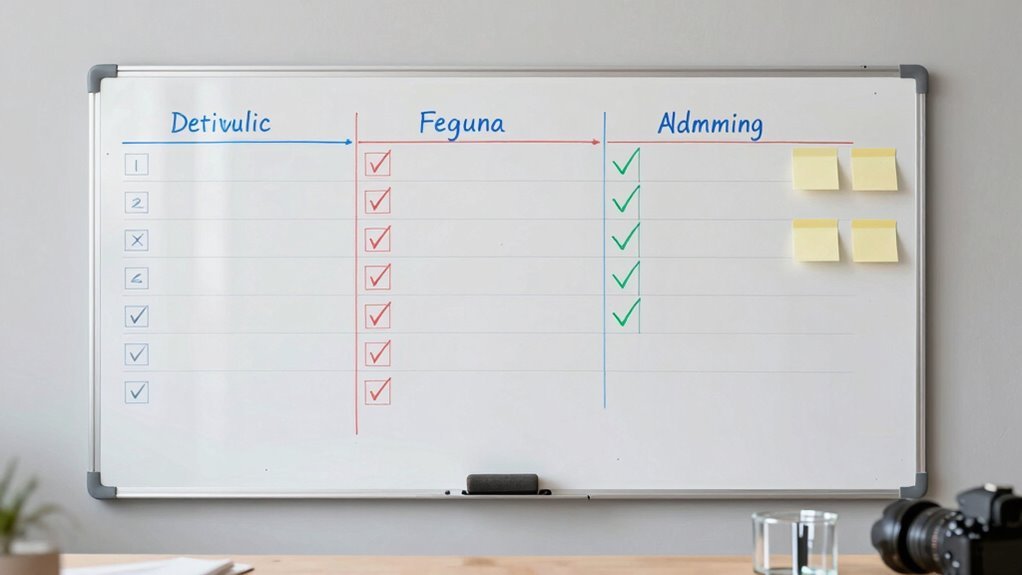
Grab a marker and turn that blank whiteboard into your team’s command center! Split it into zones like Backlog, Today, and Done, use colorful sticky notes for tasks and meetings, and draw little icons to flag blockers or big ideas. Keep it tidy with gridlines, set clear rules for moving work forward, and balance who’s doing what—so no one’s swamped. It’s like group homework, but actually fun. You’ll love how much smoother things run when everything’s out in the open, and there’s even more to get excited about.
Organize Your Board With a Clear Visual Structure

When you walk up to your whiteboard, the last thing you want is a messy maze of sticky notes that looks like a tornado hit a to-do list—so start by sectioning your board into clear, dedicated areas that make sense at a glance.
Carve out zones like Backlog, Today, Doing, and Done, so your brain doesn’t have to work overtime.
Add a “Top 3” spot to spotlight what *really* matters today—no more scrolling through mental junk mail.
Toss in a Parking zone for runaway ideas; let them simmer without crashing the main event.
Draw light gridlines to keep notes tidy and aligned, like a visual grid for peace of mind.
Use columns for workflow steps and rows for teams or projects—it’s Kanban with flair.
Color-code like a pro: red for blockers, green for go, and save that sparkly unicorn sticker for wins.
It’s not magic, but it’s close.
This structured approach boosts enhanced organization, helping you stay focused and productive throughout the day.
Capture Tasks Using Standardized Formatting
| Task Type | Format Tip |
|---|---|
| Daily To-Do | Write in black, place at top |
| Priority Task | Red border + number rank |
| Meeting | Blue sticky, add time |
| Idea/Note | Yellow note, doodle a lightbulb |
You’ll spend less time guessing and more time getting stuff done—like a productivity magician. Boom! Clear goals are the foundation of productivity, so make sure each task on your whiteboard ties back to a clear goal.
Establish Rules for Workflow Progression

If you’ve ever watched tasks pile up like dirty dishes in a shared kitchen, you know what a mess unchecked workflows can become—so let’s fix it with some clear, no-nonsense rules that keep things moving smoothly.
Label each stage clearly—think Backlog, In Progress, Done—and stick to it.
Define what must happen before a task enters or leaves each stage, and jot those rules right on the board so everyone’s on the same page.
Use color-coded stickers or markers to spot blocked tasks fast, and add little icons to flag delays or urgent items.
Set WIP limits to stop overloading and assign clear owners for each handoff—no more “I thought you were doing that!”
Surprise your team less with chaos and more with clarity.
Stick to these rules, and your board becomes a well-oiled flow machine. Sequential Flow ensures tasks move logically from one stage to the next, preventing confusion and bottlenecks.
Prioritize Work and Manage Team Capacity
You’re juggling more tasks than there are hours in the day, but here’s the good news: your whiteboard isn’t just a doodle zone—it’s your secret weapon for staying sane and super-productive.
- Map tasks by value—use colors or labels to spotlight strategic work so it jumps out, not gets lost.
- Track real capacity—show available hours per person and compare them to workload, so no one’s buried or bored.
- Balance the load visually—adjust tasks across team swimlanes like puzzle pieces to even out the grind.
- Revisit priorities often—tweak your plan daily or weekly, because let’s face it, nothing goes exactly as expected (we’ve all been ambushed by “quick” tasks that weren’t).
With your whiteboard, you’re not just managing tasks—you’re mastering your team’s energy, one dry-erase miracle at a time.
Facilitate Collaboration and Track Improvements

A well-used whiteboard isn’t just a place for scribbled notes and last-minute sketches—it’s your team’s collaboration command center, buzzing with energy, ideas, and progress. You’re not just writing tasks—you’re building momentum, together. Use columns for responsibilities, dot-vote on big decisions, and leave sticky notes that say, “I support this!” even if you’re shy. Want proof things are improving? Track the good stuff—like faster turns and fewer snafus—right on the board.
| Stage | What You Do | Why It Rocks |
|---|---|---|
| Ideation | Brainstorm freely | No idea is too wild—go bananas! |
| Decision | Vote & converge | Stop talking, start doing |
| Action | Assign & move tasks | Watch progress roll like a movie |
| Review | Check KPIs & celebrate | Did we just get *that* efficient? |
You’ve got this.
Frequently Asked Questions
How Often Should We Clean or Reset the Whiteboard?
You should wipe the whiteboard daily—yes, every single day—to keep ghosts of old notes from haunting your plans.
Do a deeper clean weekly so ink doesn’t throw a permanent tantrum.
Go full detective once a month to sniff out stains and refresh the surface.
Stick to this, and your board will stay slick, clear, and ready for your next big idea—no magic, just markers and effort.
Can We Use Digital Tools Alongside the Physical Board?
You bet you can mix digital tools with your physical board—it’s like giving your whiteboard superhero powers!
Snap a photo and watch it zip to the cloud, turn scribbles into tasks with a tap, or let remote teammates join the fun in real time.
It’s teamwork on turbo, where markers meet apps and no great idea gets lost erasing.
Magic? Nope—just smart, seamless, and kind of awesome.
What if a Team Member Forgets to Update Their Tasks?
You nudge your teammate gently—no drama, just a quick, “Hey, forgot to update your task, right?”
Then you tag them on the board with a sticky note or digital ping so it’s playful, not pushy.
Everyone forgets sometimes, but a little friendly reminder keeps things rolling.
You make accountability light, fun, and part of the rhythm—like a team inside joke that actually gets work done.
How Do We Handle Tasks That Span Multiple Sprints?
You handle multi-sprint tasks by breaking them into smaller pieces, just like slicing a giant pizza into bite-sized chunks.
You track progress visibly, celebrate small wins, and adjust as needed.
You keep the whole team in the loop, so no one’s left wondering what’s cooking.
Think of it as a road trip: you’re not arriving in one leap, but every sprint gets you closer—mile by mile, laugh by laugh.
Who Resolves Conflicts Over Task Ownership or Priority?
You resolve conflicts over task ownership or priority—but when you’re stuck,
68% of teams say clear roles prevent fights before they start.
You talk it out, check your team’s rules, or bring in the manager or product owner to decide.
Use your whiteboard to make it visual, keep things light, and remember: no battle royales over who updates the spreadsheet!
Conclusion
You’ve just turned a blank canvas into a powerhouse of productivity—like giving your to-do list a superhero cape. With each sticky note and sharpie stroke, chaos turns into clarity. You’re not just managing tasks, you’re herding them gently toward victory. And hey, if a doodle sneaks in? Perfect. Progress isn’t perfect, it’s possible—and yours is written bright, bold, and ready to win.