Using Automation Tools to Save Time in Your Home Office
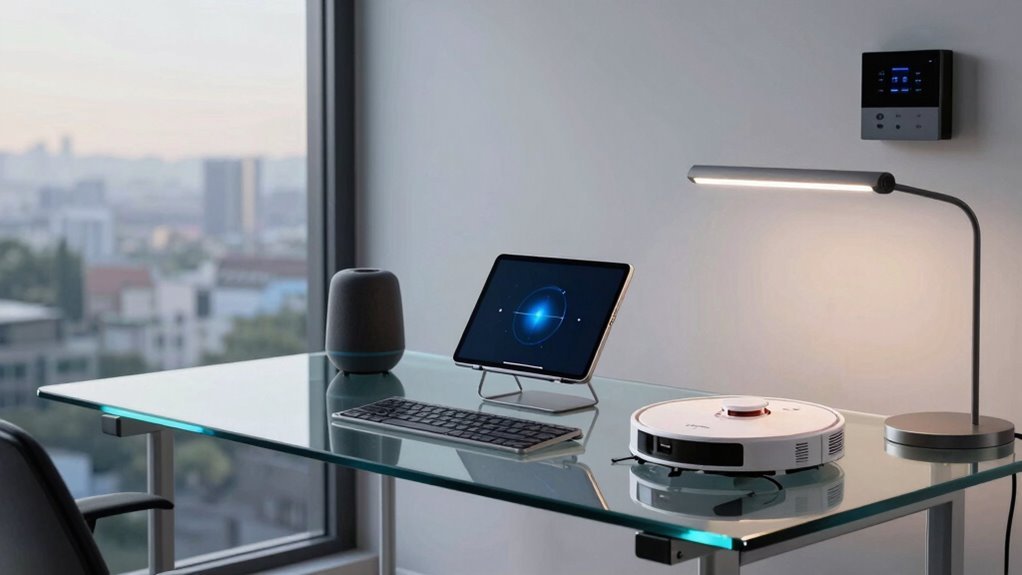
You’re slashing hours off busywork with smart scheduling that blocks focus time and skips meeting headaches. Your inbox? Tamed with auto-replies, templates, and AI that writes better than you before coffee. Shared files sort themselves, approvals zip through instantly, and your lights, lock, and thermostat adjust without lifting a finger. Even your finances run on autopilot, leaving you more time for what truly matters—like finally starting that side hustle you keep talking about.
Streamline Daily Tasks With Smart Scheduling Tools
If you’ve ever wasted time juggling meetings, double-booked a room, or stared blankly at your calendar wondering when you’ll actually get work done, smart scheduling tools are here to rescue your sanity—and your schedule.
You’re not just guessing anymore; AI learns when you’re sharpest and blocks deep-work time that actually sticks.
Imagine your calendar quietly reserving your focus hours like a bouncer at a club—no interruptions, no excuses.
These tools cut scheduling time in half, dodge last-minute conflicts, and even nudge meetings to less chaotic days.
They auto-pick attendees, suggest agendas, and toss in buffers so back-to-back calls don’t wreck your afternoon.
With room and desk bookings synced up, you’ll never fight for space again.
It’s like your calendar grew a brain, learned your habits, and started working *for* you instead of against you.
Sweet, right?
Predictive scheduling enhances this experience by forecasting optimal work windows based on your historical productivity patterns, ensuring your peak hours are protected and utilized effectively.
Welcome to productivity that feels a little like magic.
Automate Repetitive Email Workflows
Saving time while boosting your impact? Automate your email workflows—you’ve got nothing to lose and tons to gain.
Set it once and watch the magic happen while you focus on bigger things, like perfecting your coffee-to-code ratio.
- Welcome emails that *actually* welcome people, with 2.5x more sends showing they’re not just polite—they’re powerful
- Abandoned cart nudges that say, “Hey, you forgot something!” and drive serious sales (often top 3 in conversions)
- Smart triggers like back-in-stock alerts that send emails when the good news drops—because everyone loves a comeback story
Automated emails get 52% more opens and convert like crazy—some bring in over 8x more revenue per recipient.
With AI writing help and perfect timing tricks, your inbox game just leveled up.
And guess what? You’ll save up to 40% of your time.
Now that’s working smarter, not harder.
Automated emails drove 37% of sales in 2024 despite making up just 2% of total email volume.
Enhance Collaboration With Ai-Powered Platforms

You’ve already got your inbox running like a well-oiled robot, so why stop there?
Jump into AI-powered collaboration platforms and watch teamwork get smarter, faster, and way more fun.
You’re not just working—you’re turbocharging how you connect.
With AI by your side, you’ll slash redundant tasks by 35% and find what you need 70% quicker, like magic (but better—it’s real).
You’ll chat, share, and brainstorm with teammates while AI keeps the gears turning smoothly.
Teams using AI see communication surge by 137%, and let’s be honest, who doesn’t want fewer misunderstandings and more high-fives?
You’ll save over an hour and a half a day, nail projects faster, and actually enjoy meetings—yes, really.
With 85% of leaders zipping through tasks and boosting work quality, you’ll wonder how you ever collaborated without it.
Work just became your favorite playground.
90% of companies aim to adopt cognitive collaboration solutions combining human and AI intelligence.
Simplify Document Management and Approvals
- Store everything in one cloud spot so you find any file fast, thanks to smart search and AI that actually learns.
- Automate approvals with e-signatures and no-code workflows that ping the right person, no nudging required.
- Keep track effortlessly with version control and audit trails that remember what you changed, so you never overwrite last Tuesday’s draft (again).
With automation, your paperwork doesn’t just behave—it practically files itself.
Who knew digital adulthood could feel this easy?
Integrate IoT Devices for Efficient Home Office Control

Now that your files are filing themselves and approvals move like text messages on speed dial, let’s talk about taming the physical side of your workspace—because even the smartest paper-pusher still sweats when the office gets stuffy.
You can fix that with smart thermostats that learn your schedule and adjust the temperature before you even think about it.
Add HVAC zoning, and your home office stays cozy while the rest of the house cools down, saving energy and cash.
Turn on circadian lighting to stay sharp during work and wind down naturally—no more fluorescent fog.
Use voice commands or apps to dim the lights, lock the door, or silence deliveries with a tap.
Smart cameras and locks keep things secure without you playing security guard.
With everything connected, you’re not just working smarter—you’re finally in control.
Boost Productivity With Ai-Driven Task Prioritization
What if your to-do list didn’t just sit there like a passive-aggressive sticky note but actually helped you tackle the right tasks first?
With AI-driven prioritization, it does — and you’ll save over an hour a day. Workers using AI finish tasks 28% faster, spend less time on emails, and focus more on creative thinking. Imagine your digital helper quietly sorting priorities while you sip coffee, ready to guide your most productive day yet.
- You finish faster: AI speeds up work by up to 88%, especially on reports, spreadsheets, and coding
- You save time: Daily users gain four or more hours weekly — that’s almost a part-time vacation
- You focus better: 70–94% say AI frees mental space for big ideas and less busywork
Let AI handle the grunt work; you take the credit.
Reduce Manual Data Entry With Workflow Automation

You’ve already got AI helping you tackle your to-do list like a pro, so why not let it handle the mind-numbing data entry too?
Ditch the copy-paste grind—tools like RPA and smart OCR can pull info from invoices, forms, and receipts automatically.
You’ll save about two hours a day, and who doesn’t want that?
With automation, errors drop, data stays clean, and you’ll avoid those “oops, wrong field!” facepalm moments.
Intelligent workflows even flag weird entries so you’re not chasing ghosts.
Plus, 52% of companies using document automation report fewer mistakes—your finance and HR will thank you.
You’ll cut emails on tasks by up to 75%, get 20% of your time back, and boost output by over half.
It’s like giving your home office a productivity espresso shot—no jitters, just results.
Automation isn’t magic—it’s your new office BFF.
Optimize Time Tracking and Reporting Automatically
How much time do you really waste tracking time?
With automated tools, you can stop the clock-watching madness and focus on real work.
These smart systems run quietly in the background, logging your activity without constant babysitting.
They even pause when you step away—no more accidentally billing for coffee breaks!
Here’s how automation turns time tracking from a chore into a superpower:
- AI builds your timesheets in seconds, pulling data so you don’t have to
- Apps and meetings auto-sync to projects—no manual entry needed
- Real-time reports go out automatically, so clients and managers stay in the loop
Set it once, and boom—your time logs are accurate, professional, and *finally* stress-free.
It’s like hiring a tiny assistant who *loves* spreadsheets and never asks for coffee.
Improve Work-Life Balance by Automating Routine Processes

Taming the daily grind doesn’t have to feel like wrangling a digital octopus.
You’re not stuck sorting emails, scheduling meetings, or chasing receipts all day.
Automate email filters and templates to slash inbox chaos, and let smart calendar tools handle meeting invites—no more endless back-and-forth.
Schedule focus blocks automatically, so you actually get deep work done without interruptions.
Use auto-tagging and cloud file sorting to find documents faster than a coffee run.
Let the system remind clients about payments and log your expenses while you sleep.
Automated backups keep your data safe, stress low, and work-life balance high.
When you stop doing the same tasks daily, you free up hours—for family, hobbies, or just breathing.
Automation isn’t magic, but it’s close.
You’ll work smarter, finish sooner, and finally log off on time.
Your future self (and your weekends) will thank you.
Frequently Asked Questions
What Are the Upfront Costs of Setting up Automation Tools at Home?
You’ll shell out anywhere from $25 to over $3,000 upfront, depending on how fancy you get.
A smart speaker kicks things off cheap, but add a thermostat, cameras, or smart lights and costs climb fast.
Don’t forget a solid Wi-Fi network—you’ll want one.
Toss in a few hundred more for tools, security upgrades, or pro help, and boom: your house just got a brain.
Congrats, you’re basically a tech wizard now!
Can Automation Tools Work Without an Internet Connection?
Yes, you can still automate tasks offline—about 60% of common desktop automations run perfectly without Wi-Fi!
Your local tools handle document edits, file sorting, and even printer setups while you’re unplugged.
Just avoid cloud-dependent features like email alerts or online apps.
Think of it like a robot that works during a blackout—it’s savvy, but it can’t text you the good news until the power’s back on.
How Do I Choose the Right Automation Tools for My Specific Job?
You pick the right automation tool by matching it to your daily tasks, tech comfort, and budget.
Got repetitive desktop work?
Try RPA.
SaaS-heavy?
Zapier or Make’s got your back.
Love coding?
n8n’s a blast.
Need AI smarts or tight security?
Power Automate or UiPath won’t let you down.
Test free versions, have fun tinkering, and watch hours magically reappear—like finding money in old jeans!
Are Automation Tools Secure for Handling Sensitive Personal Data?
Yes, automation tools can keep your sensitive data safe—if you don’t treat them like a rusty padlock on a bank vault.
You enable encryption, turn on multi-factor authentication, and give access only to those who truly need it.
You stay alert, update often, and watch for weird behavior like a nosy raccoon in your trash.
With the right care, your digital helpers guard your data like a loyal dog guarding a cookie jar.
Do I Need Technical Skills to Install and Use These Tools?
Nope, you don’t need to be a tech whiz to use automation tools—you’ve got this!
Just open an app, tap a few things, and let it run like magic.
Think of it as teaching your phone neat tricks, not coding a rocket ship.
Most tools guide you step by step, so you’ll be setting up smart lights or email rules in no time.
It’s like having a tiny robot helper that actually listens!
Conclusion
You’ve tamed the chaos, turned clicks into calm, and made minutes stretch like sunlit afternoons. Automation’s not magic—it’s your quiet superhero, zipping through tasks while you sip coffee, think big, or finally take that walk. Let bots handle the busywork, so you can focus on what fuels you. Your home office? Now it’s a well-tuned rhythm, humming with ease, efficiency, and just the right dose of *you*.