Organizing Digital Files: A Guide for Remote Workers
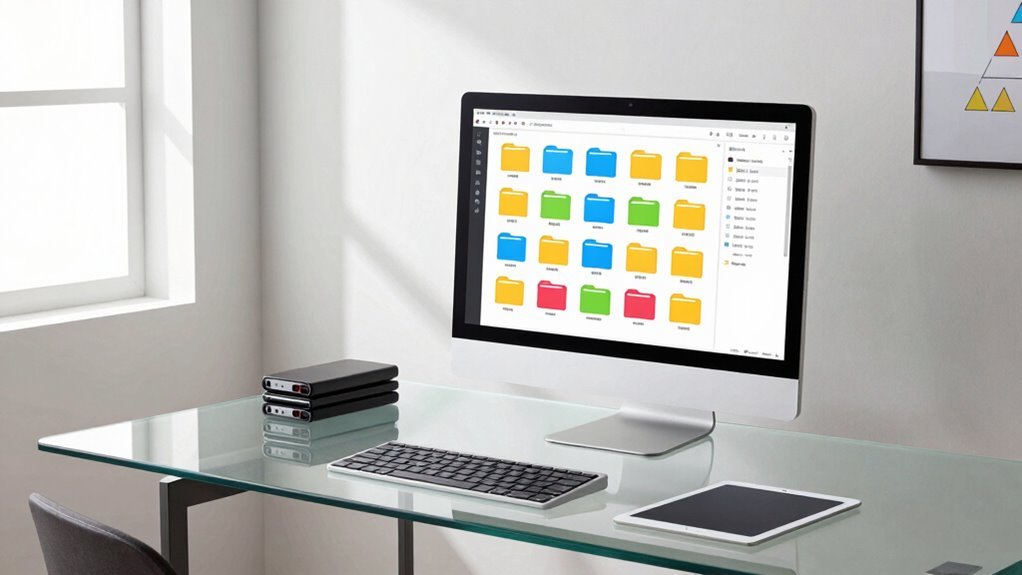
You’ve got this! Name files clearly with dates like 2024-05-21, use dashes, not spaces, and keep names short. Set up folders like Projects and Admin so everything’s easy to find. Stash files in the cloud for smooth teamwork, and clean up every month—toss what you haven’t used in three months. Use smart tools to auto-sort and save time. You’re already working smarter, not harder—and hey, there’s even more where that came from.
Establish Consistent File Naming Conventions
Ever wonder how to make your files as organized as your favorite playlist? You’ve got this!
Start by naming files clearly and consistently—think short, meaningful names under 35 characters.
Use YYYY-MM-DD at the beginning so they sort like magic.
Dashes or underscores beat spaces, and skip funky symbols like * or ?—they’re party crashers.
Go lowercase or TitleCase for readability, and toss in version tags like v2 or _DRAFT so you never lose track.
Need to spot the latest budget update fast? Use 001, 002, or even your initials.
Stick to standards: include dates, project names, and formats like .pdf.
Keep it simple, stick to the rules, and suddenly—boom—your folders feel less like chaos, more like a chart-topping hit.
Naming files right isn’t just tidy, it’s career-saving jazz.
A consistent structure helps teams quickly identify and locate files, especially when working remotely and sharing assets under centralised control of assets and metadata.
Design Efficient Folder Structures for Remote Workflows
You’ve nailed the art of naming files so they sing in harmony—now let’s build a home for them that doesn’t feel like a maze designed by a confused robot.
A smart folder structure saves time, reduces stress, and keeps your remote workflow humming.
Think of it as digital interior design—everything has its place, and yes, even your cat could find the quarterly report.
A well-designed folder tree supports scalability and prevents inefficiencies as file volume grows. Supports scaling without complex pipelines
- Use 5–8 top-level folders like Projects, Clients, and Admin so everyone knows where to look—no detective hat required.
- Set up a project template with subfolders like Deliverables, Communications, and Assets—because reinventing the wheel slows you down.
- Separate Active, Staging, and Archive zones to keep clutter out of sight and sanity intact.
Clean, clear, and cheerfully organized?
Yes, please. Your future self will high-five you.
Leverage Cloud Storage for Seamless Collaboration

When it comes to keeping remote teams in sync, cloud storage isn’t just helpful—it’s your secret weapon for smooth, drama-free collaboration.
You’re already in good company—94% of big companies rely on the cloud, and most use tools like Google Workspace or Microsoft 365 so you can co-edit documents in real time without stepping on each other’s toes.
With files automatically syncing across devices, you’ll never waste time hunting down “the latest version.”
Version history and file locking act like seatbelts, letting you roll back mistakes or block accidental overwrites.
Share files securely with links that expire or limit editing—no more “Can you resend that?” texts.
And because most workloads now live in the cloud, your team can collaborate faster, from anywhere, like digital roommates who never leave dishes in the sink.
82% of enterprise workloads now run in hybrid cloud environments, making cloud storage an essential backbone for secure, scalable, and always-available collaboration.
Implement Regular Decluttering Habits
What if the quickest way to calm your chaotic digital life wasn’t about adding more tools, but simply tossing out what’s been weighing you down?
You’re not alone—most people hang onto files they’ll never use, and it’s dragging down your focus and mood.
The good news? A little regular cleanup goes a long way.
Try these three simple habits to keep digital clutter from piling up like old laundry:
- Set a monthly declutter date—just 15 minutes to clear downloads, inbox trash, or unused apps.
- Use the Three-Month Rule: if you haven’t opened it in 90 days, delete it. Be ruthless!
- One-In-One-Out: every new file saved means an old one gets the boot.
You’ll free up space, reduce stress, and finally quit scrolling through endless folders just to find one thing. Your future self will high-five you.
Automate Organization With Smart Tools

Turn chaos into calm with a few smart tools that work while you hit “send” on your next email or binge your favorite show.
Let AI like The Drive AI or Renamer.ai sort your files by content, naming them and grouping them smartly—no more “Final_Final_Revised.doc.”
Tools like Magic Folder and WatchDirectory keep an eye on your Downloads, automatically filing things where they belong.
Set it and forget it!
With Zapier or M-Files, your files play nice with your CRM or cloud storage, so everything’s synced and searchable.
DropIT and File Juggler let you drag, drop, and go—perfect for beginners or power users alike.
These systems run quietly in the background, like a digital janitor who never complains.
Best of all? They scale beautifully, handling thousands (or millions!) of files without breaking a sweat.
You’ll save time, stress less, and finally find that invoice from 2021—maybe even before your coffee gets cold.
Frequently Asked Questions
How Do I Recover a Permanently Deleted Cloud File?
You can’t undo permanent deletion, but don’t panic—there’s still hope!
First, check your cloud trash; files often linger there.
If it’s gone, try version history or restore your entire drive to a prior date.
For synced folders, use tools like Recuva or Disk Drill on your computer.
Got a Google Workspace account? Ask your admin for help—sometimes they’ve got magic powers you don’t!
Keep calm and recover on!
What Should I Do With Inherited Disorganized Files?
You tackle inherited chaos like a treasure hunter sorting junk from gold—start by skimming folders, spotting duplicates, and trashing obvious clutter.
You’ll breathe life into the mess by grouping files into clear, labeled bins—photos, projects, emails—then zap duplicates with apps like Gemini 2.
You’ll win by naming things consistently, using color codes, and spending 10 daily minutes tidying—soon, it’s not a dumpster fire, it’s your well-earned digital kingdom.
Can File Organization Improve Remote Team Security?
Yes, you bet it can!
When you organize your files, you’re not just tidying up—you’re locking down chaos.
Clear folders mean fewer mistakes, less oversharing, and way less chance of accidentally handing hackers a backstage pass.
Think of it like putting your digital stuff in superhero costumes—protected, labeled, and ready to save the day.
Security’s not boring when your files behave!
How Often Should I Back up Local Files Locally?
Think of your files as wild puppies—they need frequent check-ins before they bolt!
You’re backing up local files every hour if you’re actively editing, or at least daily for routine docs.
Use quick, incremental backups so it’s fast and smooth.
Automate it, because forgetfulness happens (we’ve all been there).
Keep a week’s worth of snapshots, and boom—you’re covered like peanut butter on jelly.
Is It Safe to Share Folders With External Clients?
Yes, it’s safe to share folders with external clients—if you use the right tools and habits.
You’ve got encryption, access controls, and two-factor authentication on your side.
Just set clear permissions, add passwords, and expire links when done.
Revoke access anytime after the project ends.
With these steps, you’re not just sharing files, you’re sharing peace of mind—no crystal ball needed!
Conclusion
You’ve got this, digital superstar! Organizing your files isn’t just tidying up—it’s planting flags on conquered chaos. With smart names, clean folders, cloud magic, and automation as your sidekick, you’re turning clutter into clarity. Declutter like a pro, laugh at old “Final_Final_v3.doc,” and glide through work like a duck on a well-organized pond—calm up top, power-paddling below. Boom: you’re the boss of your digital world now!