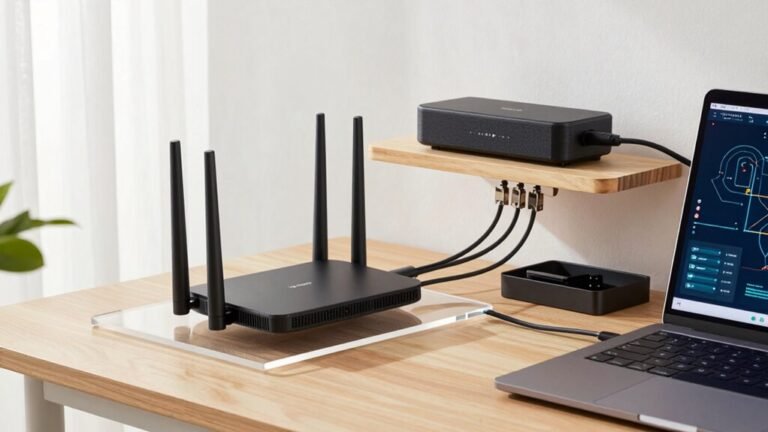
Dock vs. Cable: Strategies for Keeping Your Desk Tidy
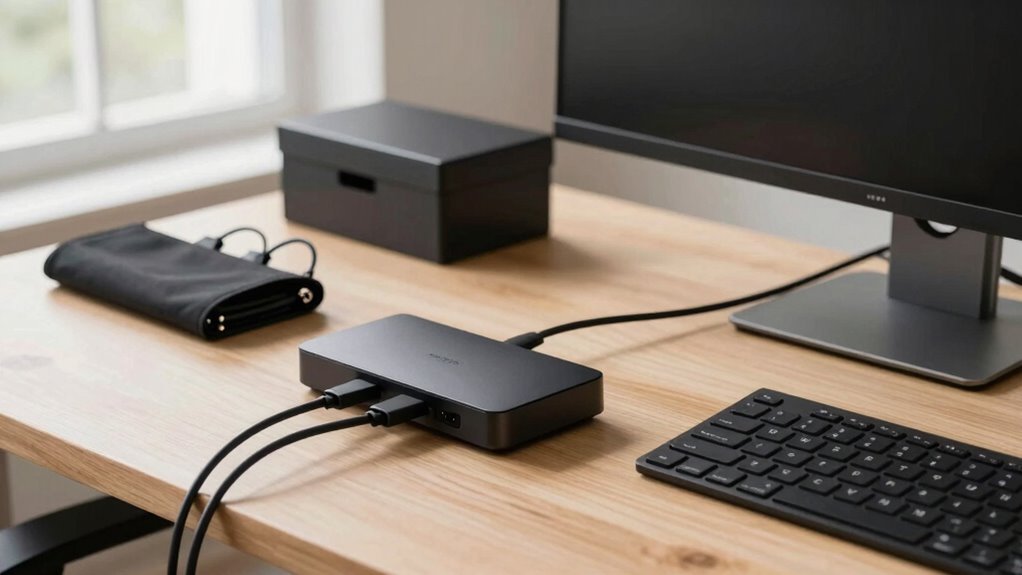
You want a clean desk without the headache, so why not let a dock do the heavy lifting? Plug in once and boom—power, screens, and data are all set, no cable juggling needed. But if you love flexibility and saving cash, go cable-first with neat bundles and clips. Mix both for the best of every world. Keep things tidy, tangle-free, and totally you—your future self will thank you when upgrades feel like a breeze. There’s a smarter way to set up, and it’s easier than you think.
Weighing the Dock-First Approach: Efficiency and Limitations

With just one quick plug, your entire workspace springs to life—power, monitors, keyboard, even your network—all syncing up in a snap.
You save minutes every day, no more juggling cables like a circus act.
Your dock handles everything at once, cutting down setup headaches and wrong-connection woes.
Need to switch desks? Hot-desking with docking means you’re up and running before your coffee gets cold.
IT loves it too—fewer cable tangles, easier updates, and smoother onboarding.
But let’s be real—not every laptop plays nice.
Some skimp on power or can’t handle dual monitors, and your favorite quirky USB gadget? Yeah, it might still need a Frankenstein adapter.
Firmware hiccups can sneak in, too, if updates don’t sync right.
Sure, docks aren’t magic, but they’re pretty close—like a personal assistant for your tech, minus the attitude.
Desk booking dock solutions optimize space by managing reservations and reducing clutter through integrated docking and check-in.
The Case for Cable-First Setups: Flexibility and Cost Control
While your laptop mightn’t have a fancy dock, you’re not stuck with a jungle of wires and daily cable acrobatics—there’s a smarter, simpler way. Go cable-first! You’ll save cash by skipping pricey docks and just use trusty cords with clips and ties.
No more tripping over messes or frying your gear from tangles—safety and savings win. Need to tweak your desk setup? Just move the cables. No limits, no fuss.
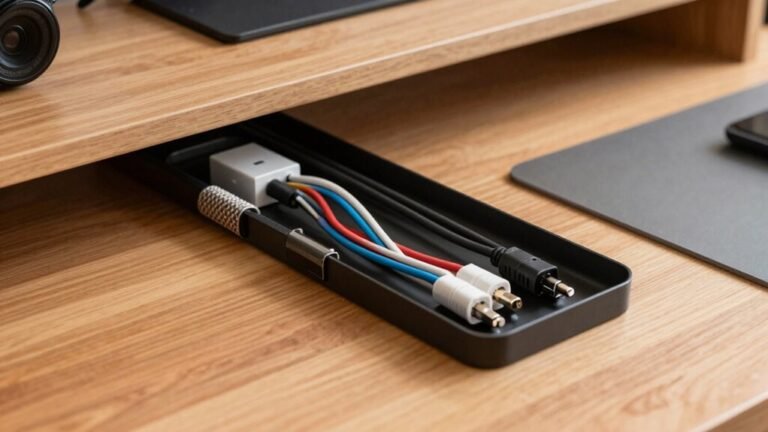
Height-adjustable desk? No problem—cables stay clear and safe while you rise or sit. You’ll install under-desk trays in minutes, skip pro fees, and say bye-bye to downtime.
Plus, you’ll spend less time untangling and more time acing your workday. Harvard studies even say tidy spaces boost brainpower—so why not look sharp, work fast, and keep calm without burning a hole in your wallet? Chaos didn’t pay the bills—neither should your cables.
Using under-desk cable management keeps wires organized and out of sight, enhancing both safety and aesthetics.
Combining Both Worlds: Hybrid Dock and Cable Strategies

- One-cable wonder: Connect everything with a single USB-C or Thunderbolt link—laptops snap in and go.
- Super-powered docks: Get up to 140W charging, 80Gbps transfers, and support for four 4K screens.
- Hot-desk ready: Switch laptops or let IT manage docks remotely—ideal for shared spaces.
- Fewer hubs, more ports: Expand your connections without clutter, thanks to built-in Ethernet, HDMI, USB-A, and more.
Designed for hybrid work environments, the Logi Dock Flex offers a managed docking solution that simplifies desk booking and enhances shared workspace efficiency.
Tidy meets mighty—effortlessly.
Organizing by Function: Smart Bundling and Cable Separation
When your desk starts looking like a tech-themed jungle, it’s time to tame the tangle with a little smart strategy and some clever tricks up your sleeve—literally.
Bundle cables going the same way with sleeves or Velcro straps—you’ll keep things neat and avoid crushing wires.
Leave a little slack, though; nobody wants a frayed charger because you went full cable cowboy.
Keep power cords away from data cables like Ethernet and USB to dodge interference, even if they claim to be shielded—you know, better safe than sorry.
Use color-coded labels (hello, red for power, green for phones) so you’re not playing guessing games later.
Mount power strips under your desk with adhesive brackets—safe, sleek, and totally trip-hazard-proof.
A quick 7-minute audit keeps things fresh, and monthly 5-minute touch-ups? Pure desk zen.
Smart bundling isn’t just tidy—it’s a power move.
Routing Cables Out of Sight: Trays, Raceways, and Concealment

You’ve already bundled your cables like a pro and kept power and data from feuding like exes—now let’s get those cords off the floor and out of sight where they belong.
Clean routing isn’t just about looks—it’s about safety, airflow, and dodging tripping hazards with style.
Whether you’re upgrading a home office or wiring a server room, smart concealment makes life easier (and way less zappy).
Check out these go-to solutions:
- Cable trays – Perfect under desks or along walls, they handle heavy cable traffic and grow with your setup.
- Raceways – Snap-on channels that hide wires neatly along surfaces, boosting safety and sleekness.
- Floor ducts – Tuck cables underfoot safely, ideal for offices needing clean, hidden pathways.
- Under-desk kits – Nets and trays that catch chaos, especially handy for standing desks with moveable vibes.
Out of sight, out of mind—and way more awesome.
Protecting Connections: Strain Relief and Wear Prevention
How often have you yanked a cable just a little too hard and panicked when it started slipping out? Don’t worry—you’re not alone! Protecting your connections isn’t just smart, it’s easy with the right tricks. Strain relief keeps cables from fraying or pulling loose, saving you frustration (and replacement costs). From built-in grooves to flexible joints, there’s a solution for every desk setup. Check out these top picks:
| Method | Why It’s Great |
|---|---|
| Groove & Zip Tie | No extra parts—just snap and go! |
| Compression Bushings | Grips tight and guards against sharp edges |
| Molded Relief | Smooth, tough, and perfect for sensitive spaces |
| Cable Clamps & Ties | Cheap, simple, and super effective |
Use these hacks, and your cables will thank you—no more “oops” moments!
Enhancing Performance: Managing Interference and Signal Quality

- Use certified cables built for your display’s resolution—they’re tested to handle the job.
- Keep cables short and tidy to reduce signal loss and avoid digital drama.
- Separate power cords from data cables to dodge electromagnetic sneezes from nearby gadgets.
- Clean connectors and plug them in snugly—dust bunnies and loose fits cause more trouble than you’d think.
Treat your cables right, and they’ll return the favor—crisp visuals, clear audio, and zero glitchy surprises mid-Zoom call!
Prioritizing Safety and Accessibility in Cable Layouts
A tangle of cables might seem like a small thing, but it can trip up your day—literally.
Keep power strips mounted under your desk with adhesive brackets so cords stay off the floor and out of trouble.
Route cables along edges or through trays, not dangling like jungle vines waiting to snag your ankle.
Use cord covers in walkways—because face-planting during a coffee run isn’t part of the productivity plan.
Secure loose wires with clips, leave slack to avoid strain, and protect them with grommets or Velcro (never crush them with tight zip ties).
Label both ends so you’re not playing cable detective later.
Position power strips where you can actually reach them—hidden doesn’t mean helpless.
Tuck, tidy, and tape wraps neatly, because a safe desk isn’t just sleek—it’s smart, snazzy, and ready when you are.
Planning for the Long Term: Maintenance, Upgrades, and Scalability

Ever wonder how your sleek, tidy desk stays that way while everyone else’s turns into a spaghetti junction?
It’s not magic—it’s smart planning.
You’ve got to think ahead, because tech changes, gadgets multiply, and cables love to rebel.
Keep things running smooth with these long-term wins:
- Check cables monthly—untangle, dust off, and swap out any frayed ones fast.
- Label everything so upgrades won’t turn into a guessing game (no, that blue wire isn’t “mystical”).
- Use Velcro straps, not zip ties—they’re easier to tweak when you add a new monitor or docking station.
- Plan for growth—run cables with extra slack and consider trays or docks that grow with your setup.
Future-you will high-five present-you when adding gadgets feels like a breeze, not a battle. Stay neat, stay ready!
Frequently Asked Questions
Can I Use Multiple Docks With One Laptop?
Yeah, you can use multiple docks with one laptop, but it’s not always plug-and-play.
You’ll want to check your laptop’s ports—most only have 1 or 2 USB-C/Thunderbolt ports.
If you’re using Thunderbolt, daisy-chaining lets you link docks smoothly.
Just beware of bandwidth limits, display caps, and duplicate audio or network glitches—it can get messy.
For fewer headaches, pair one dock with a USB graphics adapter instead.
Do Wireless Chargers Reduce Cable Clutter Effectively?
Yeah, wireless chargers really do cut the cord clutter—literally!
You toss your phone, earbuds, and watch on one sleek pad instead of wrapping cables ’round your desk like holiday lights.
No more tangled mess or playing charger Jenga.
Just plop and charge!
Sure, you might still need a cable now and then (we’re not *magic*), but overall, it’s a game-changer for a clean, calm, tangle-free workspace.
Ta-da!
Are USB-C Hubs as Reliable as Full Docks?
No, USB-C hubs aren’t as tough as full docks—they’re like pop-up tents versus solid cabins.
You’ll love docks for heavy use since they’ve got stronger parts, real power, and stay cool under pressure.
Hubs? Fine for light tasks, but they choke on big jobs.
Want reliability with zero drama? Go for a dock.
It’s the upgrade your desk didn’t know it needed—powerful, steady, and ready to impress.
How Do I Hide Cables on a Standing Desk?
You hide cables on a standing desk by running them through lift columns using fabric sleeves or adhesive raceways—keeps things neat and safe.
Secure with clips, leave extra slack so they don’t pull when you adjust height, and use under-desk trays for power strips.
Pop cords through grommets, group with Velcro, and label ends.
Boom—clean look, zero tangles, and your dog can’t chew the wires.
Win-win!
What’s the Best Way to Label Cables Clearly?
You’ll love using thermal label makers—they’re quick, clean, and stick right to cables with no fuss.
Just print waterproof tags like “Monitor” or “Lamp” and bam, instant clarity.
If you’re feeling crafty, grab a Sharpie and washi tape for cute, color-coded loops.
Don’t forget to label both ends—your future self will thank you.
Pro tip: fold labels neatly for a tidy, pro look that doesn’t scream “I gave up.”
Conclusion
You’ve got this—docks save time, cables save cash, and together, they’re a dynamo. Worried it’ll look like a tech jungle? Just grab some colorful ties, tuck extras in a tray, and bam: sleek, not scary. Think of it like organizing sneakers—you *can* have a system, even if you’re not a pro. Tidy desk, happy mind, and hey—no one’s judging if your HDMI cable’s a little twisty. You’re winning!