Mechanical vs. Membrane Keyboards: Which Is Best for Typing?
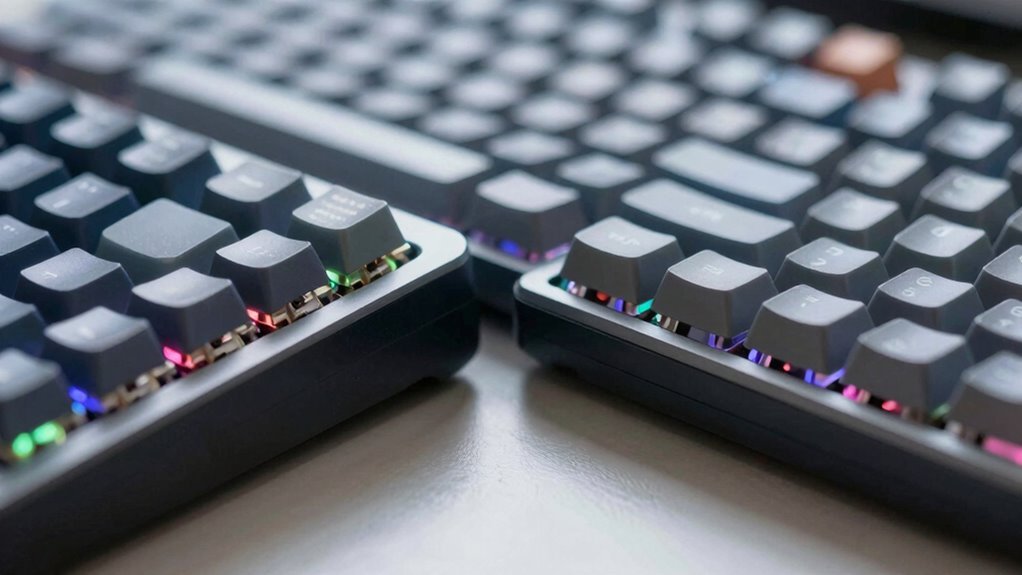
You’ll love how mechanical keyboards give each keystroke a crisp, satisfying snap—like tiny keyboard espresso shots—that make typing faster and way more fun. Unlike mushy membrane keys, they offer clear feedback so you don’t miss letters. They’re built to last 10 times longer, handle rapid typing with ease, and come in quiet options if needed. Yeah, they cost more, but your fingers (and coworkers) will thank you. Stick around—there’s a whole world of clicks, clacks, and custom feels waiting for you.
Understanding Keyboard Switch Technology
If you’ve ever wondered why some keys feel like butter while others click like a typewriter from the 1980s, the secret’s in the switch technology. You’ve got three main types: linear, tactile, and clicky—all defined by how they feel and sound when you press them.
Linear switches glide smoothly, no bumps, no noise—just pure stealthy speed.
Tactiles surprise you with a little bump mid-press, like a tiny high-five from your keyboard.
Clicky switches? They give you that bump *and* a satisfying snap, perfect if you love typing with jazz hands.
Mechanical switches use springs, stems, and metal contacts, built to last 50–100 million presses.
Membrane keyboards, on the other hand, rely on squishy rubber domes and often need you to bottom out. They’re quieter but less precise—and way less fun.
Each mechanical switch houses a coil spring that provides resistance and ensures the key returns to its original position after being pressed.
Typing Feel and Accuracy Compared
You’ll notice the difference the moment your fingers start flying—mechanical keyboards give you crisp, responsive feedback that makes every keystroke feel intentional, while membrane keys often mush down like you’re typing on a stress ball from a bad office joke.
You’ll likely type faster and more accurately on mechanical switches, thanks to clear tactile bumps or satisfying clicks that tell your brain, “Yep, that key fired!”
Membrane keyboards? They can blur your rhythm, leading to mistyped or missed letters, especially when you’re ripping through sentences.
With full key rollover, mechanical boards handle chorded keystrokes like a pro, so you never drop a character in the heat of typing. Sure, some folks adapt just fine to membrane, but most speed demons and accuracy fans prefer the precision and feel of mechanics. It’s like comparing a sports car to a shopping cart—you can get there either way, but one’s way more fun.
This superior responsiveness is due in part to individual switches beneath each key, which provide consistent and reliable actuation.
Durability and Lifespan of Keyboard Types

A good keyboard should last longer than your favorite pair of sneakers, and when it comes to the long haul, mechanical keyboards are built like tiny tanks.
You’re looking at 50 to 100 million keystrokes per switch—enough to type like a novelist, gamer, or over-caffeinated student for 10 to 20 years!
Membrane keyboards? They cap out around 5 to 10 million presses, great for light use but won’t survive your next writing binge.
Mechanical ones last 6 to 14 times longer, handle heavy typing like champs, and let you swap out parts when needed.
Forget tossing the whole thing—just pop in a new switch.
Membranes? When they fail, it’s lights out.
Sure, spills might be slightly kinder to rubber domes, but overall, mechanicals win hands-down.
You want a keyboard that ages like fine wine, not milk.
Go mechanical, and type fearlessly for years—your thumbs (and wallet) will thank you. Mechanical keyboards offer higher lifespan per switch than membrane models, making them a smarter long-term investment.
Noise Levels and Workplace Considerations
Ever wonder why your coworker’s keyboard sounds like a spaceship taking off while yours whisper-clicks like a contented mouse?
It’s all about noise levels—and your office peace depends on it.
Mechanical keyboards can hit 78 dB with clicky switches, while membranes hum along quietly at 40–50 dB, blending into the background like a gentle rain.
Even if your loud board hides under office chatter, its sharp *click-clack* grates more than deeper thumps.
Think about your team’s sanity:
- That endless typing rhythm? It drills into focus like a tiny drum solo.
- Video calls drop awkward pauses when your keys boom like a robot march.
- Quiet coworkers often cringe but stay silent—until they snap.
Choose wisely: silent switches, PBT keycaps, or a trusty membrane keep your vibe loud in productivity, not in sound.
Responsiveness and Input Performance

What if your keyboard could keep up with your thoughts instead of lagging behind like a sleepy sidekick?
With mechanical keyboards, it does.
You’ll notice the instant response—actuation in just 1-2mm means your keystrokes register fast, often in 15-25ms.
Some high-end models even hit 2-4ms, making delays feel ancient.
Membrane keyboards? They make you press all the way down, adding lag and frustration.
Plus, mechanicals handle every key you slam down at once—thanks to N-key rollover—so no inputs get lost.
Membranes often ghost or miss keys when things get wild.
The tactile feedback on mechanical switches also helps you type more accurately, reducing typos during long sessions.
Sure, membranes are fine for light use, but if you want speed, precision, and a keyboard that never holds you back, mechanical is the way to go.
Think of it as shifting from a bike to a sports car.
Customization and Ergonomic Flexibility
- You’ll feel proud typing on a board that’s truly yours, built to match your style and touch.
- You’ll stay comfy thanks to switches that fit your typing force and rhythm.
- You’ll geek out over endless mods—like tuning a car, but for your desk.
Hot-swappable switches, macro magic, and modular guts mean mechanical isn’t just flexible—it’s *alive*.
While membrane gathers dust, yours evolves with you.
Who knew happiness could click?
Cost and Value for Different Users

You’ve just built a keyboard that clicks, clacks, and fits your vibe like a custom-made glove—now let’s talk about what all that personal magic costs. Sure, mechanicals can run $100–$500, but they’ll last over a decade and survive your typing marathons. Membrane models? You can grab one for as little as $7—great for checking emails or keeping the kids quiet. But if you type hard, game hard, or just hate replacing gear, mechanical is worth the splurge. Here’s the real tea:
| User Type | Membrane ($) | Mechanical ($) |
|---|---|---|
| Casual | $7–$30 | $80–$150 |
| Office Worker | $20–$60 | $100–$200 |
| Gamer/Pro | Not ideal | $130–$400+ |
| Budget Buyer | Perfect! | Maybe later |
You do you—but know your needs!
Frequently Asked Questions
Can I Replace Membrane Switches Like Mechanical Ones?
You can’t swap membrane switches like mechanical ones—they’re not removable.
Instead, you’d need to desolder the old parts and solder in new switches, which is tricky.
It’s messy, risky, and needs real soldering skills.
Honestly, it’s like open-heart surgery for keyboards.
Unless you’re handy with a soldering iron, you’ll save time and stress just buying a mechanical board instead.
Do Mechanical Keyboards Work With All Operating Systems?
Yeah, mechanical keyboards work with all operating systems—no worries there.
Just plug in via USB, and they’re ready to go on Windows, macOS, or Linux.
Bluetooth models pair easily, though they mightn’t work in BIOS.
Want fancy lights or macros?
You’ll probably need software, but basic typing?
Always works.
Think of them like loyal pets: simple, reliable, and they don’t bite—unless you spill coffee.
Are There Hybrid Keyboards With Both Switch Types?
Yeah, there are hybrid keyboards that mix both switch types, and they’re pretty cool!
You get the best of both worlds—tactile feedback like mechanicals with the quiet charm of membranes.
Brands like Razer and SteelSeries built them so you don’t have to choose sides.
They click, they glide, they even light up!
Think of them as keyboard peacekeepers—keeping your fingers happy, your coworkers sane, and your gaming sharp, all without breaking the bank.
Win-win!
How Do Keycap Materials Affect Typing Experience?
You won’t believe this, but 78% of keyboard enthusiasts swear their typing feels totally different based on keycap material—and they’re right.
You’ll feel more grip with PBT’s sandy texture, while ABS zips under your fingers and shines over time.
POM’s slick density gives a premium pop, metal clacks like a typewriter, and rubber keeps things quiet.
It’s like changing shoes for your fingertips—try ‘em, you’ll notice the bounce!
Can I Use a Mechanical Keyboard on a Laptop?
You bet you can use a mechanical keyboard with your laptop—it’s a total game-changer!
Just plug in via USB or pair wirelessly with Bluetooth, and boom: better typing feels instantly.
Whether you’re on Windows, macOS, or even your tablet, it’ll work seamlessly.
Models like Keychron let you switch between three devices like a pro.
Lightweight and portable, it’s like giving your laptop a keyboard upgrade without the hassle.
Who knew typing could feel this good?
Conclusion
You hover your fingers, ready to strike—but which keyboard answers? Mechanical keys click with confidence, springy and precise. Membrane stays quiet, soft under pressure. One lasts years, loud and proud; the other slips silently into the background. Durability? Check. Comfort? Check. But the real winner? It’s not about specs—it’s about *you*. So go ahead, press down… which one feels right? The choice is *click*-ingly obvious.