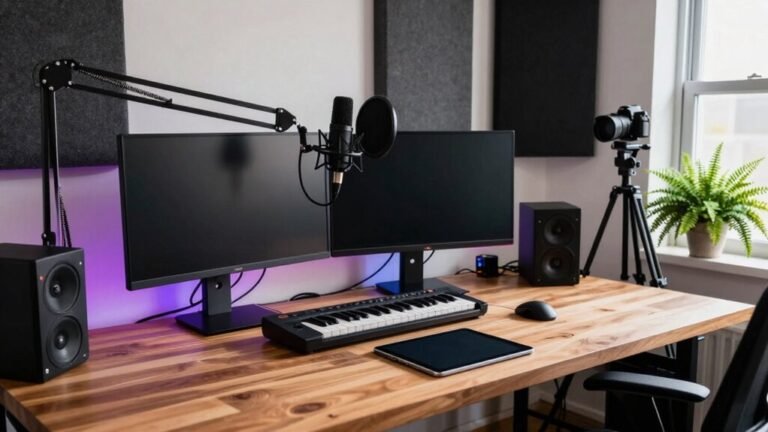
Ergonomic Tips for Gamer Workstations Used for Work
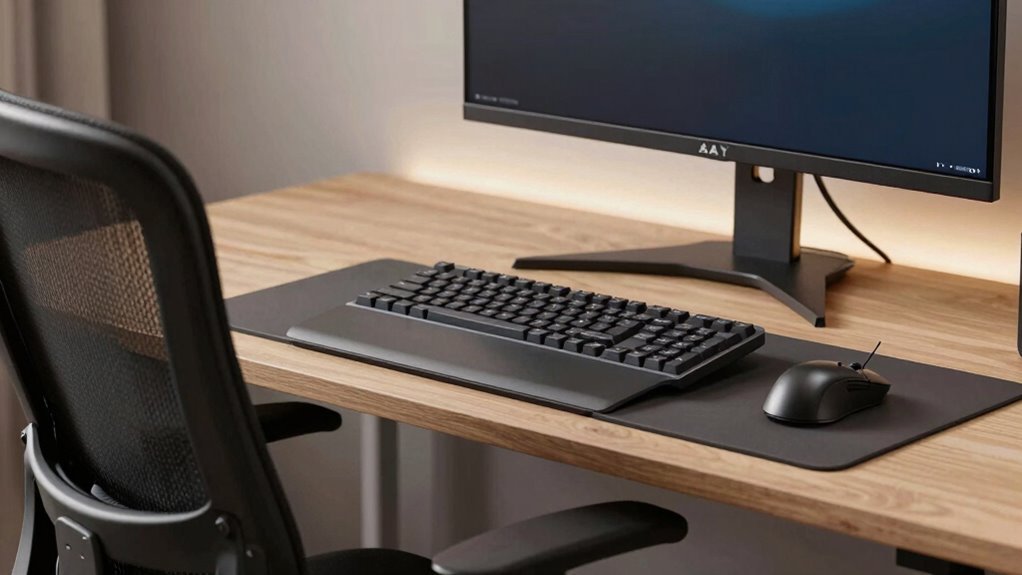
You’ve got this, hero—tweak your chair so your knees are just below hips and feet flat, like you’re parked for a boss fight. Set armrests to cradle elbows at 90 degrees, no hunching. Desk height? Keep shoulders chill and wrists straight. Pro tip: eyes should hit the monitor’s top third, not the basement. Use a stand, stack books, or deploy a footrest if needed. And hey, your spine will thank you later—especially if you stick around to access the next level of comfort.
Adjust Your Chair Height for Optimal Leg and Knee Alignment
When you’re locked into an epic gaming session, the last thing you want is sore legs or awkward knee pressure slowing you down—so let’s nail your chair height right now.
Set your seat so your thighs are level or slightly downhill, knees just below hip level, and feet flat on the floor like you’re planting victory seeds.
Aim for that sweet 90-degree knee bend—no straining, no dangling, no tucking legs under like a pretzel.
Make sure there’s about two fingers’ space between the seat edge and your calves, so nothing squishes behind the knees.
If you’re shorter (150 cm or so), start around 36 cm; taller (190+ cm)? Bump it to 48 cm or more.
Use a footrest if your feet don’t cooperate—no shame in propping! Getting this right keeps your blood flowing, not grumbling.
Proper chair height helps prevent long-term health issues like back and neck pain, emphasizing the importance of correct height settings.
Position Armrests to Support Neutral Elbow Angles
Plant your elbows just right and let those armrests do the heavy lifting—your shoulders will thank you after hours of headshots and hotkeys.
Get this right and you’ll game (and work) longer, smoother, and pain-free.
Here’s how to nail it:
- Sit up straight, arms hanging loose—like you’re casually reaching for your soda.
- Bend your elbows to 90 degrees, like you’re giving a thumbs-up to your favorite teammate.
- Raise the armrests just enough to cradle the fleshy part of your forearms—never squash your elbow joints.
- Keep your forearms level with the floor, like they’re floating over your keyboard like a pro.
Aim for that sweet 90–100-degree angle to keep shoulders down and relaxed.
Slight drop? Good. Shrugging? Not cool. Let the pads carry your arm weight so your muscles don’t throw a fit mid-marathon.
Maintaining this position helps support a neutral posture, reducing the risk of long-term musculoskeletal strain.
Set Your Desk at the Ideal Height for Shoulders and Movement

You’ve got your armrests cozy and your elbows floating at that perfect angle—now let’s make sure your desk isn’t playing tricks on your shoulders.
If your desk’s too high, you’ll shrug all day like you’re dodging rain—no fun.
Too low, and you’ll hunch like a goblin over a keyboard.
Aim for 90–110° at the elbows, with forearms flat and shoulders totally chill.
Standard desks (28–30 inches) work for 6-footers, but if you’re shorter or taller, tweak it—use the formula or height ranges to nail it.
Sitting? Your desk should let your underarms drop straight down.
Standing? Match the top to your elbow when bent.
Mismatches mean backaches, neck drama, and focus fade.
Got a crank or electric desk? Awesome.
Manual risers? Cool too.
Either way, adjust it, don’t guess it—your shoulders will thank you later (and so will your K/D ratio).
Improper desk height can lead to long-term strain, so align your setup using the 90-degree elbow rule for optimal comfort and performance.
Align Monitors at Eye Level to Reduce Neck Strain
Even if you’re locked in the most intense boss fight or sprinting through a final showdown, your neck shouldn’t be staging a rebellion.
Keep your monitor aligned at eye level to stay comfy and sharp.
Here’s how that sweet spot looks:
- Position the top of your screen even with your eyes, so you gaze slightly downward.
- Tilt your view about 15° below horizontal—like you’re peeking over invisible sunglasses.
- Stack your monitors so your head stays level, not craned up like you’re watching a drone.
- Use a stand or pile of sturdy books (no, really) to lift curved or flat screens to perfect height.
Your neck muscles will thank you, your focus stays locked, and your posture won’t turn into a meme.
With everything in line, you’ll game harder, work smoother, and avoid that “gamer hunch” everyone warns about.
Maintain Proper Distance Between Eyes and Screen

How’s your screen distance looking—arm’s length away, or are you practically nose-to-screen like you’re inspecting pixels for secrets?
Aim for 20–30 inches (50–75 cm) between your eyes and the display—it’s sweet spot territory for comfort.
If you’ve got a high-res monitor, like a 27″ 1440p, hang back closer to 30–40 inches so text doesn’t feel cramped.
Use the arm’s-length trick: reach forward—your fingertips should just graze the screen.
Too close, and you’ll strain your eyes; too far, and you’ll miss details.
For ultrawides or multi-monitor setups, keep your main screen in that ideal zone and angle second screens slightly inward.
And hey, if you’re squinting, tweak text scaling instead of scooting forward.
Your eyes will thank you—no superhero vision required!
Optimize Keyboard and Mouse Placement for Wrist Safety
When you’re locked in a heated match or cranking out a long session, the last thing you want is your wrist screaming for a time-out.
So let’s get your keyboard and mouse set up right.
- Keep your keyboard and mouse at elbow height, so your forearms stay flat and your shoulders stay chill.
- Position your keyboard straight ahead, centered with your body, so you’re not endlessly reaching sideways like you’re swiping a snack across the table.
- Tuck the mouse snug next to your keyboard—no Olympic-level swipes just to click a button.
- Use a comfy, low-tilt keyboard and a mouse that fits your hand like a high-five, not a claw grip from a bad cartoon.
Neutral wrists mean happy tendons, less ache, and more play—because nobody’s winning tournaments with carpal tunnel.
Use Lumbar Support and Seat Depth for Spinal Health

If your back’s been throwing tantrums after long gaming or work marathons, it’s time to give it the VIP treatment it deserves—starting with proper lumbar support and seat depth. You’re not just sitting, you’re shaping your spine’s health, so make it count. Adjust that lumbar cushion to hug your lower back like a supportive friend—chairs like Razer Iskur V2 and GTRACING have got your back, literally, with customizable support that moves with you.
Match your seat depth to your thigh length so you’re fully supported, not dangling or squished, and say goodbye to pressure and slouching. This sweet setup keeps your spine in its natural curve, slashes muscle fatigue, and can boost your focus and endurance. With 90% of users reporting less back pain, you’re not just leveling up your comfort—you’re gaming and working smarter. Your backbone will thank you!
Enhance Posture With Footrests and Sit-Stand Functionality
Ever feel like your feet are just hanging out, literally and figuratively, while you’re deep in a gaming session or grinding through work? You’re not alone—and a footrest can help.
Paired with sit-stand functionality, it’s a game-changer for posture and energy.
Here’s how it transforms your setup:
- Your feet rest flat, knees at 90°, so your spine stays happy and aligned.
- No more dangling legs or crossing ankles, which messes with your hips and neck.
- Blood flows better, so your feet stay warm and tingle-free during long raids or meetings.
- You shift positions freely—sit, stand, or perch—without slouching or leaning like a tired elf.
Slide that footrest under, switch up your stance every hour, and boom: you’re gaming and working like an ergonomic pro. Your back will thank you—no scrolls required.
Frequently Asked Questions
How Often Should I Replace My Ergonomic Chair?
You should replace your ergonomic chair every 5 to 8 years, but if you’re using it heavily—like gaming marathons or back-to-back work sessions—aim for every 3 to 5 years.
Watch for red flags: saggy seat, wobbly base, or creaky wheels.
If your back’s nagging you or the chair’s acting up, it’s time.
Treat it like socks—great until they develop holes (or in this case, collapse mid-focus!).
Can Gaming Chairs Be Truly Ergonomic for Work?
Yeah, gaming chairs can be ergonomic for work—if you pick the right one.
Look for adjustable lumbar support, a high backrest, and 4D armrests that actually stay put.
Tilt features and breathable fabric help too.
Sure, some prioritize flashy looks over function, but don’t let the racing-style bucket seat fool you—under the hood, solid ergonomics can thrive.
You’ve got this, desk warrior!
Do Standing Desks Increase Energy Expenditure Significantly?
Yeah, standing desks *do* boost your energy burn, but don’t expect miracles — you’re looking at roughly 50 extra calories a day, like swapping a buttered slice of toast for dry.
It’s a fun perk, not a workout.
You’ll fidget more, sway like a slow disco dancer, maybe feel more awake.
But for real change? Pair it with moves, stretches, or dancing to weird playlists.
Every bit helps — just don’t stand there expecting a calorie bonfire.
Are Vertical Mice Better for Wrist Health?
Yeah, vertical mice are better for your wrist health—they keep your hand in a natural handshake position, which cuts down on strain and awkward twisting.
You’ll notice less forearm tension and fewer aches over time.
Sure, some designs take getting used to, and they won’t magically fix everything, but hey, your future self will thank you when you’re not doing the “mouse-click wince.”
What Lighting Reduces Eye Strain During Long Sessions?
Soft, layered lighting reduces eye strain during long sessions—think warm bias lights behind your monitor, like Sarah did when she added a LED strip and instantly quit squinting.
You balance ambient light around 300–500 lux, use indirect lamps, and avoid glare by placing lights to the side.
Warm evening tones and anti-glare filters? Yes, please.
Your eyes’ll thank you, no meltdown required—unless it’s just really good gameplay.
Conclusion
You’re the captain of your gaming desk spaceship, zooming through work galaxies in comfort. Tweak your chair like a joystick, position your gear like power-ups, and let your posture soar like a pro gamer with a caffeine advantage. A well-tuned setup? It’s your cheat code for focus, speed, and zero back complaints. Stay sleek, sit cool, and rule your workstation universe—one epic, pain-free hour at a time. Game on, boss!