Best Ways to Organize Charging Cables
Stick cables in place with adhesive clips—no tools, just peel and press. Grab a charging station to power everything neatly in one spot. Label each cord so you never guess which is which. Use Velcro ties to bundle them softly, no knots or tangles. Color-code by device, stash them in a drawer or tech pouch, and voilà—cable clutter becomes calm. Everything has a home, and yeah, it even looks kinda cool. You’re just a few smart moves away from total cord control.
Use Cable Clips and Adhesives for Easy Access
While you’re chasing that elusive tangle-free dream, here’s a secret weapon: adhesive cable clips.
You stick ‘em, forget ‘em, and boom—cables stay put without a fuss.
Thanks to 3M magic, they won’t bail on you, even if your desk shakes like it’s dancing.
Just peel, press, and play—no screws, no drama.
Pop one near your desk edge or under a nightstand, and suddenly your charging cables behave.
These little heroes grip tight, hold heavy gear like laptops or headphones, and handle cables up to 5 mm wide.
Their C-shaped design lets you hop in and out without unplugging a thing—super convenient.
Need a quick fix in a tight spot? Rubber mounts have your back.
Whether it’s USB cords or TV tangles, these clips make messes vanish faster than your phone battery on 1%.
For maximum hold, apply clips to clean, smooth surfaces to ensure long-lasting adhesion.
Invest in a Charging Station or Dock
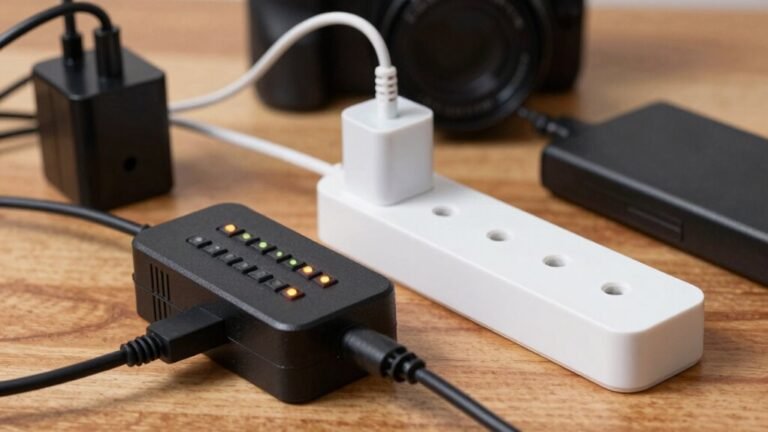
Turn that jumbled mess of cords into a sleek, power-packed command center with a charging station or dock—because let’s be real, chasing down dead batteries is so last decade. You’ll boost productivity, cut clutter, and charge everything fast, all in one spot. Whether you’re working from home or managing a busy office, a good dock keeps you powered and sane. Plus, its universal compatibility ensures it works seamlessly across your devices, regardless of brand or operating system.
| Feature | Why It Rocks |
|---|---|
| Multiple USB-C/A ports | Charge your phone, tablet, and laptop at once—no tug-of-war for outlets |
| Power Delivery up to 300W | Get full power to your laptop fast, so you’re back in action quicker than making coffee |
| Built-in cable management | Say goodbye to cord jungle and hello to neat, tangle-free charging |
Label Each Cable for Quick Identification

Grab your cables and give them some personality—because “the one that sort of works sometimes” isn’t cutting it anymore. Label each one clearly so you’re not guessing what’s what.
Use durable tags like heat-shrink tubing or self-laminating wraps—they stay put and won’t fade.
For skinny cords like USB-C, try flag-style labels; they’re legible and don’t wrap all around.
Print neat text with a thermal-transfer printer or just a fine-tip permanent marker for quick fixes.
Write device names (“Phone,” “Pad”), ports, or room names so anyone can tell them apart.
Keep it consistent—like “Lamp-01” or “Office-Laptop”—so sorting’s a breeze.
Place labels near the plug, but skip the bumpy strain-relief part so they don’t peel.
Clean the cable with alcohol first for a strong bond.
These little tags save big time when you’re juggling five chargers and only one actually works.
Label now, thank yourself later—it’s like naming your pets. Much easier than “hey, you!”
Choose labels made from flame retardant materials if organizing cables in high-heat areas, as they withstand extreme conditions and reduce fire risks.
Store Cables With Velcro Ties or Reusable Fasteners
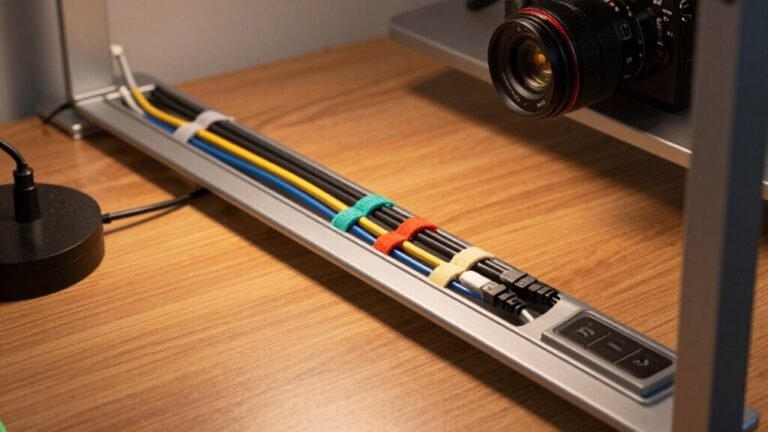
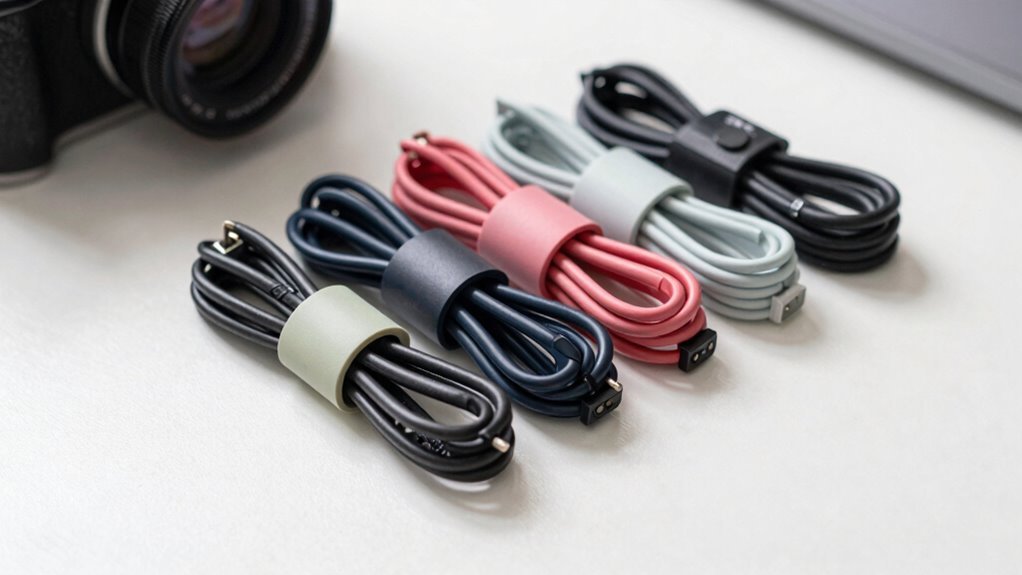
Now that your cables are labeled and ready to roll—because “chargy McChargeface” is no longer an acceptable name—you’re all set to keep them neat and tangle-free. Velcro ties are your new best friend: they’re reusable, kind to cables, and crazy easy to use. No more hunting for scissors or dealing with shredded plastic bits. Just wrap, stick, and go. They adjust on the fly, so you can loosen or reposition without trashing the fastener. Plus, they’re safer—no sharp edges to nick wires or skin.
| Benefit | Why You’ll Love It |
|---|---|
| Reusability | Save cash and the planet by skipping disposable ties |
| Adjustability | Resize instantly, no over-tightening or kinks |
| Safety | Soft on cords and hands, plus fire-retardant options |
| Versatility | Works for cables, crafts, hoses—yes, really! |
Separate Charging Cables by Device Type

Let’s make your cable chaos work for you—by sorting charging cables straight by device type, you’ll spend less time untangling and more time juicing up. Grab your iPhone cords and give them their own home—you’ll stop mixing them with Alexa, Kindle, or iPad chargers.
Group those smaller cables together, but keep them apart from HDMI, DisplayPort, or power bricks. You know that random cord you plug in “just in case”? Yeah, it’s not fooling anyone—label it and assign it a spot.
Use divided bins or silicone organizers to keep things tidy and color-code for fun. Is your spouse always stealing your charger? Label it with your name—drama solved.
Fast-charging cables deserve front-row seats, while that old smartwatch charger can chill in the back. When everything has its tribe, you’re not playing cable detective every morning. Who knew cords could get along so well?
Utilize Cord Reels or Spools for Tangle-Free Storage
| Benefit | How It Helps You | Real-Life Perk |
|---|---|---|
| Tangle-Free Storage | Automatic rewind keeps cords neat | No more untangling for 10 minutes |
| Safer Space | Retracted cords mean fewer tripping hazards | Less drama in your office or garage |
| Longer Cable Life | Reduced fraying and strain | Fewer replacements = more savings |
You’ll wonder how you ever lived without one—honestly, it’s a game-changer.
Keep Cables Organized While Traveling

You’ve mastered keeping your cords tangle-free at home or in the office with reels and spools, so why should travel turn your cable game into a twisted mess?
Stay sharp on the go with these smart, simple tricks that keep your tech happy and tangle-free.
- Grab a dedicated tech pouch with elastic loops and padded pockets to protect connectors and stop chaos in your bag.
- Use built-in elastic loops or Velcro straps to secure each cable snugly—no more uncoiling surprises during takeoff.
- Slide cables into a modular packing cube so you can yank out your whole “tech zone” without digging through socks or toiletries.
- Label each cable and keep a checklist so you never forget your phone charger—because no one wants to borrow one at the airport… again.
Implement Color Coding for Faster Matching
Cable chaos? Not anymore!
Assign each cable a color and match them like a pro—blue for your tablet, red for your laptop, yellow for your printer.
It’s like giving your cords superhero capes.
You’ll grab the right one instantly, no more zapping the wrong device or tripping over guesswork.
Need to fix a glitch?
Spot the suspect cable in a flash.
Planning a setup?
Match colored power strips to outlets like puzzle pieces.
Even outdoors, black or green jackets flag UV-safe cables—no sunburned wires here!
Plus, color coding cuts downtime, boosts safety, and keeps tangles (and tantrums) at bay.
It’s cheap, easy, and weirdly satisfying.
Honestly, once you go rainbow, you’ll wonder how you lived without it.
Who knew cords could be this fun?
Just don’t blame us if your friends start asking for your organizational secrets.
Maintain a Dedicated Charging Drawer or Pouch

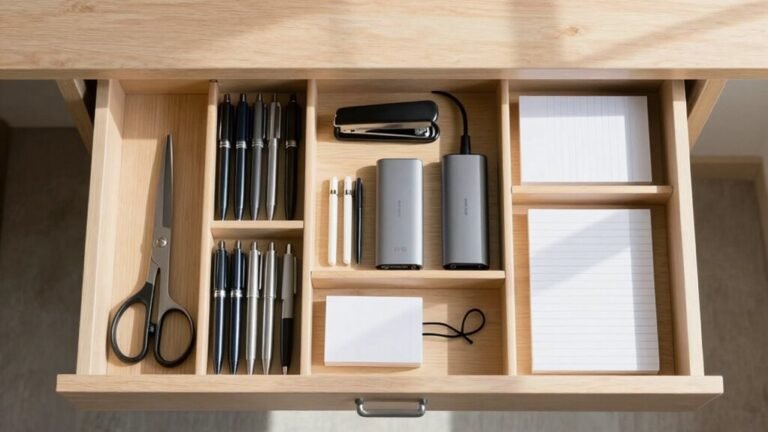
Often, the simplest solutions bring the biggest relief—and carving out a dedicated charging drawer or pouch is like giving your devices their own cozy bedtime story.
You’ll love how easy it’s to grab what you need without untangling messes or playing cable detective.
Just pick a drawer near an outlet, maybe in your desk or kitchen cabinet, and make it tech’s favorite hangout spot.
- Choose a drawer with back access and at least 2 inches of clearance for cords.
- Plug in a power strip or install a recessed outlet—no electrician needed!
- Use trays, labels, and non-slip mats to keep things tidy and fun.
- Test your layout with real cords before finalizing, because nobody likes a drawer that jams.
Voilà—your gadgets now have a home that’s snug, smart, and secretly stylish!
Frequently Asked Questions
How Often Should I Replace Old Charging Cables?
You should replace old charging cables every 1.5 to 6 years, depending on use and quality—no need to wait for them to freak out on you.
If they’re frayed, wobbly at the plug, or charge slower than your coffee cools, swap ‘em out.
High-quality, braided cables last longer, especially if you treat ‘em nice—so no yanking or tight wraps!
Can I Wash Fabric-Covered Charging Cables?
Nope, you can’t toss fabric-covered charging cables in the wash—picture it soaking up water like a tiny, shocked sponge, headed straight for disaster.
That fabric traps moisture, which sneaks into wires and can cause shorts or corrosion.
Keep them clean by wiping with a microfiber cloth and a dab of alcohol, not soap or dunking.
Treat them kindly, and they’ll keep your devices powered without drama—no laundry day required!
Do Wireless Chargers Work Through Thick Phone Cases?
Yeah, wireless chargers usually work through thick phone cases, but it’s not foolproof.
If your case is over 5mm or has metal bits, you might run into trouble.
Rugged cases like OtterBox? They can block the signal unless your charger’s strong enough.
Go for Qi-certified or MagSafe models—they’ve got your back.
Slap your phone on, and if it charges, you’re golden.
No magic tricks, just smart design doing the heavy lifting.
Are Third-Party Charging Cables Safe to Use?
Yeah, third-party charging cables *can* be safe—you just gotta pick smart.
Skip the sketchy $2 ones from no-name brands, ’cause those can fry your phone or worse.
Instead, grab cables with legit certifications like UL or CE—they’re total peace-of-minders.
Reputable brands like Anker or Belkin? Total rockstars.
They won’t spike your phone with wild power surges, and your battery will thank you later—no drama, just charge!
What Causes Charging Cables to Fray at the Ends?
You might think cheap cables are the only reason, but even pricey ones fray fast if you yank them out or twist them tightly.
Repeated bending by the plug stresses the wires, and without a sturdy strain-relief, the outer jacket cracks.
Daily tugs, sharp bends, and rough pockets make it worse.
But hey, treating them gently and coiling loosely? That’s like a spa day for cables—keeps them happy and tangle-free!
Conclusion
So, you’ve finally corralled your charging cables—congrats! No more untangling what looks like a squirrel’s nest. With clips, labels, and color coding, you’re basically a cable whisperer now. Who knew organizing could feel this victorious? Next thing you know, you’ll be folding socks with precision. Go ahead, take a bow—your cables (and sanity) thank you.