The Guide to Going Paperless in Your Home Office
You’re trashing half your printed docs anyway, so why not skip the mess and go paperless? Ditch the stacks, scan smart with your phone or duplex scanner, and stash everything securely in the cloud. Use e-signatures, automate tasks, and keep hackers out with strong passwords and encryption. You’ll save trees, time, and that one drawer you’ve been avoiding. Stick around—there’s a smarter way to work without the clutter.
Assess Your Current Paper Use
Ever wonder where all that paper in your office comes from—and where it all ends up? You’re not alone. Every year, the average office worker like you uses 10,000 sheets—yep, that’s about 1.5 pounds of paper daily.
Globally, we devour 400 million tons of paper annually, with writing and printing making up a third.
The U.S. alone uses 20-30% of the world’s supply, even though we’re just 5% of the population.
Think about it: nearly half the documents you print might end up trashed by end-of-day, and 30% never even get picked up from the printer—ghost prints haunting the office.
That stack on your desk? It took 24,000 liters of water and a small forest to make.
Crazy, right? Evaluating your habits isn’t just smart—it’s a tiny act of everyday heroism for the planet (and your filing cabinet).
And with 45% recycled globally, most paper waste could be given a second life—if it weren’t for contamination and disposal habits.
Choose the Right Tools and Technology
You’ve taken stock of the paper piling up on your desk, and now it’s time to kick things up a notch—let’s turn all that clutter into clean, clickable files.
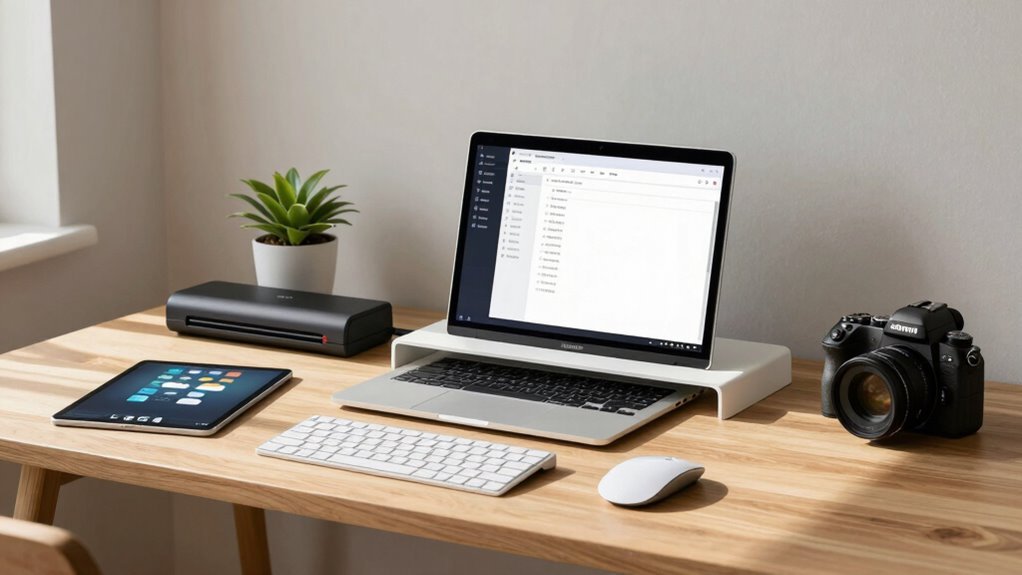
Ditch the slow scanning; grab a fast duplex scanner or just snap docs with your phone using a smart app that turns receipts into searchable PDFs—no cape needed, but it feels heroic.
Networked printers that shoot scans to the cloud? Yes, please—they’re like paper ninjas, silently eliminating clutter.
Pick tools with auto-crop and blank-page removal so you skip the editing drama.
Make sure they play nice with your software using TWAIN or cloud links.
Need to find files fast? Go for systems with smart search and version tracking—because “honey, have you seen my contract?” shouldn’t be a household crisis.
And with e-signatures and automation, you’ll route, approve, and file like a digital chef—fast, smooth, and barely breaking a sweat.
These tools also deliver significant cost savings by reducing expenses tied to printing, storage, and mailing.
Set Up a Secure Digital Filing System

Once your documents are safely tucked away in the digital world, it’s time to lock the door—because a disorganized filing system isn’t just frustrating, it’s like leaving your keys in the ignition with the windows down.
Start by encrypting files with AES standards; it’s like a secret code only you can crack.
Add multi-factor authentication—yes, that extra step with your fingerprint or phone code—so hackers can’t waltz in even if they steal your password.
Limit who sees what using role-based access; not everyone in the house needs to peek at tax records.
Back things up regularly and keep logs to catch sneaky access attempts.
And don’t forget firewalls and updates—they’re the bouncers keeping digital troublemakers out.
Think of it as building a mini fortress, but way cooler and way safer.
Sweet, right?
Ensure your system supports role-based permissions to align security with actual user responsibilities.
Digitize Existing Documents Efficiently
Getting your paper empire into the digital age doesn’t have to mean spending weekends feeding one page at a time into a clunky scanner.
You’ve got options!
Use a desktop scanner or all-in-one printer for everyday stacks, or grab a high-volume model with an auto-feeder if you’re drowning in files.
Smartphone apps work great too—just snap pics and let the tech align, brighten, and even recognize text with OCR.
Before you start, sort papers by type and priority so you’re not scanning birthday cards next to tax records.
Label files clearly, add dates or keywords, and store them securely in the cloud.
Run a quick check after scanning—nobody wants a missing half-page mystery.
And once you’re done? Recycle the originals (after confirming it’s allowed).
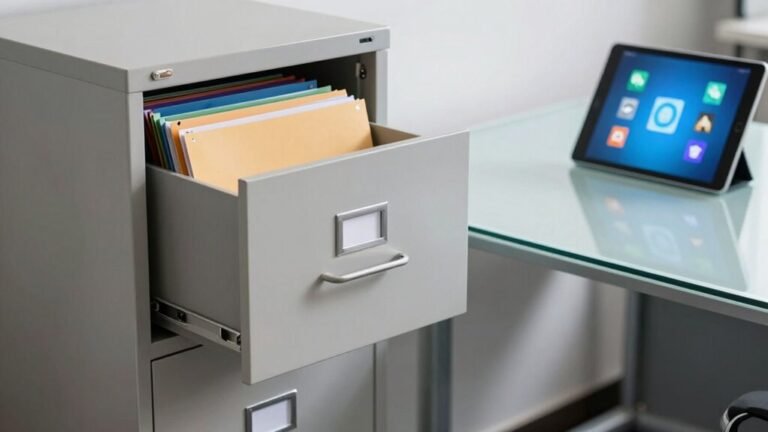
Turn that dusty filing cabinet into digital bliss—one smart scan at a time.
You’ve got this!
Streamline Daily Workflows Without Paper

While you’re sipping your morning coffee, your digital workflow can already be cranking through tasks that used to eat up half your day.
Ditch the paper shuffle and let your systems do the heavy lifting—faster, smarter, and without the coffee stains. You’ll save time, cut errors, and actually enjoy staying on top of things.
- Automate approvals so requests route themselves and don’t gather dust in inboxes
- Use eSignatures to close deals in hours, not days—no more chasing down scribbles
- Generate documents from templates so invoices and forms pop out ready in seconds
- Set up recurring tasks that remind you when it’s time to act, so nothing slips through the cracks
Watch your productivity soar while you relax with that second cup.
Who knew efficiency could feel this good?
Maintain Security and Compliance
You’ve cleared the clutter and set your workflows flying—now let’s make sure all that smooth digital momentum stays safe and sound.
Lock down your files with strong encryption, like AES-256, so snoopers see gibberish, not your tax returns.
Use MFA—yes, that extra code step—so hackers can’t waltz in like they own the place.
Grant access only to those who really need it, and watch for weird logins (3 a.m. anyone?).
Store documents in secure spots with tight key control, and don’t forget to rotate those keys like old passwords.
Turn on unbreakable audit logs to track who touched what, and set alerts for when someone tries to download your whole archive.
Classify files by sensitivity and keep them only as long as needed—no hoarding!
Regular checkups and quick response plans? Non-negotiable.
You’re not just digital—you’re *smart* digital.
Sustain Your Paperless Habits Long-Term

Keeping your paperless momentum alive isn’t just about good intentions—it’s about smart habits that stick.
You’ve ditched the paper chase, but now it’s time to make those wins last.
Stay sharp with these easy, effective moves:
- Track progress: Watch your savings grow—cutting $10K in printing costs or slashing search time by 30% feels amazing (and looks great on spreadsheets).
- Audit regularly: Spot sneaky paper holdouts, like that one drawer still full of sticky notes and old forms.
- Train continuously: Master new tools like eSignatures and AI sorting—think of it as a digital upgrade, not homework.
- Automate fiercely: Let systems handle invoicing and file routing—robots are cheaper than paper cuts.
Your future self? They’re already celebrating a clutter-free, coffee-in-hand victory dance.
Frequently Asked Questions
How Do I Handle Mail From Family Members?
You grab family mail and toss it in one central spot—no more lost letters or “Did you see that bill?” panic.
Sort fast: action, keep, or toss.
Flag urgent stuff, scan important docs, and share digitally.
Assign tasks with clear notes, use checklists, and rotate chores so no one’s stuck playing mailmaster alone.
Add a bit of humor—“This bill’s yelling at me, so it’s your turn!”—and you’re golden.
What if I Prefer Writing Notes by Hand?
You absolutely can keep writing by hand—nobody’s taking your pen away!
Just use smart tools like Rocketbook or Moleskine Pen+ to turn your scribbles into digital files fast.
Love doodling?
Try GoodNotes or Neibo; they make handwriting feel fun and futuristic.
Your notes stay searchable, shareable, and safe—no more lost napkin ideas.
Go ahead, channel your inner poet… your digital self will thank you later.
Can I Go Completely Paperless With Kids?
You can go fully paperless with kids, but it’s like herding cats—fun, possible, but messy at first.
Schools still hand out papers, but you’ve got tricks: snap pics of slips with your phone, use cloud folders, and embrace e-signatures.
Expect a few oops moments (we’ve all lost a permission form), but small wins add up.
Stay consistent, keep it simple, and laugh when chaos wins—progress beats perfection!
How Do I Manage Paper Receipts When Shopping?
You snap receipts right after buying with your phone, so you never lose them or deal with faded thermal paper.
You let apps read them instantly, pulling out dates and prices like magic.
You skip keeping the paper unless you absolutely must.
You store them neatly in the cloud, tag by category, and forget the clutter.
Voilà—receipts are tamed, tidy, and totally stress-free!
What About Legal Documents Requiring Original Signatures?
You can’t digitize every legal mountain—you’ll still need wet ink for wills, court papers, or documents craving notary stamps.
Think of it like sending a papercut invitation to a digital party; some things just prefer the classic handshake of a pen.
Keep a sleek folder for originals, and when in doubt, check the rules—because even in a paperless world, some signatures still want to feel the paper beneath them.
Conclusion
You’ve tamed the paper monster, dodged a forest’s worth of trees, and turned your home office into a digital wonderland. Imagine never losing a receipt, chasing a signature, or building a paper airplane from bills again. It’s like your desk just learned magic. You’re saving time, space, and your sanity—all while looking wildly organized (even if your coffee mug is still a disaster). Keep going, paperless pro—you’re running the future from your couch.