Digital Signatures vs. Printing: Which Is More Efficient?
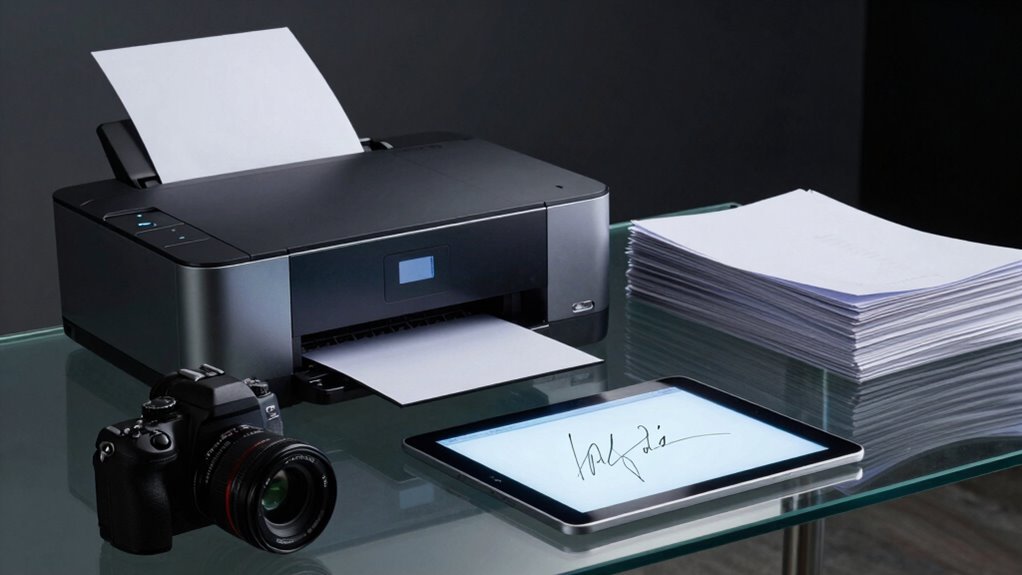
You’re not just saving time—you’re zapping through paperwork like a superhero with a tablet. Digital signatures nail deals in minutes, ditch printing costs, and skip the stamp-and-scan shuffle. Plus, you’ll save trees, slash errors, and sign from bed in pajamas (no judgment). Courts love them, hackers hate them, and your workflow? Smoother than ever. Stick around—there’s even more good stuff where that came from.
Speed of Agreement Completion
Speed isn’t just a bonus when it comes to sealing the deal—it’s the game-changer.
You’re not stuck chasing signatures across town or waiting days for the mailman’s next visit.
With e-signatures, 76% of agreements wrap up in under a day, and nearly half of DocuSign deals finish in just 15 minutes—faster than your coffee break!
Imagine cutting contract time from weeks to minutes.
You send, they sign, boom—done.
Automation nudges people gently, slashing delays by 30%, and you save 300 hours a month.
That’s like reclaiming an extra weekend every week—how cool is that?
No more printing, scanning, or playing detective with lost paperwork.
Eighty percent of deals close in 24 hours, and your sales cycle speeds up by 41%.
Who knew getting a signature could be this easy—and actually fun?
Sign digital, win big, and keep smiling.
This efficiency is backed by 76% of agreements.
Cost Implications of Document Processing
When you’re juggling contracts, invoices, and approvals, those little paper costs add up faster than coffee orders at a startup retreat.
Printing, postage, and labour aren’t just background noise—they’re silent budget killers.
Digital signatures slash these expenses by cutting out paper, ink, envelopes, and costly courier runs.
You’ll save on printing supplies, avoid mailing fees, and stop paying staff to sort, scan, or re-enter data.
Plus, no more reprinting when someone misfiles page three of a 50-pager (we’ve all been there).
Digital signatures also ensure document integrity through Public Key Infrastructure, preventing costly disputes from tampered contracts.
- Save £0.025+ per page by ditching printing and postage
- Slash labour costs by skipping manual filing and data entry
- Avoid £1.33+ per doc in scanning fees with digital from the start
Switching makes your wallet happier—and your workflows faster—without losing a single signature.
Environmental Benefits of Paperless Signing

Every sheet you skip is a win for the planet—go digital with your signatures and you’re saving three pieces of paper per transaction, no printer fumes required. You’re also dodging ink messes, paper jams, and that sad pile of outdated forms in the closet. By signing online, you’re fighting deforestation and cutting carbon like a climate hero. The reduction in paper demand also means fewer harmful chemicals released during manufacturing, thanks to lower reliance on traditional paper production processes using chlorine-based bleaching. Here’s how your click makes a difference:
| Benefit | Impact |
|---|---|
| Paper saved per e-signature | 3 sheets |
| CO2 reduced annually | 28 million metric tons |
| Trees spared daily | 200 million |
| Water conserved | Thousands of gallons |
| Waste reduced | Up to 90% in document storage |
You’re not just signing—you’re helping Earth breathe easier. Who knew being efficient could feel this good?
Accessibility and Workflow Flexibility
Since you’re already saving trees by skipping the printer, why not make life even easier by signing from your phone while stuck in line for coffee—or worse, waiting for the Wi-Fi to come back?
Digital signatures keep things moving no matter where you’re or what device you’re on.
You can sign a PDF on your tablet, approve a contract on your laptop, or tap “done” on your phone at midnight—no scanner or stamps needed.
- Sign anytime, anywhere on any device—laptop, tablet, or smartphone
- Work with files you already use, like PDFs and Word docs, no conversion stress
- Skip the print-scan-email shuffle with smooth, intuitive steps and tool integrations
Why chase a printer when your signature’s just a tap away? Life’s too short for paper jams.
Security and Legal Validity Comparison

Even if you’ve never cracked open a cybersecurity textbook, you can still sign with the kind of confidence that’d make a forensic investigator nod in approval—digital signatures don’t just mark your approval, they lock it in with serious tech muscle.
You’re using fancy math and encrypted keys to prove it’s really you, and if someone tweaks the document? The signature screams “tampered!” in alarm.
Unlike a sketchy pen-on-paper scrawl, your digital identity gets verified—sometimes with ID checks or biometrics—so impersonation’s a lot harder.
Courts respect this stuff, especially if you follow rules like eIDAS or ESIGN.
Plus, every signed move you make gets logged—the time, your device, even your IP—giving you a rock-solid alibi if disputes pop up.
It’s like having a notary, detective, and time-stamper all working for you behind the scenes.
Wet signatures can’t even bring a pen to this fight.
Impact on Operational Productivity
You’ve got the security down—your digital signature’s tighter than a bank vault and courts treat it like gold—but now let’s talk about how it supercharges your day-to-day grind.
Say goodbye to chasing down managers for wet signatures or waiting days for a client’s mail. Digital signing slashes approval times from weeks to minutes, keeps remote teams in sync, and nixes all that tedious printing, scanning, and courier running. You’ll spend less time filing and more time doing real work—kind of like upgrading from a tricycle to a turbo scooter.
Plus, automation kicks in so documents route themselves, reminders nudge late signers, and everything files neatly with zero shelf space used.
- Sign in seconds, not days—from any device, any coffee shop
- No more paper tantrums—no printing, mailing, or lost docs
- Workflows run themselves—set it once, and go on vacation
Frequently Asked Questions
Can Digital Signatures Be Used for International Contracts?
Yes, you can absolutely use digital signatures for international contracts—it’s like sending a high-five across borders!
Laws like the EU’s eIDAS and the U.S. ESIGN Act have got your back, making them legally valid.
Just make sure both parties agree, the tech meets local rules, and you’re golden.
It’s fast, secure, and way cooler than mailing paper.
Who needs stamps when you’ve got clicks?
Are E-Signatures Valid for Government or Legal Filings?
Yes, you can use e-signatures for government and legal filings—no, they won’t send you to paper jail!
As long as the agency says it’s okay, your electronic signature holds the same weight as pen on paper.
Just make sure it’s your real “I mean it” click, not a toddler smashing the keyboard.
Agencies love good records, so they’ll want proof you signed, when, and how—think digital breadcrumbs, not guesswork.
What Happens if a Signer Denies Approving a Document?
You say you didn’t sign it? Uh-oh—you’re in for a ride.
Agencies don’t just take your word for it; they dig deep.
They’ll check timestamps, logs, even your digital fingerprints.
If you used a proper digital signature, the proof’s stacked against you—sorry, no “my dog ate my homework” excuse.
Forensic experts might even analyze ink or keystrokes.
Bottom line? Deny a legit signature, and you’ll spend more time explaining than it took to sign!
How Do I Choose the Right E-Signature Provider for My Business?
You pick the perfect e-signature partner by pinpointing your priorities, pal.
Ponder security, speed, and simplicity from the start.
Match features like fancy authentication, smooth integrations, and slick mobile signing to your needs.
Test the tech, try the tools, and tick off must-haves—from compliance to cost.
Don’t forget stellar support and smiles-per-second; nobody likes grumpy software!
Choose wisely, win big, and wave goodbye to paper jams forever.
Can Digital Signatures Be Used on Mobile Devices Only?
Nope, you’re not stuck using digital signatures on mobile devices only—you’ve got freedom to sign on laptops, desktops, or tablets too!
But yeah, mobiles work great: sign PDFs on your phone, add signatures by drawing or typing, and send docs without printing or scanning.
Apps like DocuSign and Yousign make it slick, secure, and super simple—like texting, but fancier!
Conclusion
You’re not just saving trees—you’re cutting through red tape like a hot knife through butter. Digital signatures zoom past printing, slashing costs and headaches alike. They’re secure, legal, and kind to the planet, all while letting you sign from your couch in pajamas. Why chase paper when you can seal the deal with a tap? Go digital, save time, and finally work smarter, not harder—your future self will high-five you.