Vertical Mouse vs. Regular Mouse: Is the Switch Worth It?
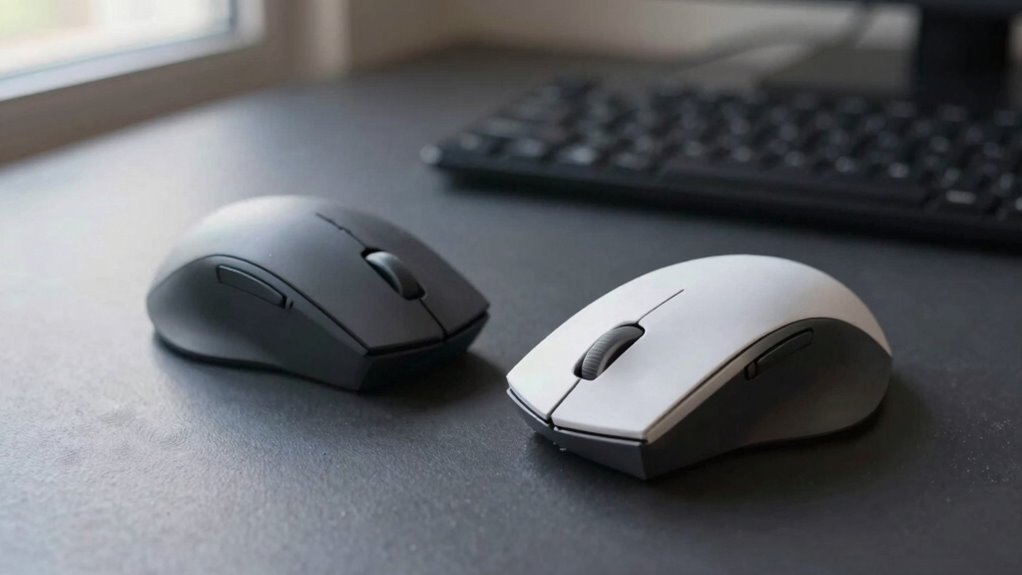
You’re trading flat palm flops for a friendly handshake grip, and your forearm will love the upgrade. Vertical mice straighten your wrist, ease strain, and cut the risk of long-term ouchies from constant twisting. Sure, you might fumble a few clicks at first, and gamers, you’ll miss that lightning flick. But for comfort, posture, and happy hands? Absolutely worth a shot—if you know which fit clicks with your hand.
How Vertical Mice Change Hand and Arm Positioning

Ever wonder why your wrist feels like it’s hosting a tiny protest after hours at the computer? Well, your regular mouse probably forces your hand into that awkward palm-down shake, twisting your forearm and straining joints.
But here’s the cool fix: a vertical mouse lines things up naturally, like a handshake—way more comfy!
It keeps your wrist straight, thumb up, and forearm neutral, so you’re not fighting tension all day.
You’ll actually move from your elbow, not your wrist, using bigger muscles instead of overworking tiny ones.
No more ulnar bending or soft tissue squishing!
Plus, the contoured grip means less squeeze, less fatigue.
Your circulation improves, your shoulders relax, and your hand finally gets a break.
It’s like giving your arm a high-five every time you work.
Switching doesn’t just feel better—it’s smarter movement from the start.
This alignment helps maintain a natural resting position of the wrist and forearm, reducing strain over time.
The Role of Forearm Pronation in Repetitive Strain Injuries
You’ve already seen how flipping your hand into a natural handshake position can take the stress out of mousing—like swapping a stiff high-five for a comfy fist bump. But here’s the real kicker: turning your forearm palm-down all day (that’s pronation, by the way) cranks up pressure on nerves and tendons like a tiny, relentless wrench. Keep doing it, and you’re inviting nerve squish, blood flow drops, and angry tissues to the party—no invite needed. Repetitive strain injuries often stem from such prolonged, unnatural postures that overload soft tissues. Check this out:
| Risk Factor | What It Means |
|---|---|
| Carpal tunnel pressure | Goes up when you twist and bend your wrist |
| Nerve friction | Increases, making tingles and burns flare |
| Blood flow | Slows after 90 minutes—your forearm throws a fit |
| Tissue damage | Builds up, causing stiffness, pain, even long-term harm |
Your arm wasn’t built for constant twist drills. Give it a break.
Comparing Wrist Stress Between Mouse Types

A vertical mouse isn’t just a funky twist on your usual clicker—it’s a wrist whisperer, gently nudging your hand into a handshake pose that plays nice with your forearm and cuts down on the side-to-side tilt that bugs your joints.
You’ll notice less strain across your wrist, especially on the side near your pinky, thanks to smarter alignment.
Still, every design’s a little different—here’s what really happens under the hood:
- Ulnar deviation drops, so your wrist isn’t flirting with awkward angles.
- Wrist extension often increases—your hand tilts back more, which can add pressure where you don’t want it.
- Carpal tunnel pressure? Not always lower; movement matters more than posture alone.
You’re trading one stress for another—but with the right model, you might just win the swap.
Clinical studies show these devices don’t reduce internal pressure, and may even increase it slightly—so the supposed pressure reduction benefit isn’t backed by evidence.
Performance Differences in Everyday Computing Tasks
While you might expect that switching to a vertical mouse means sacrificing speed or accuracy, the real story is a bit more twisty—like your forearm in that handshake grip. You’ll likely cruise through everyday tasks like scrolling or opening files without a hitch, since most vertical mice handle broad movements just fine—some even claim you need less hand travel.
But when it’s time to nail tiny targets or edit photos, you might notice a hiccup, especially at first. Your wrist moves less, so your arm does more work, changing how you aim. Some models track like champs; others lag based on sensor quality, not just design.
Gamers and pixel-perfect pros may see slower clicks or jittery control until they adjust sensitivity or relearn their moves. Still, many users adapt fast and find their groove.
Ergonomic Benefits of the Neutral Handshake Grip

That handshake grip isn’t just for greeting your boss—it’s a game-changer for your wrist and forearm.
By keeping your hand in a natural, upright position, this ergonomic sweet spot reduces strain all the way up to your elbow.
You’ll love how your muscles relax and your mouse sessions feel lighter—no more “death grip” by noon.
Here’s why it rocks:
- Less forearm twist – You’re not flipping your hand flat, so your muscles and bones aren’t under constant rotational stress.
- Neutral wrist angles – No awkward sideways bends, which means less pressure on tendons and nerves.
- Lower muscle effort – EMG studies prove your forearm works less, so fatigue doesn’t sneak up on you.
Users often report less pain and quicker comfort—imagine actually *enjoying* long work sessions. It’s like a mini vacation for your arm, one click at a time.
Design Features That Improve Comfort and Stability
Say hello to the secret sauce behind a truly comfy mouse—design details that cradle your hand like a high-five from your favorite buddy.
You’ll love how the tilted shape, usually between 40° and 72°, keeps your forearm happy by slashing strain.
Those squishy-contoured shells? They hug your palm, thumb, and pinky like a custom glove, with recesses and soft-touch grips that cut pressure.
No more sweaty death grip—textured thumb zones and little-finger lips keep things steady and supported.
The wide, low base won’t tip when you swipe, and slick PTFE feet glide like butter on toast.
Buttons sit right where your fingers chill, so clicking feels effortless.
Palm rests spread the load, letting your whole hand relax into a smooth, stable glide.
It’s not just comfort—it’s like your mouse finally gets you.
Adapting to Arm-Driven Movements From Wrist Flicks

Ditching the tiny wrist flicks for smooth, sweeping arm moves might feel like learning to high-five with your whole arm, but it’s where the magic happens.
You’re not just moving a cursor—you’re upgrading how your body works all day.
By shifting control to your arm and shoulder, you avoid overworking those tiny wrist muscles stuck doing crunches all day.
Here’s how it clicks:
- You use larger, stronger arm muscles instead of straining delicate joints.
- Your wrist stays straight and relaxed, cutting tension and fatigue.
- Whole-arm motions reduce repetitive stress, keeping you comfy mile after mile.
It’s like swapping out a squeaky toy wheel for a well-oiled machine—clunky at first, but suddenly everything glides.
Your arm’s got this, and after a few days, you’ll wonder why you ever wrestled a mouse like it was a joystick.
User Satisfaction and Long-Term Comfort Reports
Ever wonder if switching to a vertical mouse actually pays off in comfort and satisfaction?
Well, many users say yes—quickly noticing less wrist strain and more comfort, especially if you’re mousing for hours.
Studies show 90% of Penguin trial users rated their comfort high, and Kensington testers picked their vertical mouse as the comfiest of four options.
You might feel a bit clumsy at first—awkward angles take practice—but most adapt within days and end up loving the natural handshake position.
Over time, you’ll likely enjoy better posture and less forearm tension, though results vary based on hand size and grip.
Office warriors and heavy users tend to rave the most, while some precision tasks may still trip you up.
Why Vertical Mice May Not Suit Gamers or Power Users

Why do so many gamers and power users stick with their trusty old mice instead of making the vertical leap?
Simple: when speed, precision, and control matter most, traditional mice still take the crown.
You need pixel-perfect aim and lightning-fast clicks—vertical mice can’t always deliver.
Here’s why:
- Your aim might wobble—higher profiles and office-tuned sensors can lag or misread micro-movements, hurting accuracy in fast-paced games.
- Clicks feel slower—deeper button travel and awkward finger angles make rapid firing or complex macros feel clunky, like typing with mittens on.
- Movement isn’t as smooth—forearm-driven glides and added friction resist quick flicks, forcing you to retrain habits honed over years (and rank-ups).
Sure, comfort’s great, but when the match hinges on a single headshot, you’ll miss that razor-sharp responsiveness you’re used to.
Some trade-offs just aren’t worth it.
Choosing the Right Size and Shape for Your Hand
How’s your hand feeling after hours at the desk—cramped, tired, or just “meh”?
Time to size up your mouse game.
Grab a ruler: measure from your wrist crease to middle fingertip—under 17 cm?
You’re likely small or medium.
Most vertical mice fit 10–12 cm hands perfectly, which covers about 80% of users.
Bigger mitts? Go large to avoid strain.
Small hands? Try a 40–70° angled design—easier reach, less stretch.
Love that handshake grip? Large hands thrive on 90° verticals.
Fingertip clickers, go for tapered shapes.
Palms down? Match the mouse curve to your hand width.
Pro tip: your dominant hand can be 15% larger—so test both!
Wrong size means 20–30% more fatigue.
Yikes.
Try before you buy, aim for neutral wrists, and skip the “meh” for “heck yeah.”
Your hand’s happiness hinges on fit—don’t wing it!
Frequently Asked Questions
Are Vertical Mice Good for Left-Handed Users?
Yes, vertical mice are great for left-handed users—you’ll love how they reduce wrist strain and feel more natural.
Your hand rests in a comfy handshake position, which cuts down on fatigue.
Sure, it takes a few days to adjust, but once you do, it’s a game-changer.
Plus, you’ve got cool options like wireless models and ones with customizable buttons—ergonomics just got a fun upgrade!
Do Vertical Mice Work Well With Trackpads?
Yeah, vertical mice play nice with trackpads—think of them as co-pilots, not rivals.
You’re switching between them like songs on a playlist, no hassle.
Models like Logitech Lift or Razer Pro Click V2 connect separately, so your trackpad won’t ghost you.
Just keep touchpad drivers, as Evoluent suggests, and you’re golden.
It’s like having two thumbs up—except one’s for scrolling, and the other’s high-fiving ergonomics.
Smooth, right?
Can Vertical Mice Cause Shoulder Discomfort?
Yeah, vertical mice can sometimes cause shoulder discomfort if they’re not designed well or if you’re not using them right.
You might strain your shoulder if the angle’s off or your arm’s hovering too much.
But hey, think of it like breaking in new sneakers—your body just needs time to adjust.
Pair it with good posture and arm support, and you’ll likely feel way better than with a regular mouse.
Are Vertical Mice Compatible With All Operating Systems?
Yes, you’re covered across the board—vertical mice work with all major operating systems right out of the box.
Imagine plugging one into your old school Chromebook, and boom, it just works.
They act like regular mice on Windows, macOS, Linux, even iPadOS.
Sure, fancy features might need extra software, but pointing, clicking, and scrolling?
Always ready.
It’s like getting a universal adapter for comfort and control—no PhD required.
Do Vertical Mice Require Special Software or Drivers?
Nope, you don’t *need* special software—just plug in, and your vertical mouse works for basic clicking and moving.
But if you want to remap buttons or tweak DPI, you’ll love using drivers like Logi Options+ or Evoluent’s manager.
On Mac, some features need helpers like Mac Mouse Fix—kind of like adding hot sauce to an okay taco.
It’s optional, but wow, it spices things up!
Conclusion
You’ll feel the difference the moment you switch, hand finally in that comfy handshake grip. Less wrist twist, less ache—your arms will thank you. Sure, it takes a day to adjust, but remember: new habits cut old pains. While gamers might stick with tradition, for most, going vertical rocks. Give it a spin, your future self will high-five you—no mouse drama!