Cable Management for Standing Desks: A Complete Guide
You’ve got this—tame your standing desk cables like a pro! Map out your gear, label cords, and use grommets to keep things clean. Grab magnetic holders, trays, and Velcro to corral wires without the zip-tie mess. Route with slack so your cables dance up and down smoothly. Stay safe, stay sleek, and dodge the dreaded tangle monster. And hey, there’s a whole playbook of slick tricks where that came from.
Planning Your Cable Layout for Optimal Flow
Ever stare at a jungle of cords snaking under your desk and wonder, “How did it get this bad?”
Don’t worry—you’re not alone, and more importantly, it’s fixable.
Start by mapping out your gear—monitors, chargers, speakers—and where they plug in.
Check outlet and network port locations so you know if you need extensions or repositioning.
Measure cables from device to source at both sitting and standing heights—no one likes a yanked charger mid-rise.
Use existing desk grommets when possible; skip drilling near motors unless you enjoy surprises (spoiler: you don’t).
Plan for quick swaps, like phone charging, with accessible ports.
Group cables by type so troubleshooting isn’t a guessing game.
Label both ends—future you’ll throw a party.
And hey, skip the comedy of tangled wires—design smart now, laugh later. Take 10–15 minutes upfront to plan before you plug in, so your setup flows smoothly from day one.
Essential Hardware for Effective Cable Containment
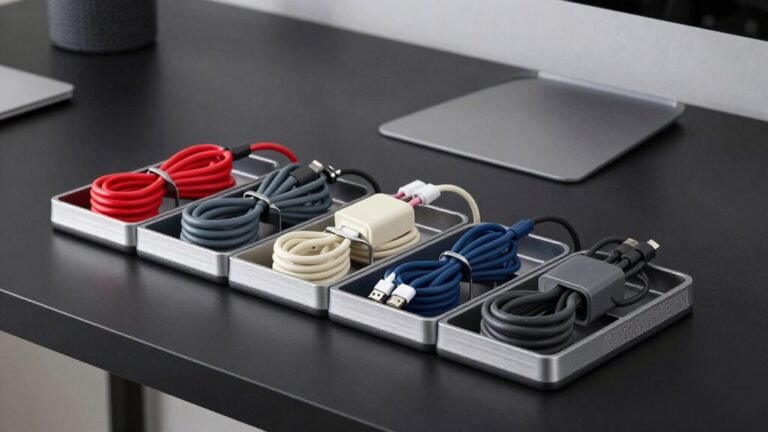
You’ve mapped it out, you’re ready to conquer the cord chaos—now it’s time to bring in the right tools for the job. Keep things neat and functional with must-have hardware that works as hard as you do. Magnetic Cable Holders are ideal for quick-access organization, featuring durable zinc construction and compatibility with desk mats for a sleek, clutter-free workspace.
| Tool | Best For |
|---|---|
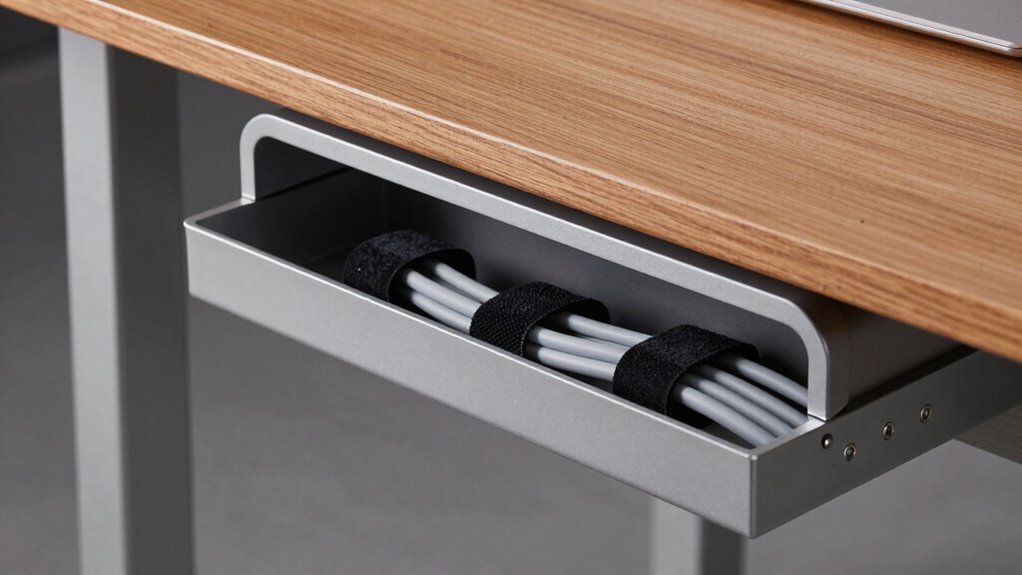
| Cable Trays | Holding power strips and hiding bulky cables under your desk (great for 100–180cm desks!) |
| Cable Spines | Guiding cords smoothly from desktop to floor, especially with standing desk height changes |
| Clips & Holders | Snagging stray charging cables—magnetic ones are $19, adhesive clips just $10 |
| Sleeves & Kits | Bundling wires tightly or grabbing whole systems like iMovR’s Tucker kit ($159) |
Use trays as modesty panels, spines for slack, and clips for quick access. Mix and match—no more spaghetti desk legs! You’ll laugh every time you see how tidy your setup looks.
Step-by-Step Installation for Clean Cable Routing

Now that you’ve got your cable trays, spines, and clips lined up like a tech-savvy organizer’s dream, it’s time to put those tools to work and actually tame the jungle under your desk.
Start by unplugging everything—yes, even that mysterious black brick hiding in the back.
Plan your layout, mount the tray snugly under the desk, and secure your power strip with screws or heavy-duty adhesive.
Route cables loosely at first, grouping power, data, and peripherals like squadrons heading to headquarters.
Use Velcro ties (no zip-tie tyranny here!) to bundle them neatly.
Slip cords through grommets, run them along edges with clips, and tuck them into sleeves—bonus points if they look like a tech fairy organized them.
Hook up the tray, flip the desk up, then test the full range of motion.
Make sure nothing snags, pulls, or does the cha-cha when you raise or lower.
Smooth sailing—and tidy wires—await!
Preserves cable flexibility during height adjustments.
Ensuring Safety and Long-Term Performance
While keeping your cables looking sleek is satisfying—like finally winning the battle against headphone tangles—doing it safely and sustainably is what keeps your setup running smoothly for years.
You’re not just tidying up; you’re protecting your gear, your workspace, and maybe even your coffee from a surprise power outage.
- Breathe easy knowing your surge protector has your back—no more panic when the lights flicker.
- Feel the pride of a tidy, tangle-free desk where every cable has its place and never snags.
- Sleep soundly, knowing you’ve cut the fire risk by avoiding overloaded strips and daisy chains.
- Grin when you spot zero frayed wires—thanks to grommets and smart routing that stop rub-and-tug damage.
Use Velcro, not zip ties, leave slack in loops, and peek under the desk every six months.
A little care goes a long way.
Adapting Cable Management to Different Workspaces

Whether you’re squeezing a desk into a cozy corner or maneuvering the hustle of a shared workspace, smart cable management adapts to your environment—not the other way around.
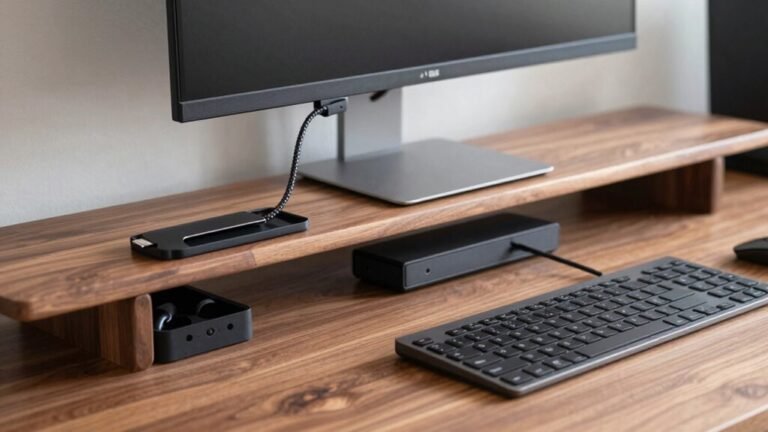
In small home offices, tuck a power hub under your desk and use low-profile clips to keep cords tidy without drilling.
Leave enough slack so cables won’t strain when your desk moves up or down—nobody likes a yanked charger mid-standing session!
In open-plan spaces, label color-coded bundles and hide them in sleek raceways so cables don’t look like spaghetti troughs.
For hot-desking, go modular: quick-disconnect hubs and strap-based bundling let you swap spots fast.
High-density setups? Separate power and data, use velcro for easy tweaks, and mount gear off the floor.
With the right approach, your cables behave—no matter where you work.
Maintaining and Upgrading Your Setup Over Time
You’ve nailed the setup—your standing desk looks sleek, cables are tucked away, and your workspace feels like a productivity haven.
But don’t just set it and forget it.
A little love over time keeps everything running smoothly and safely.
Check your cables every few months for fraying, especially near bends and plugs, and swap out anything sketchy—no one wants a sparkly surprise.
Make sure there’s enough slack when your desk moves up and down, and tighten any loose clips or screws before they make a break for it.
Upgrade smart: swap zip ties for reusable straps, add a cable spine if things get heavy, and label everything like you’re leaving clues for future-you.
- Breathe easy knowing your gear’s safe from surges and sparks.
- Feel proud every time your desk glides up without yanking a cord.
- Laugh when guests ask, “Wait, where are all the wires?”
- Thrill at plugging in new gadgets with zero chaos.
Frequently Asked Questions
Can I Use Magnetic Cable Ties on Motorized Desk Frames?
Yes, you can totally use magnetic cable ties on motorized desk frames—if they’re metal.
The strong neodymium magnets stick like little superheroes to steel legs, staying put even when your desk zooms up or down.
Just snap them on, loop your cables, and enjoy the tidy magic.
No drilling, no mess.
They’ll keep cords out of trouble and make your setup look sleek—no more tripping over wires or yelling at tangled chargers!
Do Wireless Charging Pads Affect Cable Routing Underneath the Desk?
Yes, wireless charging pads shake up your under-desk cables like a snow globe—everything shifts.
You trade tangled device cords for a single power feed, but that cable still needs a smart path.
Centered pads create one neat drop point, while movable ones multiply routing spots.
Watch for chunky adapters and heat, and keep the feeder separate from data bundles—think clean, labeled, and cool, like a zen garden for cords.
How Do I Hide Cables on Glass or Translucent Desks?
You hide cables on glass desks by using clear adhesive raceways and flat clips to keep wires flush and invisible.
Slide low-profile brush grommets where cords enter, and tuck power strips into clear cable boxes—neat and out of sight.
Mount a slim tray underneath for slack, route cables behind monitor arms, and use frosted film to blur what’s left.
Keep it snappy, tidy, and almost magical—your desk’ll look like it runs on wishes, not wires.
Are There Cable Management Solutions for Corner Standing Desks?
You bet there are—corner standing desks don’t have to be cable jungles!
Use bendy raceways that snake around the L-shape like spaghetti, attach rotating trays under the desk so cords flow smoothly from both sides, and tuck power strips near the corner where cables meet like old friends.
Add adhesive clips, leave slack for movement, and boom—clean, tangle-free lines that rise and shine with your desk, no messy vines included.
Can Cable Sleeves Reduce Electromagnetic Interference From Power Lines?
Yeah, cable sleeves can help reduce electromagnetic interference, but only if they’re conductive and properly grounded—think metal-lined ones, not just pretty fabric.
They’ll block high-frequency noise from your desk’s electronics, but don’t expect magic near power cords; those low hums? Sleeves won’t stop ’em.
For real results, pair sleeves with smart cable routing—you’ve got this!
Conclusion
You’ve got this! A tidy desk means a happy mind—remember, “a place for everything, and everything in its place.” With the right plan and a little flair, your cables stay tamed, not tangled. You’ll boost style, safety, and sanity. Plus, no more tripping over wires like they’re mini agility courses. Keep it simple, keep it sleek, and upgrade as you go. Smooth cables, smoother workdays!