Trackpad vs. Mouse: Which Is Better for Productivity?
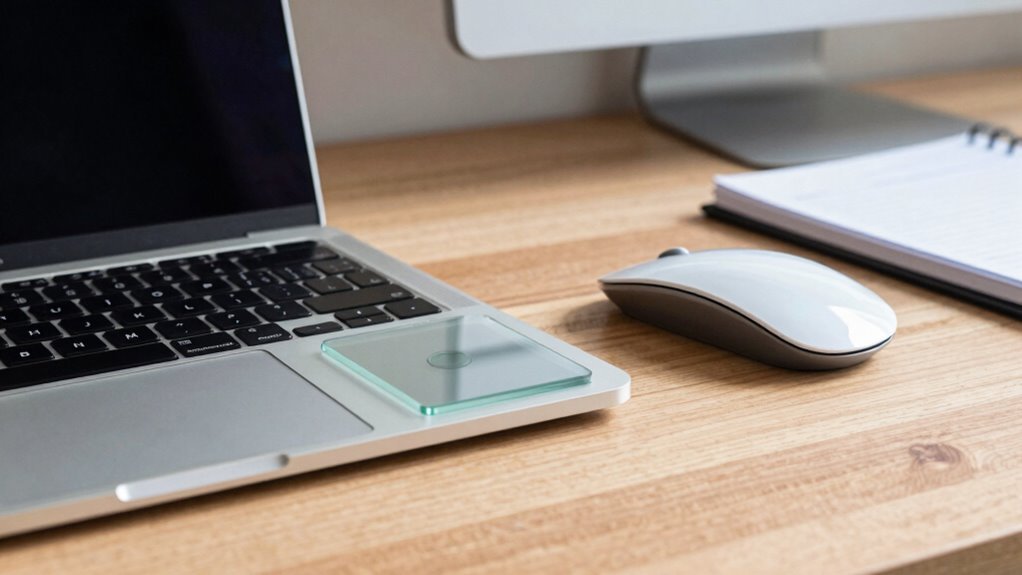
You fly through tasks faster with a mouse—30% faster, actually—thanks to smooth clicks and pixel-perfect moves, while trackpads make you backtrack like you’re retracing spilled coffee. Need precision in design or gaming? The mouse nails it. But for lounging on the couch, trackpads win with gesture tricks. Think of your wrist: mice reduce strain, but trackpads save space. There’s more to why your pick might surprise you.
Speed and Task Efficiency: How Input Devices Impact Workflow

Ever wonder why your coworker seems to blaze through spreadsheets while you’re still hunting for the right cell? Chances are, they’re using a mouse. Studies show you’ll finish tasks about 30% faster with a mouse, thanks to quicker reactions and smoother moves.
You click, drag, and land right where you want—fewer wobbles, less backtracking. Trackpads? They’re convenient, sure, but you’ll often overshoot, then correct, then sigh.
Even with practice, the mouse keeps its edge. For rapid-fire tasks like selecting cells or resizing columns, every fraction of a second adds up.
Over a day, that’s real productivity juice. You type, then reach—zip—the mouse gets you there fast. Yeah, trackpads have slick gestures, but when precision’s key, the mouse wins. You’re not just moving a cursor—you’re winning time, one smart click at a time.
External mouse use boosts productivity.
Precision in Design and Gaming: Where the Mouse Takes the Lead
When you’re deep in a design or gaming zone, every tiny movement counts, and that’s where the mouse really shines. You get pixel-perfect control thanks to adjustable DPI and super-responsive sensors that track even the slightest hand shifts. Whether you’re drawing fine lines, tweaking vector handles, or landing a headshot, the mouse delivers accuracy trackpads just can’t match. Programmable buttons let you zoom, nudge, or switch tools without breaking stride—like having shortcuts built right into your grip. High polling rates and low latency mean your cursor keeps up the second you move, which is clutch for fast edits or competitive play. Plus, with stable tracking and minimal jitter, your selections stay sharp and your aim doesn’t wobble. Gamers and designers alike swear by it—because when precision matters, you’re not just clicking, you’re commanding. It’s not magic; it’s engineering. And honestly, once you try it, you’ll wonder how you ever lived without it. This level of control is especially critical given the optical and laser sensor technology that underpins modern mouse precision.
Physical Comfort and Long-Term Use: Comparing Ergonomic Benefits

While you’re clicking and swiping through long work sessions, your hands and wrists are working overtime—so it’s worth picking the tool that won’t leave you aching.
You’ll likely find mice kinder on your body, especially ergonomic ones like the Logitech MX Vertical that keep your hand in a natural handshake position.
This cuts wrist stress and forearm fatigue by up to 25% compared to trackpads.
Sure, trackpads let you gesture smoothly and keep your hands relaxed, but they crank up muscle activity in your neck and shoulders by up to 45%.
Ouch.
Over time, that can mean stiff fingers and serious exhaustion.
Mice win for long-haul comfort, slashing discomfort by 50% and boosting precision.
Think of your mouse as your office sidekick—pick one that fits your grip, alternate with your trackpad now and then, and your body will thank you after eight hours of work.
Your choice of grip significantly influences comfort and long-term usability.
Win the marathon, not just the sprint!
Portability and Space: Weighing Convenience for Mobile Users
Space and portability aren’t just about saving room—they’re about moving through your day with less hassle and more freedom.
You’re dashing through airports, hopping between cafes, and squeezing into cramped seats—every gram and inch counts.
A trackpad’s always ready, part of your laptop, no extra junk to lose.
But a travel mouse? It’s tiny, light, and some even fold up like tech origami.
Still, you’ll juggle batteries, dongles, or cables.
On a wobbly tray table or your lap, the trackpad wins by default—no surface, no problem!
- You carry nothing extrawith a trackpad—total stealth mode
- Travel mice weigh as little as a AA battery but need space to glide
- No flat desk? No worries—trackpads laugh at couches and knees
- Wireless mice mean pairing, tiny receivers, or charging cables in your bag
- Setup’s instant with trackpads—no “where’d I put that dongle?!” panic
Gestures and Navigation: Evaluating Touch-Based Versus Click-Based Control

How do you zip through apps, scroll like a pro, or pinch-to-zoom without breaking a sweat?
With a trackpad, you’re just a flick or a spread away from slick, gesture-driven moves—three fingers swipe between desktops, two fingers glide to scroll, and a quick zoom feels like magic.
It’s intuitive, fun, and cuts down on keyboard clutter.
But when precision calls, the mouse answers: steady, accurate, and perfect for pixel-perfect edits or long drags across big screens.
Mice don’t accidentally trigger gestures when you rest your hand, and their tactile clicks give you satisfying feedback.
While some fancy mice offer gestures, they can’t match the trackpad’s full touch repertoire.
If you’ve mastered the gestures, your trackpad’s a powerhouse—but if accuracy’s king, the mouse still rules the castle.
Muscle Strain and Health Implications: Analyzing Usage Fatigue
You just swiped, pinched, and scrolled your way through apps like a digital ninja—congrats! But your body might be paying the price. Both trackpads and mice strain different muscles, and comfort isn’t always built into the design. You’re not imagining that shoulder ache or finger fatigue—it’s real, and science backs it up.
- Mice rev up your shoulder and neck muscles with big arm moves
- Trackpads tire your fingers and hands with tiny, repeat motions
- Flat trackpads can twist your wrist into uncomfortable positions
- External mice often cut shoulder strain when set up right
- Fancy ergonomic gadgets reduce stress on your whole arm
Customization and Performance: Matching Tools to User Needs

Wondering why your design projects feel clunky or your workflow’s hitting a snail-speed wall? Your input tool might be the hidden bottleneck. Mice offer pixel-perfect control with adjustable DPI, letting you switch from sketching fine lines to racing across screens in a click. Need to copy, paste, or jump between tools? Custom mouse buttons save keystrokes and time. Trackpads fight back with slick gestures—pinch, swipe, zoom like a pro—but they can’t match the precision or programmability of a good mouse.
| Feature | Mouse | Trackpad |
|---|---|---|
| Precision | High (adjustable DPI) | Medium (limited tuning) |
| Custom Buttons | Yes (up to 12+) | No |
| Gesture Support | Limited | Yes (multi-touch) |
| On-the-Fly Profiles | Yes | Rare |
| Macro Support | Full (with software) | Minimal |
Pick your power-up based on what fuels your productivity fire!
Frequently Asked Questions
Can Trackpads Replace Mice for All Tasks?
Nope, trackpads can’t replace mice for all tasks—you’ll struggle with precision work like editing or design.
They’re great for quick scrolls and travel, sure, but when you’re dragging files or tweaking tiny details, the mouse wins.
It’s faster, smoother, and easier on your body.
Think of your trackpad as a handy sidekick, not the main superhero.
Save your fingers—and your sanity—with a trusty mouse.
Do Wireless Mice Affect Productivity Due to Lag?
No, wireless mice don’t hurt your productivity with lag—if you pick the right one.
Modern wireless models zip at 1ms or less, so you’re clicking instantly, not waiting.
Bluetooth ones? A bit slow, yeah, but fine for emails and docs.
Gaming-grade ones? Overkill cool, but even budget options work great.
Just skip the dollar-store mouse, unless you enjoy tantrum-inducing delays!
Are Gaming Mice Necessary for Office Work?
Nope, you don’t *need* a gaming mouse for office work—your regular productivity pal’s probably got your back just fine.
But hey, if you love speed, extra buttons, and feeling like a desk warrior, a gaming mouse can be a fun, over-the-top upgrade.
Think of it like driving a race car to the grocery store: not necessary, but kind of thrilling!
Does Mouse Hand Use Impact Non-Dominant Hand Tasks?
Yes, it totally does!
When you train your non-dominant hand, you’re not just teaching it to click—you’re boosting your brain’s flexibility.
You’ll see quicker, smoother moves over time, and yeah, even your dominant hand gets sharper!
Think of it like cross-training for your hands.
You’ll cut fatigue, dodge strain, and hey, impress yourself by doing more—without realizing how fun symmetry can be.
Who knew your weaker hand could be this handy?
Can Using Both Devices Improve Overall Comfort?
Yeah, using both feels way better—your body’ll thank you! Swapping between trackpad and mouse mixes up your moves, so no single muscle group throws a tantrum.
You’re dodging sore shoulders, stiff forearms, and grumpy wrists by changing angles. It’s like exercise: cross-train your hands!
Plus, alternating keeps things fresh—no more zombie-clicking. Comfort? Totally doable when you play to each gadget’s strengths and move around a little.
Conclusion
You’re the captain of your productivity ship, and both mouse and trackpad are just compasses pointing to success. Need speed? The mouse zips like a sports car. On the go? Your trackpad’s a trusty backpack. It’s not about which tool wins, but how you wield it—like a chef picking knife or spoon. So relax, choose your favorite, and let your ideas soar!