5 Best Ring Lights for Crisp, Flawless Video Meetings
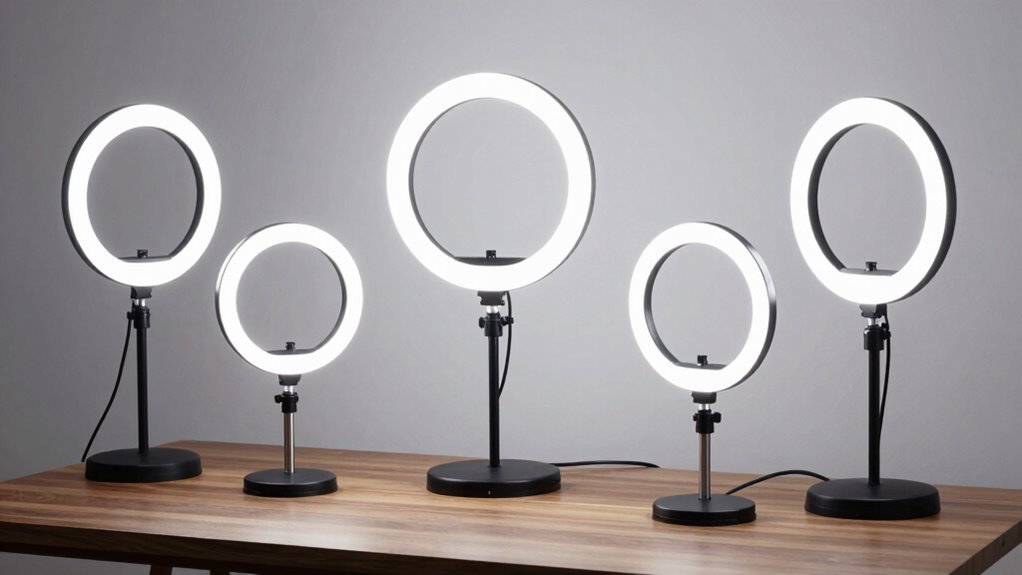
You’re on a Zoom call, bathed in that flat, unflattering overhead glow—sound familiar? A good ring light fixes that fast, instantly elevating your appearance with professional-grade illumination.
With models offering 48 to 64 flicker-free SMD LEDs, 97+ CRI color accuracy, and adjustable color temps from warm 3200K to crisp 6500K daylight, you’re not just seen—you’re seen well.
These best ring lights deliver natural, consistent lighting that enhances your face without harsh shadows or glare.
USB-powered and built for 7” to 21” setups, they provide even coverage without washing you out. So, which one actually earns its place on your desk?
| 21″ LED Ring Light with Tripod Stand | Best Overall | Color Temperature Range: 2900K–6500K | Brightness Adjustment: 10%–100% adjustable | Power Source: 100–240V global voltage (AC adapter) | VIEW LATEST PRICE | Read Our Analysis | |
| Ring Light Video Conference Kit | Budget-Friendly Pick | Color Temperature Range: 3200K–6500K | Brightness Adjustment: 5 level brightness | Power Source: USB powered (5V 2A or above) | VIEW LATEST PRICE | Read Our Analysis | |
| Zoom Lighting for Computer – 30 Light Modes | Premium Choice | Color Temperature Range: 3000K–6500K | Brightness Adjustment: 10 brightness levels | Power Source: USB powered (10W, 5V2A) | VIEW LATEST PRICE | Read Our Analysis | |
| Ring Light for Video Conferencing | Compact Design | Color Temperature Range: 3200K–6800K | Brightness Adjustment: 5 brightness levels | Power Source: USB powered | VIEW LATEST PRICE | Read Our Analysis | |
| Evershop Ring Light for Laptop Desk | Best Value | Color Temperature Range: White, natural, warm (implied ~3000K–6500K) | Brightness Adjustment: 30 brightness levels | Power Source: USB powered | VIEW LATEST PRICE | Read Our Analysis |
More Details on Our Top Picks
21″ LED Ring Light with Tripod Stand
If you’re the kind of person who values both professional lighting quality and hassle-free setup—whether you’re leading Zoom calls, filming YouTube tutorials, or perfecting your TikTok makeup routine—this 21″ LED Ring Light with Tripod Stand is built for you.
You get CRI>97 accuracy and flicker-free SMD LEDs that deliver soft, even illumination across your face, with brightness from 10% to 100% and color temps adjustable from warm 2900K to cool 6500K—no filters needed.
The aluminum tripod extends from 31.5” to 72.8”, locks securely, and supports phones, cameras, and even a small rig via three hot shoe ports. You control lighting wirelessly via Bluetooth selfie remote (up to 98” away) or IR handheld fob.
Four USB ports keep devices charged mid-stream, ensuring you stay powered during long sessions. At full height, it’s stable—but be honest, would you really use it taller than 60”?
The carry bag and 18-month warranty (with 24/7 support) make it travel-ready and risk-free. You’re not just upgrading your lighting—you’re streamlining your whole setup.
- Color Temperature Range:2900K–6500K
- Brightness Adjustment:10%–100% adjustable
- Power Source:100–240V global voltage (AC adapter)
- Mounting Type:Tripod stand with adjustable height
- Use Case:Video meetings, vlogging, YouTube, TikTok, makeup
- Adjustability:Height adjustable (31.5″–72.8″), 360° rotation via tripod
- Additional Feature:Carry bag included
- Additional Feature:Bluetooth selfie control
- Additional Feature:4 USB charging ports
Ring Light Video Conference Kit
You’re getting the sweet spot of studio-quality lighting without the bulk—this Ring Light Video Conference Kit delivers crisp, shadow-free illumination thanks to its 48 evenly spaced LEDs and a fully adjustable color temperature range from warm 3200K to daylight 6500K. It’s ideal for remote workers, content creators, and Zoom regulars who want to look polished without looking trying too hard.
You’re clipping it onto laptops or monitors in seconds—max 1.35-inch thickness—and powering via USB (5V/2A+). Fine-tune brightness across five levels and five color modes, from cozy warm to clinical daylight.
Need flatteringly soft light for TikTok or back-to-back Teams calls? It’s got you—just don’t expect it to replace a three-point studio setup.
- Color Temperature Range:3200K–6500K
- Brightness Adjustment:5 level brightness
- Power Source:USB powered (5V 2A or above)
- Mounting Type:Clip-on for laptop, monitor, desk
- Use Case:Video conferencing, live streaming, TikTok, YouTube
- Adjustability:360° adjustment
- Additional Feature:48 LEDs for brightness
- Additional Feature:Clip-on versatile mounting
- Additional Feature:5 modes with memory
Zoom Lighting for Computer – 30 Light Modes
Who wouldn’t want their face lit like a professional broadcaster’s during a 9 a.m. Zoom call? With the Zoom Lighting for Computer’s 30 light modes, you can customize your look with 3 color temperatures (3000K–6500K) and 10 brightness levels.
The edge-lit design delivers uniform illumination, eliminating harsh shadows. Plus, the high CRI of 97.8 ensures accurate skin tones—no orange or washed-out appearances.
Measuring 7 inches, the ring fits neatly around your webcam or beside your monitor. It offers 360° rotation for precise angle control and sits securely on a sturdy, height-adjustable stand (20.5”–28.5”).
Powered by a 10W USB connection, it’s energy-efficient and convenient for desk setups or even outdoor use.
- Color Temperature Range:3000K–6500K
- Brightness Adjustment:10 brightness levels
- Power Source:USB powered (10W, 5V2A)
- Mounting Type:Desk stand with adjustable height
- Use Case:Zoom meetings, video calls, streaming, content creation
- Adjustability:360° rotation, height adjustable (20.5″–28.5″)
- Additional Feature:30 light modes available
- Additional Feature:Edge-lit technology
- Additional Feature:3-year after-sales service
Ring Light for Video Conferencing
This ring light is ideal for remote professionals and digital creators who demand consistent, high-quality lighting during video conferences, Zoom calls, or live streams—especially when natural light falls short or casts unflattering shadows. You’ll appreciate its 48 LED beads (10W) offering 5 brightness levels and adjustable color temps from warm 3200K to daylight 6800K—perfect for matching any environment.
The compact circle design clips securely to your laptop or monitor, stays put without wobbling, and rotates for ideal angling—no more awkward head-tilting. USB-powered, it runs off your laptop, power bank, or charger, making it eco-friendly and ultra-portable.
Whether you’re on Zoom, YouTube, or TikTok, this light cuts glare and shadows, delivering soft, even illumination. And if anything’s off? Support’s just a message away—because nobody wants lighting drama during a big meeting.
- Color Temperature Range:3200K–6800K
- Brightness Adjustment:5 brightness levels
- Power Source:USB powered
- Mounting Type:Clip-on to computer screen edge
- Use Case:Zoom calls, video conferencing, live streaming, makeup
- Adjustability:Adjustable rotation for angle/direction
- Additional Feature:No glare design
- Additional Feature:10W high brightness
- Additional Feature:Stable clip-on mount
Evershop Ring Light for Laptop Desk
A stretchable 2–2.5 inch horizontal plate and an adjustable 6.5–8.5 inch main stand make the Evershop Ring Light for Laptop Desk a fit-for-all contender—especially if you juggle multiple devices or switch between a notebook and curved monitor. You’ll appreciate the 64 high-efficiency LEDs (10W, CRI > 98) delivering crisp, true-to-life lighting.
The light offers three modes—warm, natural, cool—with 30 brightness levels to adapt to dim rooms or harsh overhead lighting. This flexibility ensures optimal illumination for any environment or time of day.
Its foldable 90° bracket and 180° base allow for 360° rotation, letting you pivot the 5-inch light head exactly where needed. However, tight desk spaces might challenge its overall footprint.
USB-powered and weighing just 7.1 oz, it’s travel-ready—no batteries, no fuss. You can prop your phone or iPad on the stand during Zoom calls, making it convenient for hybrid setups.
Though practical for video meetings, selfies, or streaming, one might question how often they’ll actually stream makeup tutorials from a coffee shop. It’s a sleek, all-in-one solution backed by a 12-month warranty and responsive support—portable, precise, and designed without overselling.
- Color Temperature Range:White, natural, warm (implied ~3000K–6500K)
- Brightness Adjustment:30 brightness levels
- Power Source:USB powered
- Mounting Type:Stretchable clip-on for screens 2–2.5″ wide
- Use Case:Video meetings, webcam use, makeup, streaming, selfie
- Adjustability:360° horizontal rotation, foldable 90° bracket, 180° base
- Additional Feature:Stretchable screen plate
- Additional Feature:360° horizontal rotation
- Additional Feature:Foldable compact structure
Factors to Consider When Choosing Ring Lights for Video Meetings

You’ll want to size things up—literally—since ring lights range from compact 10-inch models for tight workspaces to spacious 20-inch versions that cast broader, more diffused light (ideal if you’re often off-center). Don’t overlook brightness controls or color temperature ranges: look for dimming from 10% to 100% and adjustable tones between 3200K (warm) and 5600K (daylight), so your face doesn’t end up looking like a roasted marshmallow—or a ghost. And honestly, does it plug in *or* run on USB? Power source flexibility and mounting compatibility (like universal phone/clamp fit or cold shoe adaptability) can make or break your setup, especially when your laptop doubles as a kitchen cam.
Size and Placement
Where should you position your ring light for that perfect blend of clarity and professionalism—especially when you’re juggling limited desk space and unpredictable room lighting? You’ve got options: go big with a 21-inch ring for smooth, even coverage (great for full-face illumination), but only if you’ve got room to spare on your desk or floor.
Prefer something compact? A 7-inch clip-on model fits snugly on your laptop or monitor edge—space-saving and surprisingly effective. Use an adjustable stand (31.5″–72.8″) to align the light at eye level, avoiding shadows or unflattering overhead glows.
With 360° rotation and flexible mounts, you can tweak the angle toward your face without rearranging your whole setup. Just remember: larger diameter lights need more footprint, so match the size to your space—because no one wants a ring light that blocks their coffee mug or knocks over their notebook.
Brightness Adjustment Options
Got your ring light positioned just right for that smooth, shadow-free glow? Now fine-tune the brightness—you’ll want a model that lets you dim from 10% to 100% so you’re not washed out in daylight or swallowed by shadows at night.
Many lights offer preset levels—5, 10, even 30 steps—so you can jump to your ideal setting fast, especially if you’re juggling back-to-back calls. You’ll typically adjust via touch controls, remote, or USB-connected interface, depending on the model.
Sure, higher brightness helps in dim rooms, but crank it too high without diffusion and you’ll get glare or hotspots (hello, sweaty forehead). And while you’re tweaking intensity, remember—matching brightness to your environment *and* syncing it loosely with color temperature keeps your skin tones natural, not orange or icy. It’s not magic; it’s just good light design.
Color Temperature Range
Why does your face look sun-kissed in one meeting and like you’re in a hospital corridor the next? It’s your ring light’s color temperature—measured in Kelvins—and it’s way more important than most realize.
Most models run from 2900K (warm, candlelit glow) to 6500K (cool, midday sun), but you’ll want a range like 3200K–6500K to adapt quickly. Warm light (3000–3500K) feels cozy and softens shadows, yet can cast a yellow-orange tint that skews unnatural on camera.
Crank it up to 6500K, and you’ve got crisp, clinical daylight—great for clarity, but it can drain warmth from your skin, leaving you looking washed out. The best lights offer smooth, continuous adjustment (not just preset jumps) so you can fine-tune to match your room’s lighting or time of day.
You’re not just chasing brightness—you’re balancing tone.
Power Source Flexibility
How often have you scrambled for a wall outlet mid-meeting, only to realize your ring light won’t stay on without it? You’re not alone—many clip-on and compact models run entirely via USB, letting you plug into a laptop, power bank, or wall adapter anywhere, anytime.
Look for lights that support 5V 2A USB power, but keep in mind not all ports deliver enough juice—some may underperform without a higher-output adapter (think 2.4A+). Models with built-in 100–240V global voltage are travel-ready, skipping bulky converters when you’re abroad.
USB-powered setups paired with a 10,000mAh battery can last 3–5 hours, perfect for remote outdoor calls. While convenient, they aren’t endlessly portable—runtime depends on brightness settings.
Mounting Compatibility
Consider where your ring light will be placed—clamped to a laptop, mounted on a tripod, or attached to a curved monitor. Ensure the clamp width matches your screen’s thickness, as some models only fit edges up to 1.35 inches while others offer stretchable mounts for 2–2.5 inches.
A secure fit is essential to prevent wobbling or sliding during use, especially with sudden movements or adjustments. Look for models with a 360° rotatable mount or adjustable tilt to easily fine-tune the angle for different positions.
Some ring lights attach directly to your screen, while others use a tripod or clip-on stand with a phone or camera mounted in the hot shoe. Whichever setup you choose, make sure the base or clamp remains stable to avoid accidents during important moments.
Portability and Design
A touch of elegance in your workspace doesn’t have to come at the cost of mobility—especially when your ring light weighs under 1.5 pounds and packs a 5.5-inch head that slips neatly into a zippered carry bag. You’ll love how USB-powered models eliminate the need for bulky adapters, letting you power straight from your laptop.
Clip-on designs latch securely to monitor edges without tools, while foldable brackets and adjustable clamps mean you can tweak height and angle in seconds. Don’t you hate when gear limits your seating?
With 360-degree swivel heads and compact 5–7 inch frames, you’re free to adapt lighting to any desk layout—whether you’re sitting, standing, or leaning forward for emphasis. And yes, they’re small, but don’t mistake size for weakness: these lights balance form and function without sacrificing stability or flexibility.
Light Quality Accuracy
Ever wonder why your face looks washed out or oddly tinted on camera, even with a ring light in front of you? That’s where light quality accuracy comes in.
You’ll want a high CRI—ideally 97 or higher—so your skin tones and colors appear true on screen. Look for specs like CRI 97.8 or >98 to get vibrant, lifelike results.
Color temperature control matters too: aim for models offering 2900K–6500K or 3200K–6500K. This range lets you fine-tune your white balance no matter your background or time of day.
Don’t overlook the design—edge-lit or uniform panels minimize shadows and spread light evenly across your face. Even distribution helps maintain consistent color and reduces harsh contrasts.
Make sure the brightness stays stable across dimming levels. Cheap lights often shift hue when dimmed, but well-calibrated ones maintain accurate color throughout.
Frequently Asked Questions
Can Ring Lights Cause Eye Strain During Long Meetings?
Yes, ring lights can cause eye strain during long meetings if they’re too bright or poorly positioned. You’re staring at a strong light source, so dimming it or adjusting the angle helps reduce glare and keeps your eyes more comfortable throughout the day.
Are Ring Lights Suitable for Use in Dark Rooms?
Yes, you can use ring lights in dark rooms—they’re actually great for them. They give you even, soft light right where you need it, cutting shadows and making your face stand out clearly without harsh glares or dim spots.
Do Ring Lights Work Well With Glasses?
Yes, you can use ring lights with glasses, but you’ll likely see reflections. Position the light higher or use a diffuser to reduce glare. Tilting your glasses slightly helps minimize shine while keeping your face evenly lit during calls.
Can I Use a Ring Light With a Dual Monitor Setup?
You can use a ring light with a dual monitor setup—just position it in front of your main screen, above or below. You’ll avoid glare on the glass and keep your face evenly lit, even if you glance side to side during calls.
Do Ring Lights Affect Room Temperature Over Time?
You’re not melting the room, but yeah, ring lights *can* warm things up—especially cheap ones. They won’t turn your office into a sauna, but after hours, you’ll feel a toasty glow, like your setup’s hugging you back.
Conclusion
You’re not chasing Hollywood glam—just 97+ CRI light, flicker-free at 6500K, soft on the eyes (and your Zoom background). These 21-inch, USB-powered rings with 48–64 SMD LEDs? They balance brightness, color accuracy, and 360° adjustability like a tightrope walker—steady, reliable, occasionally wobbling (looking at you, clip-on adapters). So, still squinting at your camera in dim light, or are you finally lit—clear, crisp, and meeting-ready in 10 seconds flat?