Standing Desk Ergonomics: How to Stand Safely
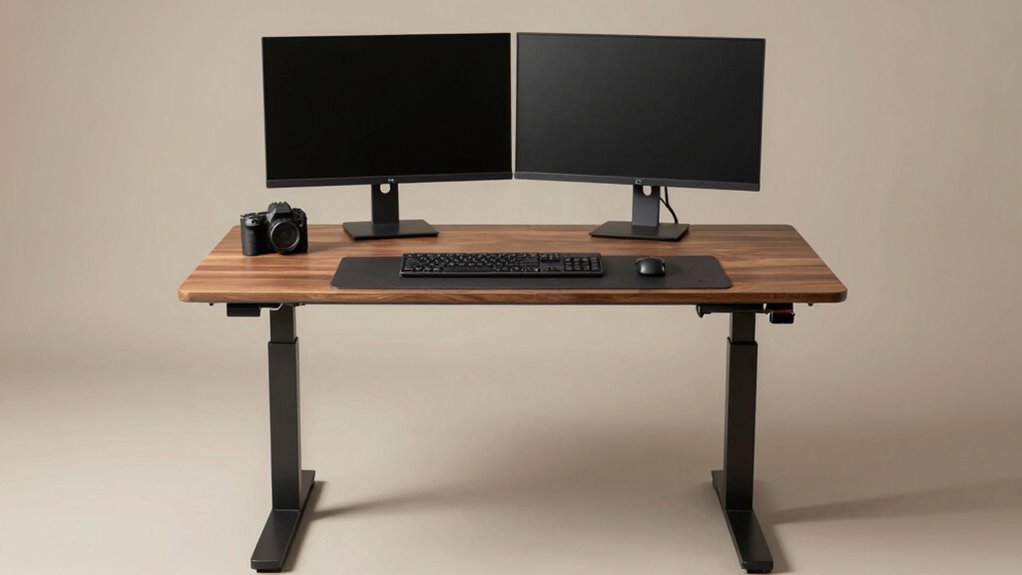
Set your desk so your elbows bend at 90°, wrists straight, and screen top at eye level to keep your neck happy. Keep feet supported—wear comfy shoes and use an anti-fatigue mat that feels like a trampoline for your tootsies. Stand tall, shoulders relaxed, and shift often to avoid turning into a statue. Alternate sit-stand every 30–60 minutes and tweak as you go—small fixes add up to big comfort. There’s even more clever tricks to boost your stand game.
Adjust Your Desk Height to Elbow Level
Let’s get you standing tall—like a proud flamingo, but way less awkward.
Set your desk height to match your elbows when bent at 90°, so your arms float comfortably and your shoulders stay relaxed.
This isn’t guesswork—measure from the floor to your elbow while standing naturally, or use a height chart based on your stature.
If you’re around 5′8″, aim for about 38 inches; taller? You might need 40 or more.
Keep your keyboard at that sweet spot so your wrists stay straight and happy.
When typing, your forearms should run parallel to the floor—like they’re gliding on ice.
Use a height-adjustable desk or a trusty keyboard tray to nail it.
And hey, save your perfect height in the desk memory so you’re not playing detective every morning.
Your elbows lead the way—listen to them, and your whole body will thank you.
Proper desk height supports natural body alignment and helps prevent strain during long work sessions.
Position the Monitor at Eye Level
Imagine this: your monitor perched just right, like a loyal tech sidekick ready to support your best posture.
You’re standing tall, eyes level with the top third of the screen—about 2 to 3 inches below eye level—so you gaze down slightly, not up or way down.
That sweet spot keeps your neck relaxed and your spine happy.
Keep it an arm’s length away (roughly 20 inches), or farther if it’s a big screen, so you’re not craning like a curious giraffe.
Whether sitting or standing, adjust it so the top’s at eye level—usually 2 inches higher when on your feet.
Use a monitor arm to tweak it fast and smooth.
Center it in front, dodge window glare, and bam—less strain, fewer headaches, and way better focus.
You’ve got this!
For even better alignment and flexibility, consider a height-adjustable monitor arm that lets you easily switch between sitting and standing positions.
Maintain Proper Arm and Wrist Alignment

Now that your monitor’s sitting pretty at eye level, let’s give your arms and wrists the spotlight they deserve.
Bend your elbows at a cozy 90 to 100 degrees—think of making a relaxed “L”—and keep them tucked close to your sides.
Your forearms should run parallel to the desk, hands and wrists in a straight, neutral line like you’re pointing forward without bending.
Avoid tilting your wrists left or right; nobody likes ulnar or radial drama.
Keep your keyboard and mouse close so you’re not stretching like you’re trying to grab the last cookie.
A slight downward angle for the mouse is fine, but keep it chill.
Proper alignment means less strain on your elbows, wrists, and shoulders—so you can type like a pro without the achy regret.
Maintaining a neutral wrist posture helps prevent carpal tunnel syndrome and other repetitive strain injuries.
Your body will thank you, and hey, fewer trips to the ice pack aisle!
Support Your Feet and Legs Correctly
Shift your focus down—your feet and legs are more than just an afterthought, they’re the foundation of your standing desk game.
Wear supportive shoes with cushioned soles and proper arch support, and skip the high heels or flat flip-flops—they’re basically ankle betrayals.
Swap worn-out shoes every 6–12 months so your feet don’t pay the price.
Toss an anti-fatigue mat down (about half an inch thick) to keep your legs feeling springy, not stiff.
Make sure it’s slip-resistant—no one wants a surprise slide show.
Use a footrest to switch-off feet now and then; a little rock side-to-side boosts circulation and keeps things fun.
Keep knees slightly bent, shift your stance, and step lightly every few minutes—your veins will thank you.
And hey, dancing in place counts as movement, right? Well, close enough!
Maintain a Neutral Spine and Balanced Posture

Standing tall like a proud tree—roots grounded, branches reaching—sets the stage for a spine that feels as good as it looks.
You’ve got this! Keeping your spine neutral isn’t about being stiff—it’s about balance, comfort, and protecting your back while you work.
Think of your body as a well-tuned tower: aligned, strong, and ready for action.
- Stack your joints: ears over shoulders, shoulders over hips, hips over knees, knees over ankles.
- Tuck your chin slightly to keep your neck long and avoid “text neck” mode.
- Pull those shoulders back—no hunching like a question mark!
- Keep your pelvis neutral—not tucked, not arched, just right (Goldilocks would approve).
- Check your posture now and then—grab a mirror or use your webcam for a quick “posture selfie.”
A happy spine means less ache and more *you* power. Stand easy, stand strong!
Alternate Between Sitting and Standing Frequently
Mixing up your moves at work—like a pro dancer taking breaks between grooves—keeps your body happy and your brain sharp. You don’t have to stand all day; just switch it up every 30 to 60 minutes.
Sitting for hours strains your back and zaps your energy, but standing briefly gives your muscles a wake-up call. Studies show you’ll sit less, feel better, and boost focus—all while reducing neck, shoulder, and back pain.
Plus, your heart and blood pressure get a break, too. Workers who alternate postures report feeling more energized, less tired, and even more productive.
Imagine that—better comfort and sharper thinking, just by changing positions. Your body wasn’t built to stay still, so keep it guessing. Stand during calls, sit for typing, then stand again.
Small shifts make a big difference. Think of it as a dance: sit, stand, repeat. Your body will thank you with less ache and more pep in your step.
Use an Anti-Fatigue Mat for Standing Comfort

Cushioning your stance with the right mat turns standing at your desk from a chore into a joy—like giving your feet a cozy high-five that lasts all day.
You’ll stand taller, feel lighter, and keep energy up when you pick a smart anti-fatigue mat.
It’s not just squishy comfort—it’s science-backed support that fights fatigue, boosts blood flow, and keeps your body happy.
- You stay comfy longer thanks to up to 50% less leg and back strain
- Your muscles stay active with subtle shifts that fight stiffness
- Your feet thank you as pressure spreads evenly across the soles
- You feel steady on textured, slip-proof surfaces built for real life
- You save time with easy-clean surfaces that shrug off coffee spills
Choose Supportive Footwear for Prolonged Standing
Your feet do so much more than just carry you through the day—they’re your foundation, your balance, and your secret weapon for staying energized at your standing desk.
So don’t torture them in flimsy flats or tight shoes!
Look for built-in arch support that matches your foot type—flat, neutral, or high—so your weight spreads evenly and your joints stay happy.
Cushioning like memory foam or gel in the midsole? Yes, please! It absorbs impact, cuts leg fatigue, and keeps your back from nagging you.
Make sure your shoes fit right—not too tight, with room to wiggle toes, especially when your feet swell late in the day.
Supportive sneakers, comfy clogs, or walking shoes from brands like Asics or New Balance? Perfect.
Your feet will thank you—no drama, just comfort.
Frequently Asked Questions
Can I Use a Standing Desk if I’m Under 5 Feet Tall?
Yeah, you can totally use a standing desk if you’re under 5 feet tall!
Just grab a height-adjustable model that goes down to about 22 inches, so your elbows hit desk level at 90 degrees.
Use a monitor arm to lower your screen, keep it 20–30 inches away, and tweak as needed.
Add a keyboard tray if you must—boom, ergonomic magic!
Short stature? No problem.
You’ve got this!
How Often Should I Replace My Anti-Fatigue Mat?
You should replace your anti-fatigue mat every 3 to 5 years, or sooner if you spot sad, sagging spots or crusty curls at the edges.
Check it regularly—you’ll know it’s time when it’s not springing back like it used to.
Don’t wait for it to cry for help; cracked surfaces and slippery backs mean bye-bye.
Keep comfy, stay safe, and give your feet the fresh support they’ll love.
Is It Safe to Stand on Carpet Without a Mat?
Yeah, you can stand on carpet without a mat, but it’s not ideal.
Your desk might wobble since carpet compresses unevenly, making things shaky.
Plus, your feet could tire faster without proper support.
Think of it like wearing flip-flops to a hike—doable, but not awesome.
Toss down a firm, non-slip mat, and suddenly everything’s steadier, comfier, and way safer.
You’ll stand taller, work better, and skip the squeaky floor dance!
Should I Wear Orthotics While Using a Standing Desk?
Yes, you should wear orthotics while using a standing desk—they’re like cheat codes for your feet!
They reduce fatigue, support your arches, and keep your body aligned.
Standing feels great, but without proper support, your feet can throw a silent protest.
Orthotics help you stand longer, feel better, and avoid that “ouch, my feet!” moment.
Think of them as tiny heroes under your socks, saving your day—one step, or stand, at a time.
Can Standing Desks Help Reduce Lower Back Pain?
Yes, standing desks can definitely help reduce your lower back pain.
You’ll ease pressure on your spine by switching between sitting and standing, which keeps your muscles from getting stiff and sore.
Studies show you could cut your pain by up to 50%—imagine that, less achiness just by standing up more!
Just don’t lock your knees, or you’ll turn into a wobbly tower.
Keep moving, stay comfy, and let your back thank you.
Conclusion
You’ve got this! Standing tall beats slumping any day, right? With your desk at elbow height, screen at eye level, and feet happy on a cushioned mat, you’re not just standing—you’re thriving. Mix in some sitting, wear comfy shoes, and your body will thank you like it’s birthday time. Stay balanced, stay mobile, and remember: good posture isn’t stiff, it’s strong. Now go rock that upright groove!