Stay Comfortable: Thermostat Tips for Remote Work
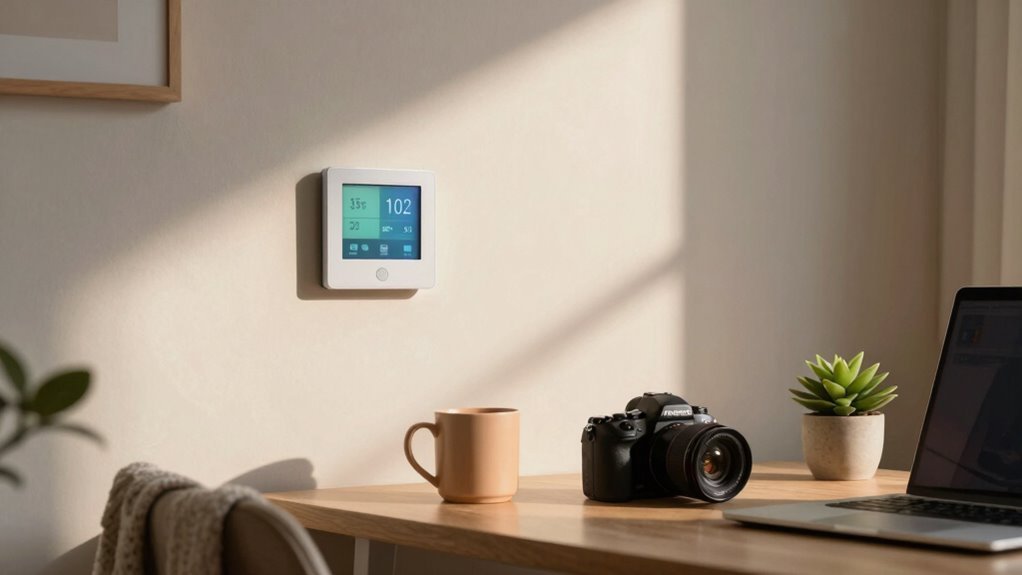
You’re most focused at 72°F—cozy enough to relax, cool enough to think straight. Turn things up by 7° when you’re out and save energy effortlessly. Use a smart thermostat to adjust the heat as you come and go, no effort needed. Keep your workspace comfy, your bills low, and your brain happy. Fans and zoning help spread comfort evenly. It’s all about working smarter, not harder—especially when the dog naps in your office. There’s even more where that came from.
Optimize Your Home Office Temperature for Productivity
Ever wonder why you’re suddenly hitting your stride one afternoon and zoning out the next?
Your office temperature might be the sneaky culprit.
Most folks focus best around21–22°C—warm enough to stay comfy, cool enough to keep your brain sharp.
Crank it past23°C, and your performance might dip, like your brain’s sending out a quiet “I’m overheating” memo.
Some studies even say productivity drops to91% of max at30°C—yikes.
While a single perfect temp doesn’t work for everyone, sticking between20–23°C is a solid bet.
Complex tasks? Lean toward22°C.
Creative flow? Maybe nudge it slightly warmer.
Pair your ideal temp with good lighting and quiet, and you’ve built a focus-friendly zone.
It’s not magic—it’s science, and your smart thermostat’s new favorite setting.
Adjust Settings When You’re Away to Save Energy
When you’re rushing out the door for a meeting or sneaking in a midday workout, don’t let your HVAC system keep chugging away like it’s running a marathon for no reason—turn down the heat or crank up the thermostat and start saving energy while you’re away.
Bump it 7°–10°F for at least eight hours daily and trim up to 10% off your annual bill.
Each degree counts—about 3% in savings per °F!
In winter, drop it toward the 60s; in summer, let it rise to 78°F or higher.
Use programmable schedules, geofencing, or occupancy sensors so your home “knows” when you’re out.
Lock settings with a PIN to stop well-meaning roommates from overriding them.
With remote access, tweak temps from your phone if plans change—because saving energy shouldn’t mean sweating the small stuff.
The Degree Difference can significantly impact your energy efficiency and comfort when working remotely.
Use Smart Thermostats to Match Your Remote Work Schedule

How does your home know you’re about to walk through the door?
Thanks to smart thermostats, it’s like your house has a sixth sense!
You can use geofencing so your thermostat senses when you’re 10 minutes away and starts warming or cooling the place.
No more walking into a stuffy or chilly home.
You’ll save energy every day—lowering temps by 7–10°F for 8 hours cuts costs by up to 15%.
Set custom schedules for work, sleep, or coffee time, and let learning algorithms tweak things based on your habits.
Forgot to adjust before leaving?
No worries!
Remotely control everything from your phone.
With motion sensors, “Follow Me” features, and automations, your comfort stays on point—because yes, your thermostat can now outsmart your dog at knowing when you’re home.
10–12% heating savings can be achieved with geofencing when paired with consistent occupancy patterns.
Balance Comfort and Health While Working From Home
Your smart thermostat keeps your home in sync with your schedule, but now let’s make sure it’s also in tune with your body and brain. You’re not just working—you’re *thinking*, creating, and solving problems, and temperature plays a sneaky-big role in how well you do it. Check out these ideal conditions for your workday:
| Task Type | Best Temp Range | Why It Works |
|---|---|---|
| Focused work | 21–22°C (70–72°F) | Sharpens attention and accuracy |
| Creative tasks | 25–27°C (77–81°F) | Warmer = more social, imaginative |
| Remote meetings | 22–24°C (72–75°F) | Keeps you alert but relaxed |
Too hot or too cold tanks your mood and focus—plus, big swings give you headaches. And hey, if you’re always chilly (looking at you, women and cooler metabolisms), tweak it your way. Your home, your rules!
Leverage Zoning and Fans for Even Indoor Comfort

Ever feel like your home office is a sauna while the rest of the house is freezing?
You’re not alone—and zoning can fix that.
By splitting your home into zones, you can cool or heat just your workspace, saving up to 30% on energy bills and reducing strain on your HVAC system.
Place a smart thermostat in your office—away from drafts or vents—for accurate readings, and set schedules that match your workday.
Use ceiling fans on low to make the room feel cooler without cranking the AC.
Circulate air between rooms with fans or a constantly running blower to nix hot spots.
Sync everything through a smart app so “Work Mode” sets the perfect vibe with one tap.
Comfort? Check.
Savings? Check.
And finally, no more wearing a sweater in July? Priceless.
Frequently Asked Questions
What Temperature Should I Set When Video Conferencing From Home?
Set your thermostat between 20–24°C (68–75°F) when video conferencing—it’s the sweet spot for looking cool and feeling sharp.
Lean toward 20–21°C if you’re moving or need focus, or bump it to 23–24°C if you’re sitting still.
Pair layers with a slightly lower temp to stay comfy and professional.
Avoid wild swings, and your camera presence (and coworkers) will thank you!
Can Thermostat Settings Affect My Internet Connection Speed?
Yeah, thermostat settings can sneakily mess with your internet speed.
If it’s cranking heat near your router, things get toasty—electronics hate that.
Overheating routers slow down or crash, and boom, your Zoom call suffers.
Dust builds up faster when HVAC systems run hard, clogging vents.
Plus, smart thermostats add to network traffic, and if your Wi-Fi’s already swamped, every bit counts—especially on slower plans.
Keep things cool, buddy!
Should I Adjust the Thermostat During Online Meetings Only?
No, don’t just adjust the thermostat during meetings—you’ll miss the real benefits.
Crank it up earlier so you’re sharp, not shivering, when the camera’s on.
Cold hands make awkward pauses, and nobody wants to see you dance to stay warm.
Keep it around 77°F for peak brainpower, comfort, and fewer fumbles.
Stay cozy, stay confident, and own that meeting like the temperature boss you are.
Do Humidity Levels Impact Thermostat Performance in Home Offices?
Yeah, humidity totally messes with your thermostat’s performance, even in your home office.
High humidity makes the air feel stickier, so you crank the AC lower, forcing it to work harder and longer.
Low humidity in winter? You’ll feel chillier and bump up the heat.
Your thermostat only sees temperature, not moisture, so it can’t fix the real issue.
Add a dehumidifier or a smart thermostat with humidity control, and you’ll stay comfy without wasting energy—your wallet and skin will thank you!
How Often Should I Update My Smart Thermostat’s Software?
You should check for updates every few weeks, but don’t sweat it—your thermostat handles most updates automatically.
Keep it plugged in, stay connected to Wi-Fi, and let it do its thing.
Think of it like phone updates: annoying, but oh-so-satisfying.
New features, smoother performance, and fewer bugs? Yes, please!
Just peek in the app now and then—your future self will thank you.
Conclusion
You’ve got this! Did you know the ideal work-from-home temperature boosts focus by up to 15%? That’s right—keeping your space between 68°F and 72°F isn’t just cozy, it’s a brain booster. Tweak your thermostat, use smart settings, and let fans lend a hand. Stay cool, stay sharp, and maybe pretend you’re a thermostat wizard—because honestly, you kind of are!