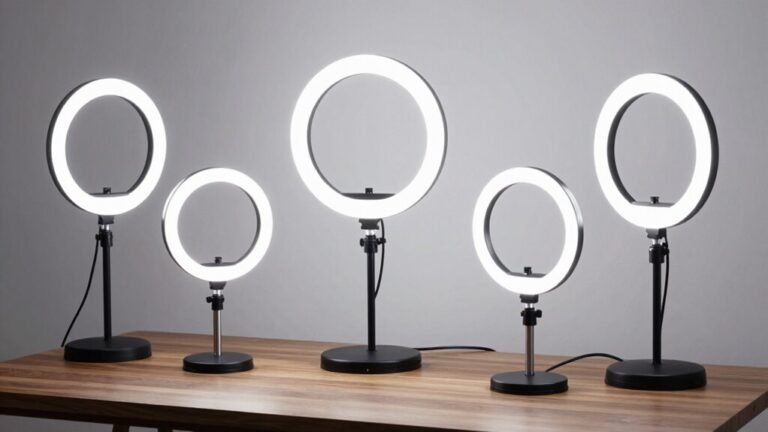
Optimal Desk Lamp Placement to Reduce Eye Strain

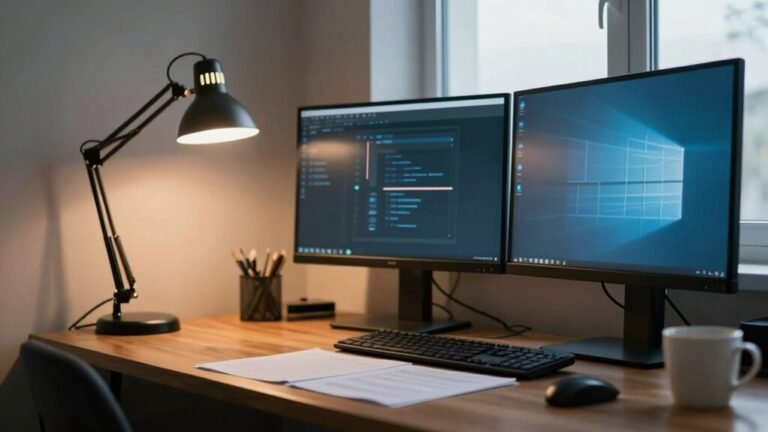
Place your desk lamp on the opposite side of your writing hand—left if you’re right-handed—to dodge pesky shadows and glare. Keep it just below eye level so light flows smoothly over your work, not into your eyes. Aim the glow at your paper or keyboard, not the screen, and use a lamp with a soft diffuser and high CRI for truer colors. Pair it with natural light from a window, and boom—you’ve got comfy, flicker-free focus with half the eye fatigue. Stick around, and you’ll see how a few more tweaks can make your setup feel like pure magic.
Understand Ambient Light Levels for Eye Comfort
When you’re settling in to work, don’t let your eyes do all the heavy lifting—tuning your ambient light right from the start makes a world of difference.
Aim for 20–40 lux to match your screen’s glow; too dim (under 7 lux) strains your eyes, while over 100 lux feels like a spotlight on a late-night talk show. Your eyes need about 15 minutes to adjust, so set it and forget it before diving in.
Brighter ambient light actually reduces objective fatigue, and while you mightn’t *feel* less tired at 10 lux vs. 5, your eyes are thanking you. Keep ratios balanced—3:1 between task and surroundings—and cool it with color temps around 4,900–6,500 K. Think sunlight, not sci-fi lab. Too warm? You’ll snooze. Too cool? You’re in a trance.
Nailed it? Your eyes stay sharp, awake, and way less dramatic by 3 p.m. This range supports alertness because cool blue light inhibits melatonin secretion, promoting wakefulness during work hours.
Position the Task Lamp on the Non-Dominant Side
You’ve got your ambient light dialed in just right—soft, balanced, and easy on the eyes—so now let’s shine a light on the next smart move: where you place your desk lamp.
Skip the guesswork and plop it on your non-dominant side.
Seriously, it’s a total game-changer. Here’s why:
- No more shadow monsters – Your hand won’t block the light while writing or drawing.
- Your eyes stay chill – Even lighting means less squinting and refocusing.
- Screens stay glare-free – Light bounces away from your monitor, not straight into your eyes.
- You sit better, naturally – No more hunching or craning your neck to “find the light.”
It’s like giving your workspace a superhero upgrade—simple, effective, and kinda fun.
For optimal results, position the lamp so it’s just slightly above eye level, ensuring comfortable illumination without strain.
Try it, and your eyes (and inner neat freak) will thank you.
Aim the Lamp Below Eye Level to Minimize Glare

Ever wonder why your eyes feel like they’re working overtime by mid-afternoon? It might be your desk lamp playing spotlight instead of sidekick. Aiming it below eye level keeps glare off your screen and out of your eyes—game changer! Position your lamp so the light flows down gently, like a waterfall of calm brightness. For optimal results, place the lamp on the opposite side of your dominant hand to prevent shadows while writing or typing. Check this out:
| Feature | Ideal Setting | Why It Helps |
|---|---|---|
| Lamp Height | 15–20 cm above eye level | Reduces harsh glare |
| Light Angle | 30–45 degrees down | Spreads light evenly, no glare |
| Shade Bottom | At or below eye level | Shields direct view of bulb |
| Distance from Work | 12–18 inches | Covers desk without hotspots |
You’ll see clearer, squint less, and maybe even beat that 3 p.m. zombie mode. Who knew a little tilt could do so much?
Focus Light on the Work Surface, Not the Screen
- Aim the beam at your paper or keyboard, not the monitor—light your task, not your screen.
- Tilt or twist your gooseneck lamp so the light avoids the screen and hits your work surface just right.
- Keep the bulb below eye level and angled away—this cuts reflections and keeps glare from crashing your focus party.
- Use a lamp with a wide, even glow to cover your desk without turning your screen into a disco ball.
You’ll see everything clearly—except the glare.
Now *that’s* progress.
Maintain Proper Distance for Optimal Desk Illumination

Now that you’ve got your light pointing where it should—brightening your notebook or keyboard without turning your screen into a mirror—it’s time to fine-tune the setup with the sweet spot for distance.
Position your lamp about 20 inches (or 50 cm) from the front of your laptop, right over your left shoulder if you’re right-handed—think of it as your light’s favorite hangout spot.
Keep the center of the lamp 50 cm above your desk, which pairs perfectly with standard desk heights.
This cozy distance delivers 200–300 lux on screen, just right for comfy computer work.
You’re not throwing a spotlight on a stage—save the drama for your Zoom background.
Stay 3 feet from windows, avoid glare tag-teaming your eyes, and tweak as needed.
A well-placed lamp isn’t just practical—it’s your desk’s best friend.
Choose the Right Color Temperature for Your Tasks
What if your lamp could do more than just light up your desk—what if it could spark focus, fuel creativity, or help you power through a midday slump?
Your lamp’s color temperature isn’t just about brightness—it’s a sneaky productivity hack.
Pick the right hue, and you’re basically tricking your brain into performing better.
Here’s how to game the system:
- Need to focus? Go cool (5000K–6500K)—it slashes errors and speeds up work like a caffeine boost for your eyes.
- Feeling stuck creatively? Warm light (2700K–3500K) sparks 23% more awesome ideas—perfect for “aha!” moments.
- Crunching numbers before noon? Crank it to 4000K+ to match your brain’s natural alertness peak.
- Winding down post-lunch? Shift from 5000K to 3000K to stay sharp without zapping your calm.
Your brain will thank you—and yes, your lamp can be your new work BFF.
Align Lighting With Natural Light From Windows

When sunlight streams in just right, your workspace feels alive—bright, open, and energized. You can boost that glow by aligning your desk lamp with natural light. Place your desk perpendicular to the window—this dodges screen glare and spreads daylight evenly. Then, position your lamp on the opposite side of the window light. If sun comes from the right, lamp goes left. Magic? Nope—just smart lighting!
| Lighting Move | Why It Works |
|---|---|
| Desk perpendicular to window | Slashes glare, balances light |
| Lamp opposite window | Evens out brightness, no dark zones |
| Use blinds or sheer curtains | Softens harsh rays, no squinting |
Aim your lamp downward at 30–45 degrees, not at your face or screen. You’ll cut eye strain, feel sharper, and maybe even stop blaming your monitor for everything. Win-win!
Adjust Monitor Position to Complement Lamp Placement
While your desk lamp waits patiently to cast its perfect glow, don’t let your monitor hog the spotlight—or worse, block it.
Positioning your screen right isn’t just comfy—it’s key to glare-free, strain-free focus.
Team your monitor and lamp like besties, not rivals.
Here’s how:
- Sit an arm’s length away (about 92 cm)—far enough to ease your eyes, close enough to stay sharp.
- Tilt the top of the screen at or just below eye level, angling it slightly down (15-20°) so you’re peeking over your bifocals like a wise owl.
- Center the monitor directly in front, straight behind your keyboard—no screen squinting over your shoulder like it’s spying on you.
- Keep it 80–120 cm away; studies show this range beats eyestrain hands down.
Boom: clarity, comfort, and zero drama.
Use Lamps With Diffusers and High Color Rendering

Grab a lamp that’s as smart as it is bright—because your eyes deserve more than a sad, spotty glow. You’ll love how a high-CRI (≥90) bulb makes colors pop like sunshine, cutting eye strain and helping you spot tiny details without squinting. Pair it with a diffuser, and boom—no more harsh spots or annoying glare. Light spreads smoothly, shadows soften, and your eyes stay comfy during long work sessions.
| Feature | Why You’ll Love It |
|---|---|
| High CRI (≥90) | Colors look true, not fake—perfect for reading or design |
| Microprism or frosted diffuser | Soft, even light with no harsh hotspots |
| 3500–5000 K color temperature | Bright but cozy—like morning coffee for your eyes |
You’re not just working smarter—you’re seeing better, too. Win-win!
Incorporate Adjustable Fixtures for Flexible Control
How’s your lamp treating you—like a trusted sidekick or just another piece of clutter?
With adjustable fixtures, you’re in full control to beat glare, shadows, and eye strain. Here’s how to level up:
- Swivel and pivot your lamp’s 360-degree arm and 180-degree head—perfect for switching between typing and sketching.
- Dim the lights with a tap; stepless brightness from 10% to 100% keeps your eyes comfy, whether you’re coding or cozying up.
- Tune the color—warm in the evening, cool in the morning—so your brain stays sharp without blue light fatigue.
- Position it right—angle the light beside your monitor, not behind, to dodge glare like a pro.
Adjustable arms, dimmable glow, and smart angles turn your lamp into an eye-care hero.
No cape needed—just fewer headaches.
Frequently Asked Questions
Can I Use Multiple Desk Lamps for Larger Workspaces?
Yep, you can absolutely use multiple desk lamps for larger workspaces—it’s actually a brilliant idea!
They spread light evenly, cut harsh contrasts, and let you customize zones for reading, typing, or drawing.
Plus, you’ll dodge glare, reduce eye fatigue, and still see clearly if one lamp gets knocked over.
Think of it like a lighting dream team: each one’s got a role, and together, they’ve got your back—no squinting required!
Should I Turn off Overhead Lights When Using a Desk Lamp?
You don’t have to turn off overhead lights—funny how that works, right?
Just like peanut butter and jelly, desk lamps and soft overheads work better together.
Keep the room light on low, add your task lamp, and boom: no harsh contrasts.
Your eyes will thank you, and you’ll avoid that “deer in headlights” look.
Teamwork makes the dream work!
Is Blue Light From LED Lamps Harmful to Eyes?
Nope, your LED lamp won’t fry your eyes like a sunny-side egg.
The blue light from desk LEDs isn’t harmful under normal use, though lots of screen time can leave your eyes feeling tired and twitchy.
You might get some glare or strain, especially at night, but it won’t cause long-term damage.
Keep the brightness comfy, blink often, and take screen breaks—your eyes will thank you with happy, sparkly vision!
How Often Should I Clean My Desk Lamp for Best Performance?
You should clean your desk lamp weekly with a quick dusting—it’s a game-changer!
Wipe the base and arm monthly, deep clean the shade every few months, and do a full checkup every 6–12 months.
A dirty lamp dims the light, strains your eyes, and makes you work harder than a squirrel prepping for winter.
Keep it fresh, keep it bright, and your eyes will thank you—no squinting required!
Do Smart Lamps Help Reduce Eye Strain More Than Regular Ones?
You’re not just imagining it—smart lamps really do help your eyes more than regular ones.
They dim, shift colors, and ditch flicker like magic, syncing with your screen to cut glare and strain.
Think of them as coaches for your eyes, keeping things comfy during long work marathons.
Sure, they’re pricier, but your tired eyes might just throw a party.
Win!
Conclusion
You’ve got this! Picture golden light spilling softly onto your notebook, not bouncing wild into your eyes. Your lamp’s perched just right—calm, cool, and in control—like a tiny, silent hero on your desk. Glare? Gone. Strain? Not tonight. With light where it belongs, your eyes stay happy, your focus stays sharp, and even late work feels breezy. Now wink at your lamp. Seriously, go ahead—we won’t tell.