Filing Cabinet vs. Paperless Office: Which System Is Best?
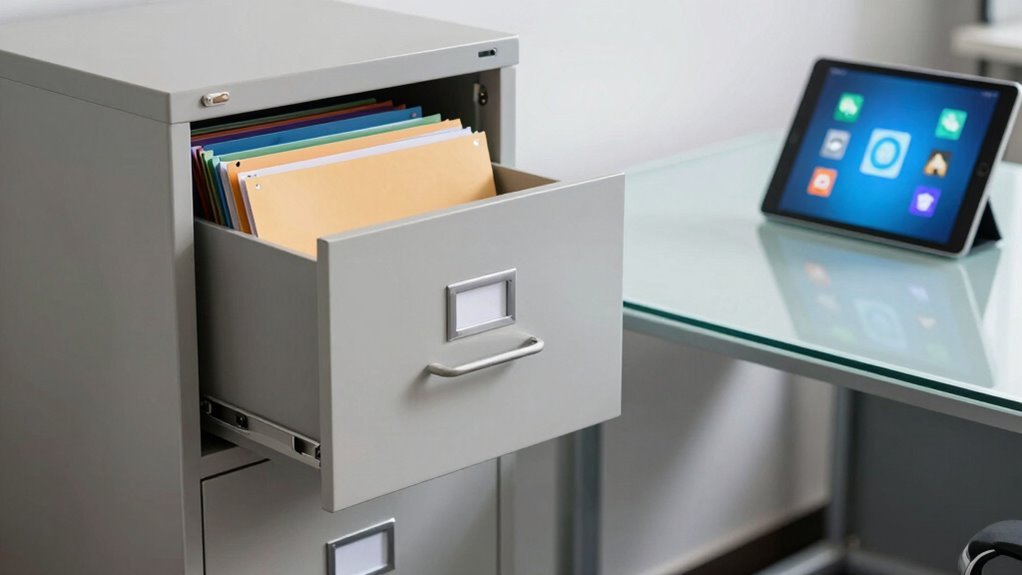
You’re wasting over $1,200 a year per filing cabinet, and let’s be honest—digging through drawers like a detective on a caffeine crash isn’t your best work. Go paperless, slash storage costs by up to 80%, and find files in seconds, not hours. You’ll save space, cut clutter, and dodge the dreaded “Where’s that one folder?!” panic. Plus, your team can work remotely without hauling banker’s boxes like luggage. There’s more gold where that came from—keep going to uncover it.
Upfront Hardware and Software Expenses
Let’s talk money—specifically, what you’re shelling out right out the gate when choosing between a mountain of filing cabinets and going fully paperless.
You’re looking at $150–$900 per cabinet, and yep, that adds up fast—especially if you need fireproof ones or room for 10,000 sheets in just 2 square feet.
Multiply that by a dozen, and your office starts paying rent to paper.
Going digital? Your scanner runs $25–$300 unless you’ve already got one lurking in a closet.
Software’s part of the deal too, with licenses and cloud storage tacking on monthly fees.
But hey, that $5–$20 monthly hit saves you from building a filing cabinet fortress.
Plus, imagine freeing up 70% of your office space—room for a nap pod, maybe?
Setup’s easier than assembling IKEA furniture, especially with pros handling the scan-and-go.
Storage & Filing units fall within this price range depending on size and durability.
Ongoing Operational Cost Comparisons
How much time and money are you really losing every time you hunt down a single file in a maze of paper?
You’re not just wasting minutes—you’re burning cash.
That single filing cabinet? It’s costing you over $1,200 a year in office space alone, and paper storage eats up 15% of your floor area.
Add in printing, supplies, off-site storage, shredding, and upkeep, and you’re bleeding money—up to 3% of your revenue on printing alone.
Misfile one document and bam: $120 gone.
Go digital and you’ll slash storage costs by 80%, cut overhead by up to 40%, and forget about toner, cabinets, or lost files.
Digital files cost practically nothing to maintain, and retrieving them takes seconds, not scavenger hunts.
Retrieval time is cut by 90+% in Paperless Office, making document access dramatically faster and more efficient.
Think of all the coffee you could buy with those savings—seriously, your wallet will thank you.
Labor Efficiency and Staff Time Requirements

Imagine this: you’re elbow-deep in a stack of papers, hunting for a document while time ticks away—all while the answer could’ve popped up in a search bar faster than you can say “where did I put that?”
Every time you file, refind, or chase down a paper record, you’re sinking hours into work that could take seconds.
With digital, you’ll save serious time and sanity. Here’s how:
- You’ll spend 50–75% less time filing—scan and save beats stuffing folders any day.
- Searching drops from hours to seconds—no more digging, just typing.
- No more waiting around for someone to return a file—you and your team access it instantly.
- Automation handles routing and approvals, so you’re not playing document detective.
your team spends 11 hours weekly on paper tasks You’ll laugh at how much you used to lose chasing paper.
Storage Space and Office Footprint Impact
Where are all those filing cabinets eating up your office space? They’re hogging square footage that could be yours—each one takes 7 to 15 sq ft, and with rent what it is, you’re literally paying to store paper.
If every employee fills nearly four banker’s boxes a year, that adds up fast. But here’s the fun part: go digital, and poof!—those bulky cabinets vanish.
You’ll reclaim entire rooms for comfy meeting nooks or extra desks. Sure, scanning takes a little space upfront, but it’s temporary. Think long-term: cloud storage means no more dusty storage closets or pricey offsite warehouses.
You’ll slash rent, cut HVAC costs, and maybe even downsize your office. Imagine saving thousands just by ditching paper prisons. Less clutter, more room to breathe—and collaborate—and thrive. Who knew your office could feel *bigger* without adding a single brick?
Retrieval Speed and Accessibility Across Locations

Ever fumble through a maze of drawers hoping your paycheck wasn’t lost in the Bermuda Triangle of paperwork? With digital systems, you’ll zap past that chaos in seconds.
No more trekking to storage rooms or playing detective with missing files.
- Use keywords to pull up any document instantly, like Google for your job.
- Access files from home, the office, or a beach in Bali—no passport needed for your data.
- Skip the filing shuffle—smart tags and metadata do the heavy lifting.
- Cut search time by over 90%, so you’re not wasting hours digging through paper piles.
Say goodbye to misplaced folders and hello to more time for real work. Cloud storage’s always awake, always ready, and never misfiles. With everyone grabbing the right doc at the same time, you’ll wonder how you ever worked without it.
Remote Work and Digital Collaboration Capabilities
While your coffee’s still warm, you’re already in ten meetings, two shared documents, and three time zones—welcome to how remote work actually works now. You’re not just working from home; you’re collaborating across the globe, swapping files like digital trading cards. But let’s be real—your tools make or break this game. Here’s what you’re dealing with:
| Tool Type | You Use It For | Pro Tip |
|---|---|---|
| Video Calls | Face time (no filter) | Mute that sneeze! |
| Instant Chat | “Got a sec?” moments | Emoji = office small talk |
| Paper trails & formal | Subject lines save lives | |
| Cloud Docs | Real-time co-editing | Avoid “final_FINAL_v3” |
| Upgraded Wi-Fi | Smooth streaming | Worth every dollar |
You’re thriving—when the tech cooperates.
Physical and Cybersecurity Risk Trade-offs

You’re not imagining things—locking up sensitive files in a metal cabinet does feel safer than storing them in the digital ether, where hackers might be sipping coffee and cracking passwords while you’re still on your first cup.
But both systems have risks worth watching:
- Paper files can vanish—via theft, fire, or clumsy interns—though you’ll usually notice fast (hello, broken lock!).
- Digital files can be hacked silently, with massive breaches flying under the radar until it’s too late.
- Cabinets lack digital trails, making sneaky document peeking hard to catch, while digital logs can pin actions to a username.
- Insiders are a risk either way—photocopying files in secret or misusing login credentials—but strong digital controls can stop them cold.
It’s not about perfect security—it’s about smarter trade-offs.
Compliance, Retention, and Audit Readiness
Locking down your files—whether in a steel cabinet or a secure server—is just the beginning. Now you’ve got to keep them audit-ready, retention-compliant, and legally sound, no matter what inspectors throw your way. Juggle regulations like HIPAA, SOX, or GDPR? Yep, they all want proof. Good news: both systems can work, but digital makes it way easier (and way less dusty).
| Feature | Filing Cabinet | Paperless Office |
|---|---|---|
| Audit Logs | Hand-signed, easy to misplace | Searchable, tamper-evident, automatic |
| Record Retrieval | “Where’s Bob?” – slow & spotty | Click, boom, done – fast & precise |
| Proof of Destruction | Shred certificates (very dramatic) | Auto-reports (equally heroic) |
Set smart rules, automate where you can, and never miss a legal hold—all while sleeping easy knowing auditors won’t ruin your day.
Workflow Automation and Process Integration

When it comes to getting things done without the paper chase, going digital turns your office from a maze of sticky notes and “urgent” folders into a well-oiled machine that actually likes Mondays.
You’re in control, with tools that handle the boring stuff so you don’t have to.
No more chasing approvals or playing detective with lost files—your workflows run themselves.
Here’s how:
- Set up no-code workflows that route, track, and remind—automatically.
- Drag, drop, and watch documents get indexed and found in seconds.
- Sync with apps like Asana or ClickUp so tasks and approvals flow seamlessly.
- Get instant access, real-time updates, and version history without cabinet diving.
You’ll cut search time, slash errors, and ditch the 9-to-5 paperwork grind. Automation isn’t just smart—it’s your new office superhero (and it doesn’t even need a cape).
Environmental Impact and Organizational Sustainability
Ever wonder what your filing cabinet is really costing the planet?
Every sheet in that drawer likely came from a tree—about 35–40% of logged trees end up as paper, after all.
U.S. offices churn through 12 trillion sheets a year, and making each ton of paper dumps nearly a ton of CO2 into the atmosphere.
Your cabinet? It’s hiding carbon too—hundreds of pounds worth from manufacturing.
And when paper piles up in landfills, it rots and belches methane, a climate-warming gas.
Even your sturdy metal cabinet might one day pile up in a junkyard—millions of tons of office furniture do annually.
But here’s the fun part: going digital slashes paper demand, cuts emissions, and gives forests a breather.
Just don’t forget to recycle or reuse that cabinet—no need to ghost your old filing buddy!
Frequently Asked Questions
What Happens if We Need to Keep Original Signed Documents?
You keep the originals, no shredding them!
Stash them in a locked, climate-controlled cabinet—think cool, dry, and safe from chaos.
Use acid-free folders to prevent aging, and avoid basements (hello, mold monsters!).
Make digital backups, but hang onto the real deal for at least a year.
Originals rule for legal stuff like wills or deeds, so treat them like treasure—because they are!
Can Digital Systems Handle Handwritten Notes or Sketches Effectively?
You bet digital systems can handle your scrawls and doodles well—especially if you’re not writing like a medieval doctor!
Modern apps read neat handwriting fast, turn sketches into sharable files, and even recognize diagrams if you give them a fighting chance.
Snap clear pics, use smart tools like Nebo or ReMarkable, and boom: your notes become searchable, editable, and way less likely to get lost under a pile of coffee-stained papers.
How Do We Handle Hybrid Systems With Both Paper and Digital Files?
You tackle hybrid systems by embracing both worlds—keep important papers, but scan what you can and tag it smartly.
Use simple tools like barcode labels and cloud folders so nothing gets lost in the shuffle.
Set clear rules everyone actually follow, and laugh when Steve from accounting resists—again.
Mix tech and tradition smoothly, and boom: less chaos, more high-fives.
Are Scanned Documents Legally Valid in Court or Audits?
Yes, scanned documents can be legally valid in court or audits—you’re good to go if you do it right.
Imagine you scanned a signed contract using DocuWare, kept the audit trail with timestamps, and stored the original.
Boom! That’s solid proof.
Just don’t toss the paper too soon.
Courts love real evidence, so back up scans with logs and chain-of-custody—think of it like a paper trail’s digital wingman.
You’ve got this!
What Training Is Needed for Staff to Adapt to a Paperless System?
You’ll need hands-on training to get comfy with the new system—think scanning docs, adding metadata, and tagging files like a pro.
We’ll break it into quick, fun modules so you’re not overwhelmed.
You’ll practice real tasks, learn shortcuts, and even troubleshoot hiccups—like when OCR acts up.
Plus, cheat sheets and friendly support make it easy.
You’ve got this!
Conclusion
You’re probably thinking, “But I like flipping through files!” Hey, we get it—nostalgia’s nice, but imagine this: finding any document in seconds, not hours, all while saving space and trees. Going digital isn’t about losing tradition—it’s about working smarter, faster, and greener. So why not start small? Your future self (and your crowded cabinet) will thank you.