The Ultimate Ergonomic Chair Adjustment Guide
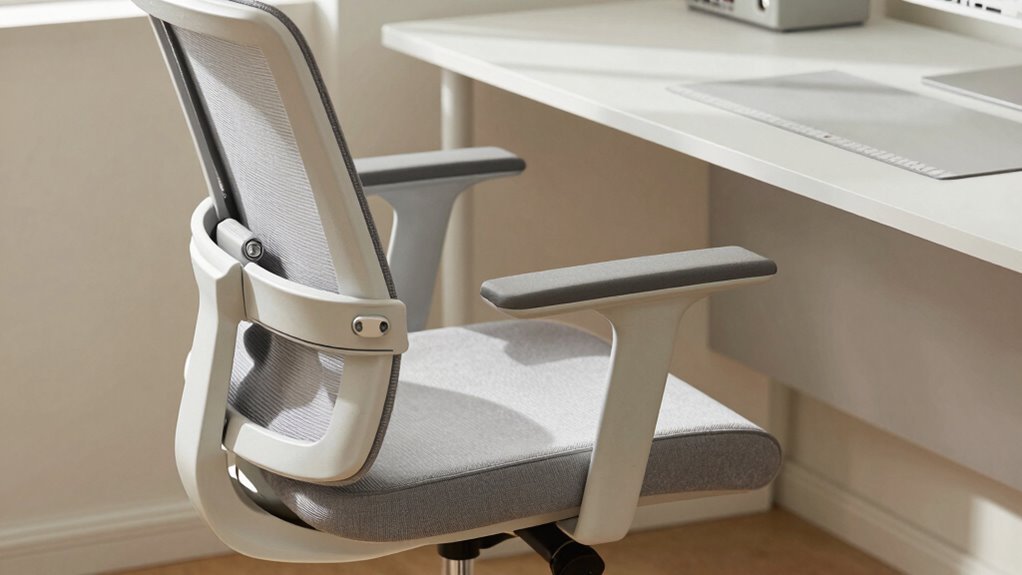
Set your seat height so your thighs are level and feet flat—use a footrest if needed. Aim for a two-inch gap behind your knees. Slide in deep, leaving space with your seat edge. Find that sweet spot in your lower back and hug the lumbar support. Tilt back slightly, not like a lounge lizard. Let your arms float at 90 degrees, elbows cozy and supported. You’re already sitting smarter—just wait till you see what else your chair can do.
Setting the Right Seat Height for Optimal Support
Getting your seat height just right can make your workday feel like a breeze instead of a chore. You want your thighs parallel to the floor and your knees bent at about 90 degrees—think of it as the Goldilocks zone for sitting.
Most ergonomic chairs adjust between 16 and 21 inches, so you’ll likely find your sweet spot fast. If your feet don’t lie flat, grab a footrest instead of letting them dangle like you’re on a swing. Trust us, your legs will thank you.
To set it, stand first, adjust the seat just below your kneecap, then sit tall with your back supported. Use the lever to fine-tune, and lock it in.
A 2-inch gap between seat edge and calves is perfect—no one likes a thigh hug that cuts off circulation.
When your chair and desk play nice, your elbows rest naturally, and your body stays happy all day. Proper seat height adjustment helps maintain optimal foot placement and thigh positioning.
Adjusting Seat Depth to Relieve Leg Pressure
Slide into better comfort by fine-tuning your seat depth—the unsung hero of pain-free sitting.
Getting this right means your legs feel light, blood flows freely, and numbness packs its bags for good. You’ve nailed it when there’s about 2–4 fingers’ space between the front of the seat and the back of your knees.
- ✅ Slide the seat forward or backward so most of your thighs are supported, but the back of your knees aren’t squished
- ✅ Aim for that sweet spot: two-thirds of your thigh on the seat, with the poplite mucular area (cue dramatic music—where blood vessels and nerves run) totally free
- ✅ Use a knob, lever, or cushion trick if your chair doesn’t adjust—get creative like a DIY pro
- ✅ Recheck after tweaking other settings; your seat depth’s BFFs are height and posture, not isolation!
- ✅ Proper seat depth adjustment ensures even weight distribution and prevents pressure behind the knees.
Customizing Lumbar Support for Spinal Health

When your lower back feels like it’s holding up the whole show, giving it the right support isn’t just smart—it’s a game-changer.
Start by tilting your pelvis forward and back to find that sweet spot where your spine feels relaxed and neutral.
Position the lumbar support right in the small of your back—around your beltline—so it hugs the curve without poking.
Make sure your pelvis touches the backrest first, with your shoulders slightly off.
Don’t shove it too high or low; you’re not trying to impersonate a banana or slouch like a teenager.
Adjust the depth so it feels snug, not pushy, and tweak the height so it lines up with your lower ribs.
If your chair lets you, use clicks or marks to save your perfect spot.
Your spine will thank you—no drama, just comfort.
Proper lumbar support helps maintain the spine’s natural inward curve, reducing strain during long sitting sessions reduces stress on the lower back.
Fine-Tuning Recline and Tilt for Dynamic Sitting
Ever wonder why sitting all day still leaves you stiff, even in a great chair?
You’re probably not using your recline and tilt right!
Small tweaks can turn your chair into a movement-friendly powerhouse.
Set your recline to 100°–110° for daily work—it’s like a spa day for your spine.
Need a break? Lean back to 120° and let your discs decompress.
Use forward tilt (just 2–5°) during typing marathons to stay alert and aligned.
Sync your back and seat movement with a 2:1 ratio so your legs stay happy.
Adjust tilt tension so you recline smoothly—not like a rollercoaster!
- Lock in a comfy mid-recline for calls
- Match tilt tension to your weight and groove
- Try forward tilt for intense focus sessions
- Let your chair move with you, not against
Positioning Armrests to Reduce Shoulder Strain

What if the secret to happy shoulders was hiding right under your elbows this whole time?
Set your armrests so your elbows bend at 90–100°, letting your shoulders stay loose and relaxed.
If they’re too high, you’ll hike your shoulders like a shrug—you’re not auditioning for “Who’s Stressed?” So keep ’em just right.
Position them close to your body so your elbows stay tucked in—no winging out like you’re striking a superhero pose.
The pads should support your forearms, not dig into your elbows.
Think “gentle rest,” not “weight-bearing heroics.”
Adjust the angle if you can—slightly rotated inward for typing, maybe outward for mouse duty.
And hey, tweak them throughout the day like you’re tuning a radio for comfort.
Get the seat and desk right first, then nail that armrest sweet spot.
Your shoulders will thank you—no drama, just support.
Frequently Asked Questions
How Often Should I Readjust My Chair Settings?
You should tweak your chair every 20–30 minutes with quick micro-checks—yes, really!
Adjust as you switch tasks, like typing to calling.
Do a full weekly reset for height, lumbar, and armrests, then go deep monthly to fix drift.
Every 3 months, freshen up seasonally, and replace worn parts before they throw your groove off—your back will thank you with high-fives, not aches!
Can Sitting Too Upright Cause Back Discomfort?
Yes, sitting too upright can cause back discomfort.
Think of your spine like a slinky—meant to move, not stay frozen. Hold it straight too long, and it stiffens up, just like your back.
You’ll tense muscles, squash discs, and kill natural motion.
Lean back slightly, shift often, and let your body breathe.
Your spine’ll thank you—no drill sergeant needed!
Is It Okay to Recline During Computer Work?
Yeah, you can absolutely recline during computer work—it’s actually better for your back! Just keep it between 110 and 130 degrees so you stay comfy and productive.
Leaning back reduces spine pressure, helps you breathe easier, and keeps your focus sharp.
Use short recline breaks every half hour to stretch your back, and pair it with good lumbar support.
Pro tip: don’t lean too far back unless you’re daydreaming your way to a tropical island!
What’s the Best Way to Clean Chair Mechanisms?
You clean chair mechanisms by first checking the gas cylinder—if it’s leaking or won’t lift, swap it out.
Pop off the wheels and pick out hair or gunk with tweezers (gross, but satisfying).
Wipe levers and metal bits with a damp cloth, then lightly oil moving parts—only if the manual says so.
Tap the base loose with a rubber mallet if needed.
It’s like chair surgery, but way less scary and way more rewarding!
Do Cushion Additions Affect Long-Term Posture Support?
Think of your spine as a curvy stack of blocks—cushions keep it from wobbling!
Yeah, they boost long-term posture support by nudging you to shift often, so you’re not stuck like a statue.
You’ll sit taller, feel lighter, and your back won’t beg for mercy.
Just pick a sturdy, comfy one—your future self will high-five you!
Conclusion
You’ve finally done it—you’ve adjusted your chair like a pro, not a yoga master. Your spine’s happy, your legs aren’t screaming for mercy, and your arms float like clouds. Recline? Perfect. Lumbar? Flawless. You’re basically a posture superhero now—cape optional, back pain not. So sit back, relax, and enjoy the sweet, sweet victory of actually, *gasp*, sitting correctly. Who knew chairs could be this dramatic?