5 Portable Document Scanners We’re Obsessed With for On-the-Go Scanning
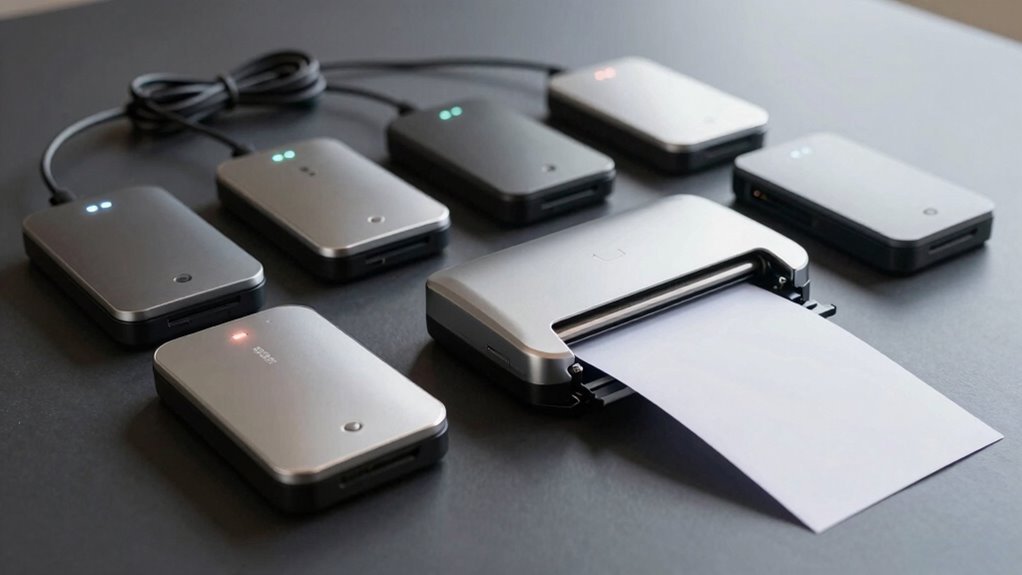
You’re juggling meetings, commuting, or stuck in a coffee shop with a stack of papers—how do you scan on the fly without tripping over cords or waiting forever? These five portable document scanners blend real-world speed, like the ES-50’s 25 ppm feed rate, with Wi-Fi flexibility and accurate OCR, making on-the-go scanning seamless.
Some models even run on batteries and easily fit in your bag, so you’re never tied to an outlet. But among the top portable document scanners, which one actually earns its keep when you’re out the door?
| IRIScan Anywhere Portable Scanner (V6) |  | Best Wireless Pick | Scan Speed: 15 PPM | Power Source: Battery and USB | Scanning Type: Simplex | VIEW LATEST PRICE | Read Our Analysis |
| IRIScan Express v4 Portable Document Scanner |  | Top for Windows Users | Scan Speed: 8 PPM | Power Source: USB powered | Scanning Type: Simplex | VIEW LATEST PRICE | Read Our Analysis |
| Epson WorkForce ES-50 Portable Sheet-Fed Document Scanner for PC and Mac |  | Fastest Scanning Speed | Scan Speed: 5.5 sec per sheet | Power Source: USB powered | Scanning Type: Not specified | VIEW LATEST PRICE | Read Our Analysis |
| Portable A4 Handheld Scanner 900 DPI |  | Most Portable Option | Scan Speed: Not specified | Power Source: 2 AA batteries | Scanning Type: Handheld single-sheet | VIEW LATEST PRICE | Read Our Analysis |
| Canon imageFORMULA R10 Portable Scanner |  | Highest Daily Volume | Scan Speed: 12 pages/min | Power Source: USB powered | Scanning Type: Duplex | VIEW LATEST PRICE | Read Our Analysis |
More Details on Our Top Picks
IRIScan Anywhere Portable Scanner (V6)
If you’re the kind of person who hates being chained to a desk—or worse, hunting for an outlet mid-scan—the IRIScan Anywhere Portable Scanner (V6) is your mobile document sidekick, running on battery power and connecting via Wi-Fi or USB without needing an AC adapter (which, by the way, they didn’t include—fair warning).
You’re scanning receipts, business cards, or photos at 15 pages per minute—color or black-and-white, no slowdown—and sending them straight to Word, Excel, or PDF using Readiris, which you get for free, forever.
You can work offline via USB, or use direct Wi-Fi (just not through a router, so no cloud scanning from across the room). The app’s on iOS and Android, and yes, you can edit, sign, or comment on PDFs—no extra software needed.
It’s not magic, but for portability, simplicity, and solid OCR? Pretty close.
- Scan Speed:15 PPM
- Power Source:Battery and USB
- Scanning Type:Simplex
- Connectivity:WiFi, USB
- Supported Platforms:Windows, Mac, iOS, Android
- Output Formats:PDF, Word, XLS, Outlook
- Additional Feature:WiFi point-to-point connectivity
- Additional Feature:Lifetime Readiris OCR license
- Additional Feature:Scans business cards to Outlook
IRIScan Express v4 Portable Document Scanner
The IRIScan Express v4 earns its spot as a go-to document scanner for mobile professionals, students, and small business owners who need a compact, plug-and-play solution—especially if you’re tired of hunting for wall outlets just to scan a few pages.
You’ll love that it draws power straight from your laptop via the included micro USB 2.0 cable—no bulky AC adapter needed (or provided). At 8 ppm, it breezes through single-sided color or grayscale scans with equal speed.
While you’re limited to Windows-only use (sorry, Mac fans), the included Readiris OCR software packs a punch—convert scans to editable Word, Excel, or PDF files, annotate them, or even extract business card data straight into Outlook.
You can even tweak PDFs or sign documents without extra tools, thanks to free bundled PDF editing. Is it the most versatile scanner ever? Maybe not—but for lightweight, outlet-free scanning with solid software support, it’s hard to beat.
- Scan Speed:8 PPM
- Power Source:USB powered
- Scanning Type:Simplex
- Connectivity:USB
- Supported Platforms:Windows only
- Output Formats:PDF, Word, Excel, Outlook
- Additional Feature:Windows-only irislink software
- Additional Feature:Direct scan to Office formats
- Additional Feature:Ideal for dyslexic students
Epson WorkForce ES-50 Portable Sheet-Fed Document Scanner for PC and Mac
You’re a freelancer juggling receipts, a small business owner chasing deadlines, or maybe a student drowning in handouts. This scanner’s speed and portability make it ideal for anyone who needs crisp 8.5 x 72-inch scans in under six seconds without lugging around a power brick.
You’ll love that it’s the fastest, lightest single-sheet-fed scanner in its class, pulling pages at 5.5 seconds each. It automatically merges multi-page scans into one file—perfect for long receipts or ID cards.
Powered only by USB, it slips into your bag and works seamlessly with PC or Mac. Use Epson ScanSmart or your preferred TWAIN-compatible software for full flexibility.
You can create searchable PDFs, thanks to Nuance OCR, or scan straight to the cloud. It’s not bulk-feed, so don’t expect to process stacks—but for on-the-go precision, this one’s smart.
- Scan Speed:5.5 sec per sheet
- Power Source:USB powered
- Scanning Type:Not specified
- Connectivity:USB
- Supported Platforms:Windows, Mac
- Output Formats:PDF, JPEG, searchable PDF via OCR
- Additional Feature:Scans up to 72-inch pages
- Additional Feature:Includes Epson ScanSmart software
- Additional Feature:Direct cloud scanning capability
Portable A4 Handheld Scanner 900 DPI
Need to digitize stacks of A4 documents on the go without lugging around a clunky machine? This portable A4 handheld scanner—clocking in at a sharp 900 DPI—lets you capture crisp images at 300, 600, or 900 dpi, depending on your detail needs.
You just hold the scan button for two seconds to power on, press to capture, and watch the green light confirm each JPEG or PDF is saved in seconds. It runs on two AAs and stores files on the included 16GB Micro SD card—expandable to 32GB.
The scanner connects via USB to your phone or computer. No software? Yeah, it’s plug-and-play simple.
Lawyers, students, and travelers dig it—though, let’s be real, your scanning speed depends on steady hands. Still, for quiet, immediate, on-the-move digitizing—especially in banks, offices, or libraries—where size and discretion matter, it’s a solid, no-fuss pick.
- Scan Speed:Not specified
- Power Source:2 AA batteries
- Scanning Type:Handheld single-sheet
- Connectivity:USB, Micro SD card
- Supported Platforms:Windows XP/7/Vista, Mac OS 10.4+
- Output Formats:JPEG, PDF
- Additional Feature:No software installation needed
- Additional Feature:Built-in 16GB memory card
- Additional Feature:Immediate scan-and-store confidentiality
Canon imageFORMULA R10 Portable Scanner
Looking for a scanner that keeps up with a fast-paced workflow without chaining you to a power outlet? The Canon imageFORMULA R10’s USB-powered design means you’re never stuck near a wall socket—perfect for mobile use.
You’ll scan duplex documents at up to 12 pages per minute, capturing both sides in one pass—ideal for contracts or multi-page receipts. Its 20-sheet auto-feeder handles mixed batches, and Canon’s imaging tech delivers sharp color, grayscale, or black-and-white output.
Built-in software lets you preview, straighten, and trim scans—no installation needed. You can even create custom scan buttons, which is handy for frequent destinations.
It converts scans to searchable PDFs or JPEGs and handles business cards, embossed plastic IDs, and legal documents—though it’s best to avoid photo paper. ENERGY STAR certified, it uses just 2.5W of power, or 0.7W in sleep mode, and is rated for up to 500 scans per day.
Lightweight and compact, the R10 pairs easily with Windows or Mac, whether you’re using a desktop or laptop. While it won’t replace a studio-grade scanner, it’s a quiet powerhouse for on-the-go professionals.
- Scan Speed:12 pages/min
- Power Source:USB powered
- Scanning Type:Duplex
- Connectivity:USB
- Supported Platforms:Windows, Mac
- Output Formats:Searchable PDF, JPEG, more
- Additional Feature:20-sheet automatic duplex feeder
- Additional Feature:Built-in preview and editing
- Additional Feature:ENERGY STAR certified efficient
Factors to Consider When Choosing Portable Document Scanners

You’ll want to think about scanning speed and volume—some models zip through 30 pages per minute, but can yours keep up during a busy workday? Consider how you’ll connect and power the device, since USB-C and battery life (often 1–2 hours) make a big difference when you’re on the move, and don’t overlook software features like OCR accuracy (typically 95–98%) that turn scans into searchable text. Is it really portable if it doesn’t fit in your coat pocket—say, under 12 inches and under a pound—or play nicely with your favorite cloud apps?
Scanning Speed & Volume
A single page taking just 5.5 seconds to scan might sound fast—until you’re staring at a 50-page contract and realize that adds up to nearly five minutes before you’ve even closed the app. You’ll want a scanner hitting 12 pages per minute, especially if you’re flipping through double-sided docs all day.
Duplex scanning cuts your time in half—why scan front and back separately when you don’t have to? Sure, not every portable model keeps pace in color mode, but the best ones maintain speed whether you’re in black-and-white or full color.
Think about real-world flow: is 10 ppm enough for your client meetings, or do you need every ounce of that 12 ppm? You’re balancing seconds here, but those add up faster than you’d think—kind of like doing taxes, but hopefully less painful.
Check both seconds per page and ppm ratings; they’re your real speed truth-tellers.
Connectivity & Power Options
Portable scanners often deliver more flexibility than you’d expect—especially when power outlets vanish and deadlines loom. You’ll appreciate USB power, which keeps most models running straight from your laptop or power bank—no AC adapter needed (though many brands don’t include one).
Some scanners go further with built-in batteries, giving you true cord-free scanning during travel or long fieldwork sessions. This added power autonomy makes them ideal for extended use away from outlets.
For connectivity, point-to-point WiFi lets you scan directly to your phone or tablet without a router—handy, but don’t expect full network integration. USB cables also enable offline transfers when you’re off-grid or just want faster, secure file dumps.
Sure, you could wait for cloud uploads, but why rely on an app when a cable gets it done in 12 seconds? Are you really that into buffering? These options balance independence and practicality—just don’t assume every “wireless” scanner works exactly how you’d hope.
Software & OCR Features
Power and portability mean little if the software can’t keep up—yet many portable scanners ship with full-featured suites that turn static images into living documents in under 15 seconds.
You’ll want OCR with unlimited usage, so you’re not nickel-and-dimed every time you convert a receipt or contract—this isn’t 2005, right?
Good news: most apps now process text instantly, outputting to Word, Excel, or PDF with solid accuracy (we’re talking 95%+ on clean print).
You can edit and annotate PDFs without switching apps, sign documents inline—no printing, scanning, or FedEx needed—and even push files straight to OpenOffice, which, let’s be honest, still has its place.
The best software blends into your workflow so smoothly you’ll forget it’s there, which, honestly, is the highest compliment you can give a tool, isn’t it?
Portability & Design
What if your scanner could keep up with your commute—or vanish in your bag next to a half-crushed water bottle? With portability, size and weight are everything: look for scanners under 10 ounces and no longer than a credit card (about 6 inches), so they slip into jacket pockets or crowded totes.
You’ll want a lightweight, handheld or compact sheet-fed design—some weigh as little as 7.5 oz, making them easy to carry for hours. Battery-powered models (or USB-powered ones) let you scan anywhere, no outlet needed.
Built-in memory (up to 16GB) or microSD slots mean you can save scans offline—perfect when your laptop’s buried. Direct USB or wireless transfer cuts the cable clutter, yes, but check if you’ll still need adapters.
They’re not magic, but they’re close—just don’t expect one to survive a mudslide.
Compatibility & Integration
You’ve picked a scanner that fits in your coat pocket and runs for eight hours on a single charge—now, will it actually talk to your laptop, phone, or favorite note-taking app? It better—because what good is speed if your files get stuck in scanner jail?
Double-check OS support; some models only play nice with Windows or need clunky mobile apps on iOS or Android. You’ll want standard drivers like TWAIN so your scanner works with everyday software—no reverse-engineering required.
Look for companion apps with built-in OCR that export directly to Word, PDF, or Excel, saving you hours. And don’t overlook cloud integration: scan straight to Google Drive or Dropbox in open formats to keep your workflow moving.
Does the mobile app actually work on your phone’s OS, or is it a buggy afterthought? Test it—because seamless isn’t just about loading paper, it’s about getting that scan into your project, fast.
Document Handling & Quality
Speed, smudges, and page jams—your scanner’s handling skills make or break the daily grind. You’ll want to check if color scans run as fast as black-and-white, since slower color modes can bottleneck mixed batches (a 30% slowdown isn’t uncommon).
Does the auto-feeder hold 10+ pages, and does it stitch multi-page scans into one PDF automatically—or do you end up chasing loose files? Support for varied sizes (from credit cards to 11-inch receipts) means fewer workarounds.
Resolution up to 900 dpi sounds impressive, but 300–600 dpi usually suffices for text—unless you’re archiving detailed diagrams. Built-in OCR that creates searchable, editable PDFs? That’s the quiet upgrade you didn’t know you needed.
Can you annotate on the go, or are you stuck exporting to another app? The best models balance speed, versatility, and clean output—because let’s be honest, who’s got time for scanner drama?
Frequently Asked Questions
Can I Use These Scanners Without Wi-Fi?
Yes, you can use these scanners without Wi-Fi. You just plug them into your device or use their internal storage. They scan quickly, save files directly, and let you transfer later—perfect when you’re offline or stuck somewhere with spotty internet.
Do They Work With Android Smartphones?
Yes, they hook up to your Android like a key to a lock—seamless and snug. Just download the app, pair via USB or Bluetooth, and you’re scanning receipts, docs, or notes on the fly.
Are Replacement Parts Readily Available?
Yes, you’ll find replacement parts easily—batteries, rollers, and covers are affordable and stocked by major retailers. Manufacturers support older models too, so you won’t struggle to keep your scanner running smoothly, even after heavy use on the road.
How Long Does Battery Last per Charge?
You’ll believe the battery lasts 8 hours—right up until you’re frantically scanning receipts in a parking lot, praying it doesn’t die before the last page. Spoiler: it does. Charge it nightly, or embrace your 21st-century stress ritual. You’re welcome.
Can I Scan Checks With These Devices?
Yes, you can scan checks with these devices. You’ll feed them in smoothly, and they’ll capture clear images. You’re good to go for depositing or record-keeping—fast, reliable, and perfect for staying on top of your finances anywhere.
Conclusion
You’ve got options that fit like a glove—whether you’re Wi-Fi hopping with the IRIScan Anywhere V6 (90 ppm duplex!) or feeding pages one-by-one with the ES-50 in your laptop bag. Need OCR on the fly? The IRIScan Express v4’s one-button scans feel like muscle memory. But ask yourself: does onboard storage (900 DPI handheld) beat cloud sync? Speed, smarts, and portability? They’re all here—just don’t expect miracles from sub-$200 models.