Smart Assistant Privacy Tips for Your Home Office
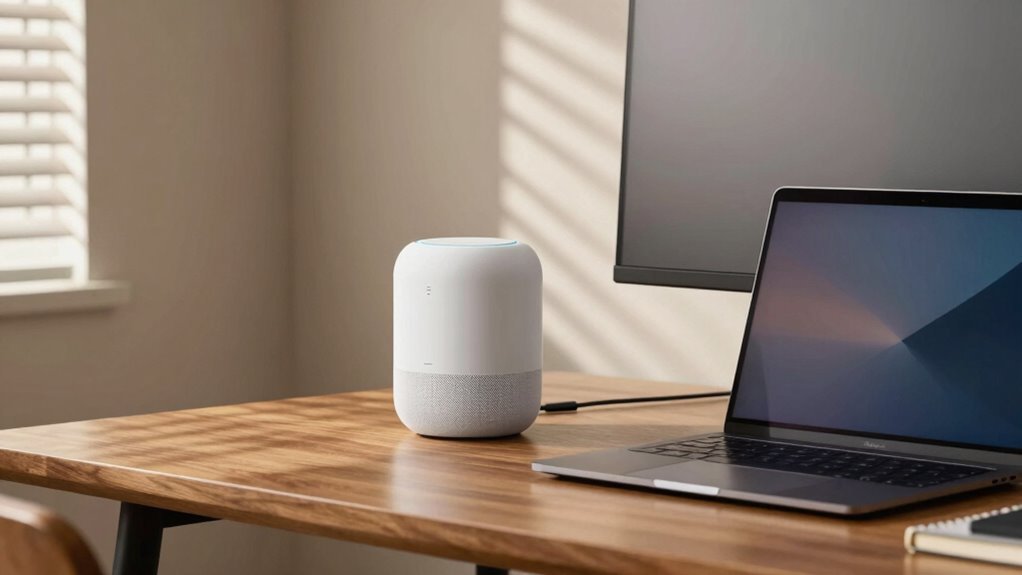
Your smart assistant hears more than just commands—it saves voice snippets, tracks habits, and even logs your Wi-Fi name. Review your voice history and delete what you don’t want saved, or set it to auto-delete every 3 or 18 months. Change the wake word to something quirky like “Ziggy” to cut down on eavesdropping moments. Limit app permissions, block sketchy skills, and keep data on your device when you can. Use strong passwords, turn on MFA, and you’ll already be way ahead of the game—plus, there’s even more to keep your setup savvy and secure.
Understand What Data Your Smart Assistant Collects
Ever wonder what your smart assistant hears—and keeps?
Well, it’s more than just your to-do list.
Every time you say “Hey,” it grabs your voice snippet, turns it into text, and logs the chat.
It also notes the time, device type, and even your Wi-Fi name—kind of like a digital footprint, but for your living room.
If you’re using smart lights or a calendar, it tracks those interactions too.
Yep, it remembers when you asked about your meeting or added chocolate ice cream to your shopping list.
It’s not just listening—it’s learning.
Your habits, favorite brands, even your voice tone when you’re stressed.
All this helps it serve you better… or sell you stuff.
Kind of sneaky, right? But hey, knowledge is power—and now you’ve got it.
Persistent IDs and unique links connect every participant interaction automatically, meaning your smart assistant can tie all your requests together over time using persistent participant IDs.
Stay curious, stay aware, and don’t talk too much about your crush.
Just saying.
Review and Adjust Voice History Settings
While you’re teaching your smart assistant to play music and set reminders, it’s already been quietly saving your voice clips—yes, those awkward “um” moments and late-night snack requests are all tucked away in your activity history. But don’t panic! You can review and clean it up easily. Both Google and Amazon let you listen to recordings, filter by date, and delete clips one by one or in batches. Try saying, “Hey Google, delete today’s activity,” or “Alexa, erase what I just said,” and feel the power! You can even set auto-delete to vanish recordings after 3 or 18 months. Data is encrypted in transit to help protect your recordings as they travel to the cloud, so while the risk of interception is low, it’s still wise to manage what’s stored. Here’s a quick cheat sheet:
| Platform | Review Voice History | Auto-Delete Options |
|---|---|---|
| My Activity > Audio clips | Every 3 or 18 months | |
| Alexa | Alexa app > Voice History | Don’t save or auto-delete |
Take control—your voice, your rules!
Limit Data Sharing With Third Parties

You’re already doing great by cleaning up your voice history, but don’t stop there—every time you add a new skill or app to your smart assistant, you’re handing a backstage pass to someone else.
Think of each one like a guest in your digital home: only invite the ones you trust.
Audit what’s installed, dump unused or sketchy apps, and favor well-reviewed skills that clearly explain how they use data.
Deny access to your contacts, location, or microphone unless absolutely necessary—keep things on a need-to-know basis.
Block apps from saving your voice snippets, and prefer ones that process commands on your device, not the cloud.
Treat permissions like party favors: give just enough, not the whole bag.
Check your list monthly—because yeah, that meditation app from 2021? It’s probably not meditating anymore. It’s snooping.
Some recordings may be subject to human review by contractors for quality control.
Customize Wake Word and Activation Preferences
Why settle for “Alexa” when you could have “Computer,” “Echo,” or even “Ziggy” lighting up your smart speaker?
You’ve got options—and a little creativity can boost both fun and privacy.
Changing your wake word isn’t just quirky; it’s a smart move to avoid accidental pings from ads or TV shows.
Plus, customizing how your device wakes up puts you in control.
Here’s how to make it work for your home office:
- Pick a unique wake word like “Ziggy” to cut down on false triggers from commercials or chatty coworkers.
- Use open-source tools like openWakeWord if you want full control—no cloud spying, just local listening.
- Go for self-hosted assistants like Home Assistant to craft your own wake phrase and keep audio in-house.
- Test your mic’s sweet spot and tweak settings so your voice starts the magic, not the dog’s bark or the AC hum.
Wakeup calls just got way more fun.
Manage User Access and Personalization Features

Take charge of who gets to talk to your smart assistant and what it knows about you—because your digital helper shouldn’t spill office secrets or let the intern rename your calendar “Dance Party 24/7.”
By setting up clear user roles like admin, manager, and guest, you keep control tight and mistakes rare.
Use unique accounts for everyone, so you can track who did what and kick out snoops fast.
Lock down admin access with MFA—no guessing passwords allowed!
Give guests and contractors temporary keys that vanish when their job’s done.
Keep an eye on who’s logging in and what they change, just in case.
And hey, don’t let your assistant blab your schedule aloud in shared spaces—turn off voice previews.
Store personal bits on the device, not the cloud, and only share what’s absolutely needed.
It’s your office, your rules—so make them fun *and* safe.
Enable Automatic Deletion of Stored Data
Now that you’ve locked down who can interact with your smart assistant and what they can do, it’s time to clean house—because let’s be honest, even the neatest digital life collects clutter.
You can set your devices to auto-delete stored data, so you’re not holding onto recordings forever (because, ew, digital dust bunnies).
Here’s how to stay fresh:
- Tell Google Assistant to zap old activity every 3, 18, or 36 months—just visit My Activity and flip the switch.
- For Alexa, hop into settings to schedule automatic voice recording cleanup (transcripts? gotta handle those separately).
- Use voice commands like “Hey Google, delete everything I said today” for a quick sweep.
- Try Home Assistant routines to wipe devices and data clean, with backups made so you won’t lose sleep.
Boom—less clutter, more peace of mind.
Strengthen Security With Access Controls and Audits

Lock down your smart home like a pro, because letting every digital Tom, Dick, and Sally waltz through your devices is so last season.
Start by splitting your network—tuck smart assistants into their own VLAN or guest segment, so they can’t peek at work files.
Use role-based access so your coffee maker doesn’t have the same privileges as your work laptop.
Enforce MFA, because passwords alone are about as secure as screen doors on submarines.
Hand out digital keys like concert tickets—time-limited, non-transferable, and revoked after the show.
Audit logs? Gold.
Turn them on, save them securely, and review them regularly to catch sneaky sign-ins or rogue remotes.
Automate permission updates and rotate API keys like socks.
With real-time alerts and tamper-proof logs, you’re not just locking doors—you’re running a five-star digital fortress, with bouncers, surveillance, and a no-fly list.
Win.
Frequently Asked Questions
Can Hackers Access My Smart Assistant Remotely?
Yeah, hackers *can* access your smart assistant remotely, but don’t panic—it’s not as easy as they make it look on TV.
They might sneak in through weak passwords, sketchy Wi-Fi, or sneaky audio tricks you can’t even hear.
But if you use strong, unique passwords and turn on two-factor authentication, you’ll block most digital bad guys.
Think of it like locking your front door—you’re not invincible, but you’re way safer.
Stay sharp, stay updated, and your smart helper stays *your* helper.
Are Children’s Voices Processed Differently for Privacy?
Yeah, kids’ voices are handled way more carefully—like, 80% of smart assistants now use special kid-detect tech to trigger stricter privacy rules.
You’ll love how they automatically disable voice storage unless parents say yes, and they often process audio right on the device to keep it safe.
It’s like giving your child’s voice a superhero shield!
Companies can’t even use those clips to train systems without getting into serious trouble.
Pretty cool, right?
Does Unplugging the Device Fully Stop Data Collection?
Nope, unplugging doesn’t *fully* stop data collection—think of it like pausing, not stopping, the show.
You’re cutting off live mics and cameras, which is great, but saved chats, voice snippets, and cloud profiles stick around.
Some smarty-pants devices even snooze with a tiny backup brain, ready to go.
Plus, companies still analyze your old habits.
For real privacy, you’ll need to delete data and tweak settings—unplugging’s just the first fun round in the privacy game!
Can I Use a Smart Assistant Without an Account?
Yeah, you can use a smart assistant without an account, but it’s a bit like having a bike without wheels—possible, just not very useful.
Plug in local systems like Home Assistant or Mycroft, and keep everything on your own devices.
You’ll skip the cloud logins, protect your privacy, and still boss the lights around like a tiny home wizard—just don’t expect Netflix recommendations or weather forecasts from outer space.
Is Voice Data Encrypted During Transmission to Servers?
Yes, your voice data’s encrypted when it travels to servers, so snoopers can’t easily eavesdrop.
You’re using secure channels like TLS—kind of like sending a letter in a locked box.
But hey, would you leave the key with the postal worker?
Most companies hold it, meaning they *can* access your data.
Metadata still leaks clues about your habits, and once it’s on their servers, encryption alone won’t save it.
Watch those settings, and consider on-device options to keep more private—privacy’s a team effort, after all!
Conclusion
You’ve got this! With just a few tweaks, your smart assistant can stay helpful without spilling your secrets. Did you know 61% of users never check their privacy settings? Don’t be one of them! Adjust those controls, give snoopers the boot, and laugh in the face of awkward voice recordings. Your home office stays smart, secure, and seriously *you*. Sweet, huh?