Splitting Costs on Office Gear: A Guide for Remote Teams

You’re not alone if your home office costs more than expected—many teams split bills for laptops, chairs, and internet, with employers often covering the basics like devices and security. Some chip in for ergonomic gear or internet upgrades, while smart companies use stipends or bulk buys to save cash. Get this right, and you’ll boost comfort, cut chaos, and keep tech trouble (and surprise expenses) at bay—especially when you discover the smarter hacks hiding just around the corner.
Understanding the Real Cost of Remote Work Equipment
Ever wonder why your home office feels more expensive than your old cubicle?
You’re not just paying for Wi-Fi and a chair—you’re investing in your job.
That $70 internet upgrade, $40 phone plan, and $120 power surge in California?
That’s $200 gone monthly.
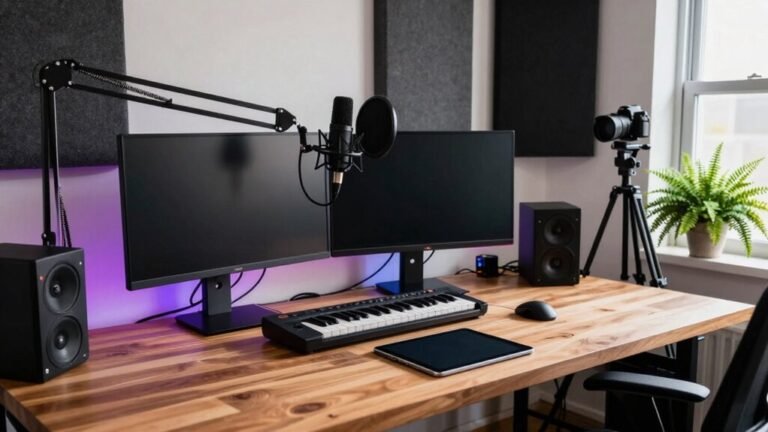
And your sweet setup—desk, dual monitors, ergonomic chair—likely cost $2,000+ upfront.
Ouch.
You’re also replacing laptops every two years, not four, adding $750 a year.
Need two devices for hybrid days?
Double the headaches—and costs.
Even tech glitches hit your wallet, stealing 4 hours a month.
Companies rarely cover all this—one in five help at all.
So yeah, working from home isn’t free.
But hey, at least you can wear pajamas.
Just don’t blame us when your cat walks across your keyboard mid-presentation.
And if your company asks you to return that laptop, good luck—97%+ return success rate with professional services doesn’t happen on its own.
How Companies Typically Share Technology Expenses
You’re already footing part of the bill just by keeping your home office running—internet, devices, power, the occasional clawed keyboard.
But companies aren’t leaving the rest to chance.
They’re using centralized systems to track every tech dollar, from software to cell plans, so nothing slips through the cracks.
You’ll love how they split costs fairly, using usage-based or tiered models—nobody pays for what they don’t use.
Smart tools automate invoicing, catch errors, and even spot duplicate charges (bye-bye, double-billed Zoom licenses).
Teams collaborate across finance and IT, set clear rules, and negotiate better deals with vendors—often saving thousands.
With real-time reports and audit-ready data, sharing tech expenses feels less like guesswork and more like a well-tuned playlist: smooth, smart, and surprisingly satisfying.
Who knew spreadsheets could be this fun?
Who Pays for Internet, Devices, and Office Furniture?

Let’s break down who foots the bill for your home office must-haves—because no one should have to choose between a comfy chair and paying the electric bill.
Your employer usually covers your work laptop (security first!), but check if they’ll pitch in for a better internet plan—only about 28% do, so don’t assume.
If video calls eat up data, they might upgrade you or hand over a hotspot.
Peripherals like headsets or extra monitors? Often reimbursed up to a limit, sometimes with a fun “here’s $500, go wild” stipend.
Ergonomic chairs and adjustable desks? Yes, please—and many companies foot the bill to keep you pain-free and productive.
Just save those receipts unless you love surprise taxes.
Policies vary, so ask early and avoid paying for your boss’s comfort on your dime.
Only 28% of remote workers have their internet expenses covered by their employer, so don’t count on reimbursement without checking your company’s policy.
After all, remote work should feel great—not break the bank.
Balancing Security and Spending in Distributed Teams
| Strategy | Benefit | Cost Saver? |
|---|---|---|
| Multi-factor authentication | Stops 99% of attacks | Yes, under $5/user |
| Centralized identity management | Fewer password resets | Reduces IT tickets |
| Zero-trust access | Limits breach spread | No extra hardware |
| Automated patching | Prevents exploits | Cuts emergency fixes |
| Security training | Fewer phishing slips | Avoids $1M+ breach costs |
Stay sharp, not scared—you’ve got this.
Maximizing Savings Without Sacrificing Employee Support

While you’re equipping your team for success, it’s totally possible to keep costs in check without skimping on support—think of it as shopping smart, not cheap.
You can offer a $1,000 stipend and let folks pick their favorite gear, or use bulk buying power to score discounts on standardized kits.
Try tiered setups—no need to give every employee a triple-monitor station if they just need a laptop and a comfy chair.
Virtual cards? Genius. Set spending limits and approve purchases fast.
Reuse gear when someone changes roles; it’s eco-friendly *and* budget-friendly.
Encourage ergonomic wins (hello, back support!) while skipping fluff like rainbow keyboards—unless they boost joy *and* productivity.
Centralize orders to track warranties and cut duplicate buys.
You’re not penny-pinching; you’re value-maximizing.
Your team stays happy, productive, and feeling supported—all without blowing the budget on shiny distractions.
Who knew thrift could be this slick?
Planning Long-Term: Budgeting for Hybrid and Remote Setups
You’re not just saving on office space when you go hybrid—you’re unlocking a smarter way to work that pays off big time, literally.
Imagine this: over $11,000 saved per employee each year, mostly from slashing rent, utilities, and snacks no one eats anyway.
You’ll cut workspace costs by up to 40%, especially with hot-desking and leaner leases.
But don’t just pocket those savings—invest them wisely.
Yes, you might spend a little on home office stipends or better video tools, but forget clunky tech—keep it simple.
Going hybrid also means fewer headaches with turnover; 25% less churn adds up fast.
Workers stay happier, more productive, and believe it or not, actually show up—just not every day.
With 72% of companies still requiring office days, plan smart.
Budget for flexibility, because the future isn’t just remote—it’s balanced, bold, and frankly, brilliant.
Frequently Asked Questions
Can Employees Keep Company-Provided Equipment After Leaving the Job?
Nope, you can’t keep company gear after leaving—it’s not a parting gift!
The laptop, headset, or fancy chair stays theirs unless explicitly gifted.
Companies own what they issue, even after you’re gone.
Think of it like borrowing a friend’s jacket: fun while it lasts, but they’ll want it back.
Return it on time, or they might come knocking—politely, via invoice or worse, a lawsuit!
Are Home Office Stipends Taxable Income for Employees?
Yes, home office stipends are usually taxable income for you— Uncle Sam sees them as cash, not magic beans.
If your employer hands over a flat amount without asking for receipts, it’s taxed like regular pay.
But if they use an accountable plan and you submit proof of expenses, you might dodge the tax hit.
Keep records, stay compliant, and voilà—your wallet wins without the IRS frowning.
What Happens if Company Equipment Gets Damaged at Home?
If company gear gets damaged at home, you’re not automatically on the hook—don’t panic!
Report it ASAP, and the company handles most repairs.
But if you spilled coffee on the laptop *again*, they might jokingly ask if it’s a habit.
Negligence could mean costs or deductions, but only with your prior consent.
Normal wear and tear? Totally fine.
Just be honest, act fast, and save the drama for your Netflix binge.
Do Part-Time Remote Workers Get the Same Tech Support as Full-Timers?
Yes, you usually get the same tech support as full-timers—most companies don’t play favors!
They’ll hook you up with laptops, Wi-Fi help, and secure logins, no matter your hours.
After all, a glitch’s a glitch, whether you’re working8 hours or4!
Plus, happy part-timers mean smooth operations, so yeah, you’re definitely in good tech shape. 🚀
How Often Can Employees Upgrade Their Remote Work Devices?
You can upgrade your remote work gear when it’s truly on its last leg—ironic, right, since it probably still turns on (barely).
You’ll get a new device when crashes, slowdowns, or outdated software get in the way.
If your laptop takes longer to boot than your coffee to brew, it’s time.
We cover upgrades when performance, security, or warranty issues hit—so you stay fast, safe, and sane.
Conclusion
You’ve got this! Did you know 72% of remote workers say better gear boosts their focus? That’s huge! When companies split costs fairly, everyone wins—happier teams, sharper work, and fewer excuses like “my chair’s killing my back.” Tech shouldn’t be a headache, it should be a help. So grab that budget, team up, and build a setup that feels great and works even better. Who knew teamwork could start with a shared Wi-Fi bill?