Speaker Placement Guide for the Best Office Sound
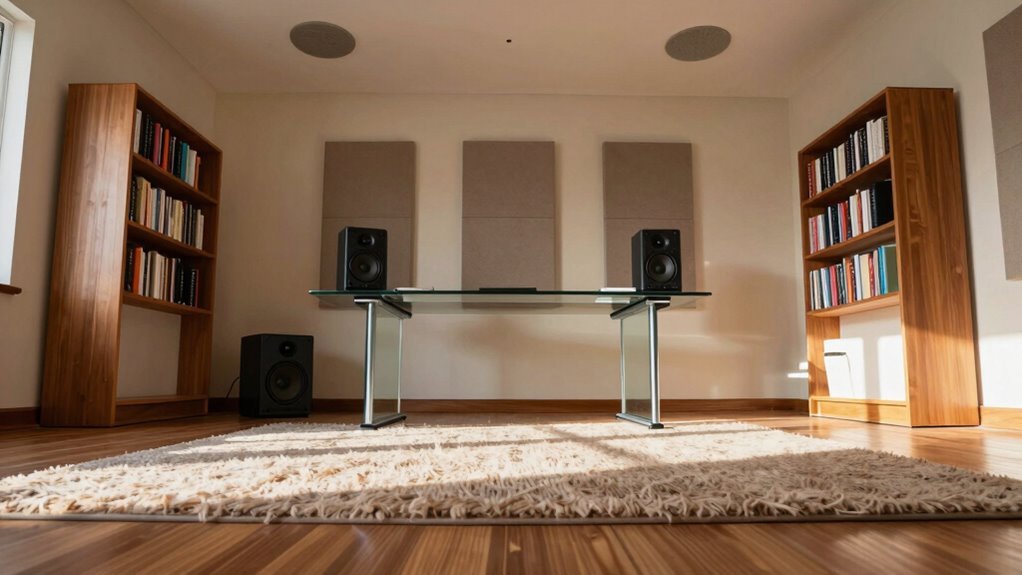
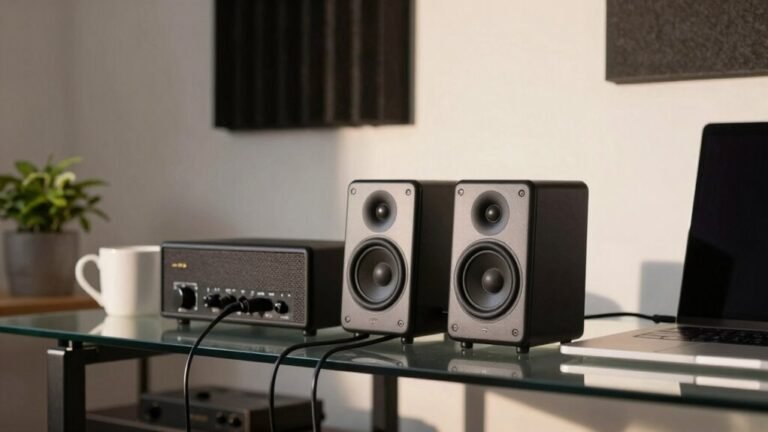
Set up your speakers in an equilateral triangle with your listening spot, tweeters aimed right at your ears for crisp, lively sound. Place them 20–33% from the front wall, away from corners to avoid boomy bass, and keep them symmetrical. Angle them slightly inward—10 to 20 degrees—so the sweet spot hugs your chair. Use rugs or curtains to tame echoes, and tweak till it sings. Think of your speakers as best friends—facing each other, not the walls. You’ll love what comes next.
Forming the Ideal Equilateral Triangle
Where should you even start when it comes to placing your office speakers just right? Simple—form an equilateral triangle!
You’ve got your desk, your chair, and now it’s time to bring those speakers into a neat, balanced trio.
Place each speaker the same distance from you as they’re from each other—boom, symmetry!
All sides equal, all angles 60 degrees, like a perfectly sliced pizza.
This setup keeps left and right sound balanced, so your music, calls, and podcasts sound crisp and clear.
It works in big rooms, tiny nooks, and everything in between—just scale it like a smart office ninja.
Don’t stress over perfection; get close, then tweak.
Think of it as science with a side of fun.
Your ears will thank you, and honestly, your office might start feeling a little too cool.
Aim the tweeters toward ear level for optimal clarity and sound imaging, especially since high frequencies are more directional sweet spot.
Setting the Correct Speaker Height
Get ready to elevate your sound—literally! For the best office audio, set your speaker tweeters right at ear level when you’re seated—usually 36 to 38 inches high. That sweet spot gives you clear, detailed highs without harshness.
Use adjustable stands or wall mounts to nail the perfect height, especially if your desk or chair runs tall or short.
If you’ve got a mix of seated and standing listeners, bump front speakers up to 7–10 feet to keep everyone in the loop.
Surrounds? Place them about a foot above ear level—roughly 6 feet—for that immersive vibe.
Mounted above? Just tilt them down so sound hits your ears, not the ceiling.
And hey, even in-ceiling Atmos speakers should angle toward you—nobody likes talking to the sky.
Proper toe-in angle helps direct sound precisely to the listening position, improving clarity and stereo imaging.
Get the height right, and your office won’t just sound smart—it’ll *be* smart.
Optimizing Distance From Walls and Corners

Now that you’ve got your speakers at the perfect height to hit your ears just right, let’s talk about where to plant them in the room—because sound doesn’t just travel forward, it bounces, spreads, and sometimes throws a little tantrum if shoved too close to walls or corners.
Keep your speakers 20–33% of your room’s length from the front wall to dodge boomy bass and wonky imaging.
Less than a foot? That’s a recipe for muddy speech.
For side walls, stay 20–33% of room width away to keep stereo balance nice and even—mirror them like twins to avoid sound leaning to one side.
Corners are bass magnets, so skip cramming speakers in them unless you love thunderous rumbles.
If you must, slap on bass traps or tweak EQ.
Use your ears, move speakers in small steps, and treat reflections with absorbers to keep office audio crisp, clear, and ready for business—without the sonic drama.
Placing speakers along the shorter wall and firing them into the longer dimension of the room helps improve bass response and overall sound staging, especially when subwoofers benefit from the longer dimension.
Adjusting Toe-In Angles for Precision
Tweaking your speaker angles might sound like a tiny detail, but dialing in the right toe-in can make a huge difference in how your music, calls, and podcasts come to life.
Get it right, and your soundstage pops with clarity—like your speakers are whispering secrets just for you.
- Start around 10–20° inward; it’s a sweet spot for most offices and avoids the “laser-beam treble” of extreme angles.
- Aim the tweeters slightly past your ears—or just behind your head—for crisp imaging without sounding harsh.
- If things feel too bright, ease back on the angle; more parallel placement softens the highs and widens the stage.
- Always tweak both sides equally, unless you enjoy sonic illusions (or confusing your coworkers).
Small shifts, big payoffs—your ears will thank you.
Maintaining Room Symmetry and Balance

Right in the middle of your office, symmetry isn’t just for math class—it’s your secret weapon for killer sound.
Line up your speakers evenly along the longest wall so they’re the same distance from each side wall, and keep your listening spot center stage.
Form a tidy triangle between you and the speakers to lock in crisp stereo imaging.
Use a tape measure—yep, like you’re framing a masterpiece—and confirm both speakers are millimetres from the centerline.
Match their height, aim tweeters at ear level, and plant them on identical stands so one doesn’t play taller than the other.
Keep wall materials and surfaces even—no carpet on one side, tile on the other!
Avoid front wall mismatches too; both speakers should stand equally proud from the wall.
If your room’s got more quirks than a sitcom, sneak in some matching absorbers.
Trust us, your ears will throw you a party.
Managing Acoustic Reflections Effectively
Taming wild sound waves in your office isn’t just smart—it’s kind of like giving your ears a cozy blanket.
You can stop echoes before they stage a rebellion off your walls and ceiling.
Here’s how to manage reflections like a pro:
- Hang acoustic panels on side and back walls—especially non-parallel ones—to catch sound bounces and turn noise into cozy warmth.
- Install ceiling baffles or tiles to break up overhead chaos—perfect for quieting loud chatter and clattering keyboards.
- Lay down rugs, add upholstered furniture, or sneak in under-desk foam—soft stuff eats sound for breakfast.
- Use plants, moss walls, or curtains near windows and hard surfaces to kill echoes while making your space look like an office magazine spread.
You’re not just reducing noise—you’re conducting a tiny symphony of calm.
And hey, your ears will thank you with less eye-rolling.
Testing and Fine-Tuning Your Setup

Now that you’ve tamed the echo monsters bouncing off your walls and wrapped your room in sonic comfort, it’s time to get that sound *just right*—because let’s be honest, your playlist deserves better than “kinda close.”
Pull up a chair (preferably on a nice rug, you acoustic legend) and fire up your speakers like you’re about to win an invisible Grammy.
Play your favorite pro-mixed tracks and really *listen*—are the highs crisp, the mids clear, and the bass tight?
Use an SPL meter or REW software to spot trouble zones, and test different spots, especially around the 38% mark from the front wall.
Try moving a few inches forward or back—small shifts matter.
Angle your speakers just enough so sound hits your ears directly, tweaking a degree at a time.
Don’t forget the mirror trick to align them perfectly.
Test stereo imaging, play a movie, and trust your ears—when it sounds wide, balanced, and real, you’ve nailed it.
Boom.🎧
Frequently Asked Questions
Can I Use Wall-Mounted Speakers in an Office Setup?
Yes, you can absolutely use wall-mounted speakers in your office!
They save space, sound great, and keep cables tidy.
Just mount them at ear level when seated, angle them toward listeners, and avoid corners to prevent boomy bass.
They’re perfect for music, calls, and podcasts—plus, they make your office look sleek.
Who knew great sound could be so stylish and smart?
Should I Calibrate Speakers Differently for Voice Versus Music?
Yeah, you should tweak tone and trim for talk versus tunes—trust your ears!
Voice wins with warmth, a smooth midrange, and gentle slope, while music craves full, flat fidelity.
You’ll dodge dullness or shrill surprises later.
Skip stiff settings; swap sound profiles like shoes—comfy for conversation, snazzy for songs.
Calibrate with care, but keep it playful—your office oasis deserves both clarity and kick!
How Often Should I Recheck Speaker Placement After Setup?
You should recheck your speaker placement right after setup, then monthly to keep things sounding crisp.
If you move furniture or rearrange the room, double-check—they’re sneaky like that.
Notice weird bass or a wonky soundstage?
Don’t wait.
Give them a quick once-over.
Think of it like watering a plant: a little attention goes a long way.
Your ears will thank you with pure, glorious sound every single time.
Do Lighting Fixtures Affect Speaker Performance or Sound Quality?
Yeah, lighting *does* mess with your sound—mind-blown, right?
Cool, bright lights make highs feel sharper, like sonic glitter.
Warm light? It wraps around bass notes like a cozy blanket.
Fancy LED strips? They make music feel bigger, like the room’s breathing.
And glare? It’s not just harsh on eyes—it makes sound feel tinny too.
So tweak those lights, and boom, your speakers sound better—no wires touched!
Magic? Nah, just science goofing with your senses.
Is It Safe to Place Speakers Near Computer Monitors or Electronics?
No, you shouldn’t place speakers right next to computer monitors or electronics—they’ll probably start picking up weird whooshing or buzzing noises.
Those high-tech screens emit electromagnetic vibes that love to sneak into your speakers, especially if they’re powered or using unbalanced cables.
Just scoot your speakers a few inches away, use balanced cables, and plug everything into the same outlet.
Easy fixes, happier sound!
Conclusion
You’ve nailed it—your speakers are now louder, clearer, and smarter than a rockstar’s stage setup. That triangle? Razor-sharp. The toe-in? Laser-guided. Walls aren’t stealing your bass, reflections aren’t ghosting your highs, and your ears are practically throwing a party. Tweak one last dial, lean back, and bask in audio glory. Boom—office sound just got a PhD in awesome.